AXL has released a major update that changes how users work with the platform. Many tasks can now be completed using natural-language prompts—either directly in AXL or through connected external AI services.
The platform is evolving from a collection of tools for marketing, sales, and online learning into a cloud environment where AI can be used to create pages, emails, courses, quizzes, automated workflows, and other project components.
This article provides an overview of the new capabilities.
Jump to a section:
Built-in AXL AI Assistant
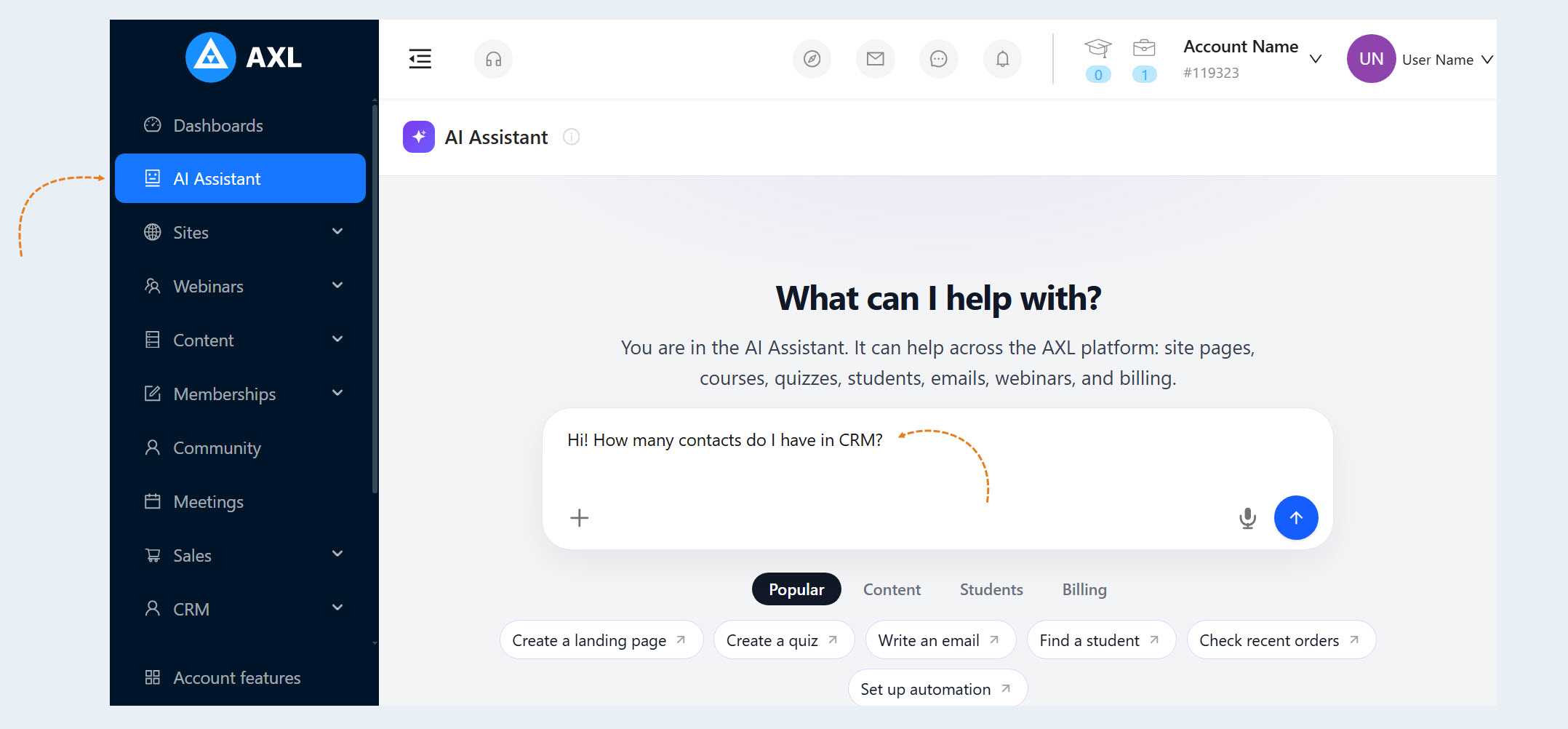
The AXL dashboard now includes a built-in AI Assistant. It lets users assign tasks in plain language, retrieve information from their account, and create or configure platform assets without manually navigating between sections.
The AI Assistant does more than answer questions—it can also take action within the account.
For example, you can ask it to:
- find contacts, orders, pages, and other data;
- create a page, form, course, webinar, email, or promo code;
- update the content, design, settings, or status of an existing asset;
prepare an email campaign for a selected audience;
set up registration, notifications, or a schedule;
connect forms, emails, CRM tools, and events in an automated workflow.
If the Assistant does not have enough information to complete a task, it asks follow-up questions. When the task is complete, it displays the assets it created or updated in the chat and provides links to their settings.
To get started, open the AI Assistant section in the left-hand AXL menu, start a new chat, and describe the result you want.
For best results, include the following in your prompt:
the task objective;
the relevant asset or account section;
any required constraints and parameters;
the desired status of the result: draft, published, active, or a preliminary plan only.
Before publishing pages, launching email campaigns, or completing other important operations, review the final settings.
Learn more about the built-in AI Assistant: https://docs.axl.tech/ai-assistant.
New AI-Powered Page Editor
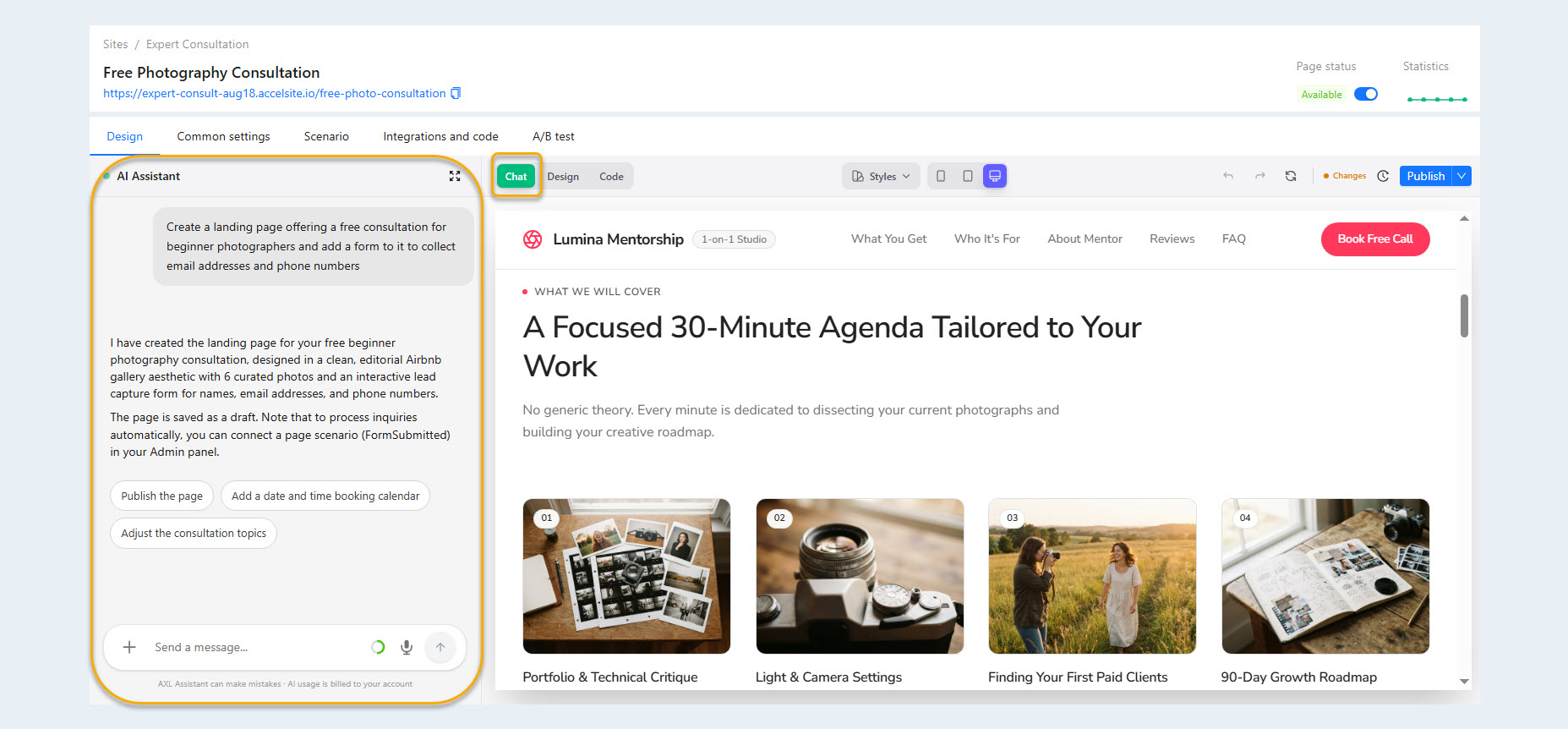
In the new page editor, users can manage content and design through a text-based chat. Describe the change you want, and AI will help apply it to the page.
Key capabilities include:
creating and editing pages with text prompts;
changing page structure, content, and design;
converting pages from the previous editor to the new format.
Pages are built with HTML and CSS, along with additional AXL-specific instructions. This format can be used with a variety of AI agents and external tools.
A New Approach to Email Campaigns
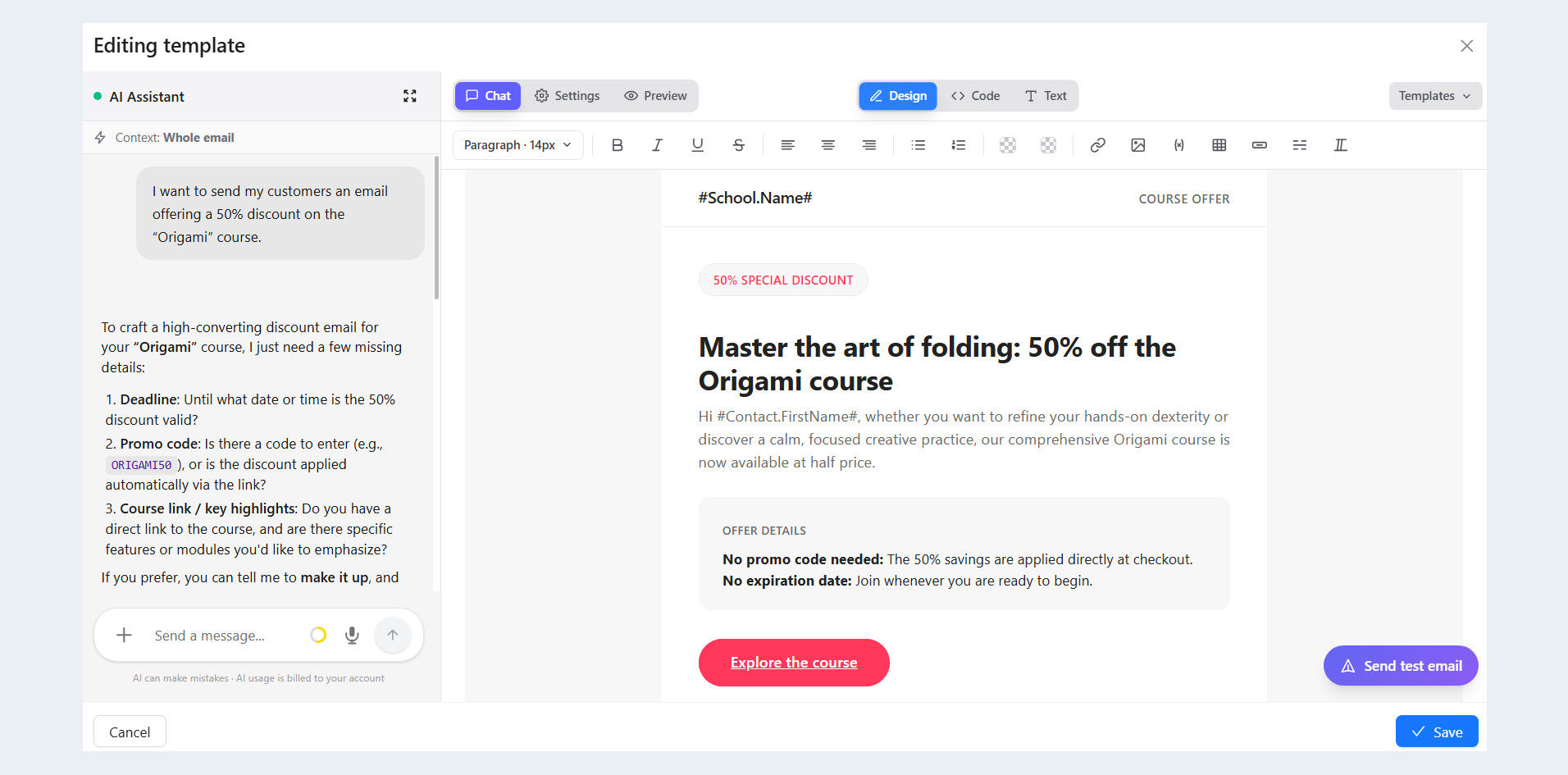
Emails in AXL are now standalone assets that can be managed in much the same way as website pages.
The updated editor includes:
email HTML editing;
design and style controls;
previews;
new templates;
AI-assisted email editing.
This makes it possible to manage an email’s content and design in one place and prepare campaign materials more quickly.
Learn more: https://docs.axl.tech/email-templates.
Creating Quizzes with AI
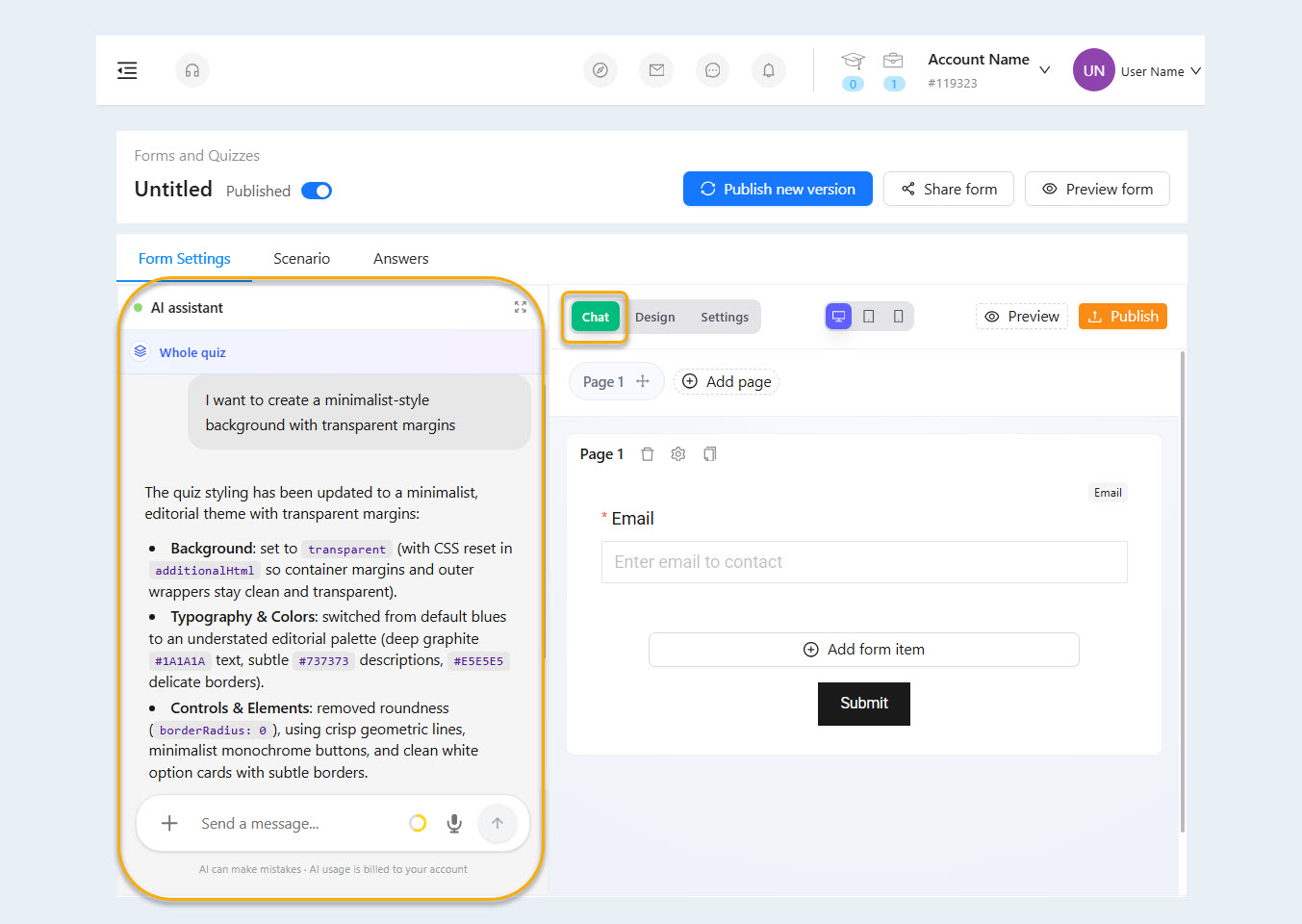
AI can be used to create and update quizzes. The chat interface helps prepare questions, answer choices, outcomes, and branching logic.
For example, you can ask the Assistant to:
create a quiz for a specific purpose;
revise the wording of questions;
configure different outcomes based on the user’s answers;
adapt an existing quiz for a new audience or product.
Learn more: https://docs.axl.tech/forms-and-quizzes.
Curator Agent
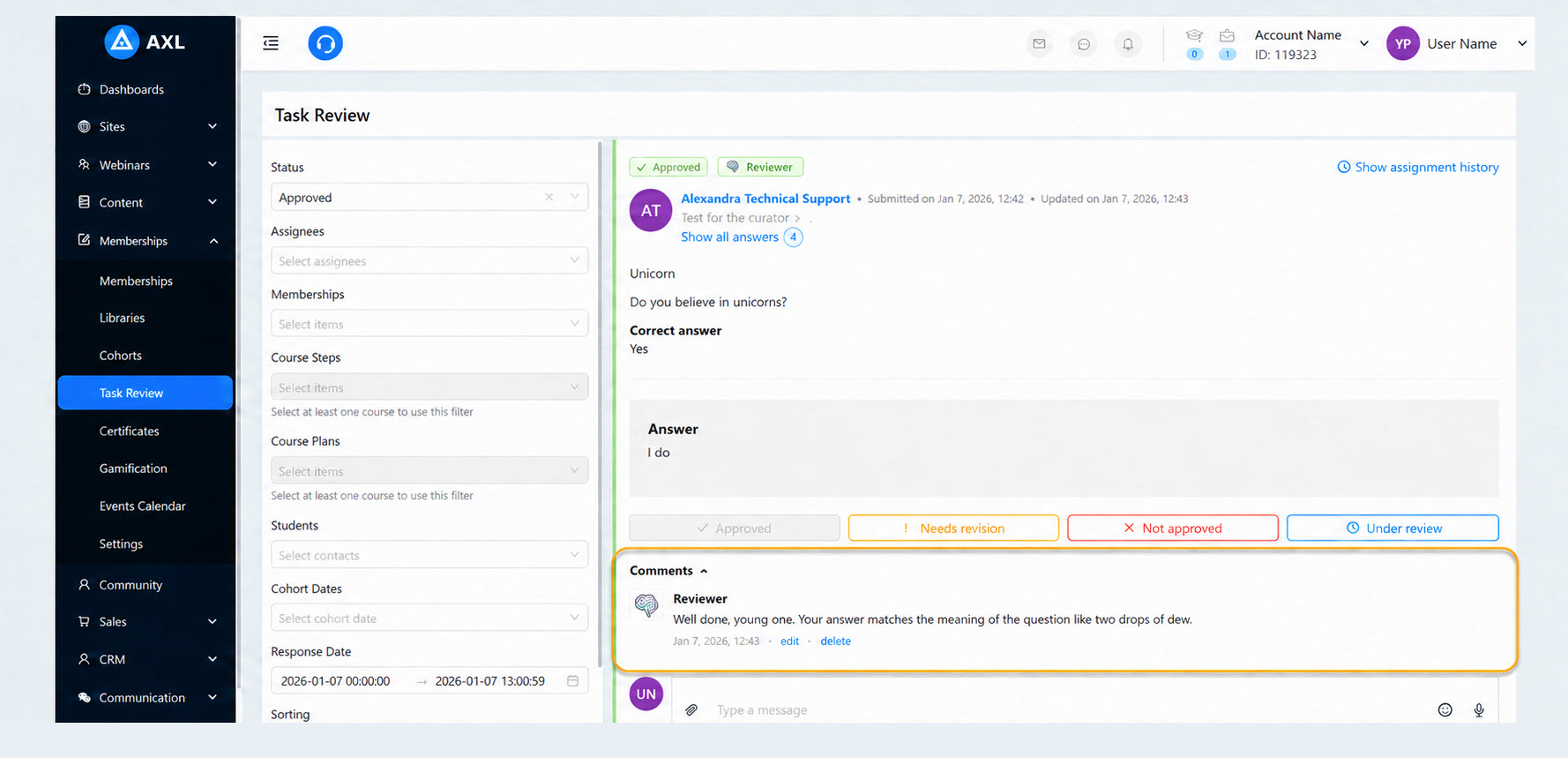
The Curator Agent automatically reviews course assignments. It analyzes learners’ responses, compares them with the course materials, and produces a reasoned evaluation.
The Agent can use the following information in its analysis:
a description of the correct answer;
its own knowledge base;
the lesson content;
images, documents, and audio messages submitted by the learner.
You can configure the Curator Agent for specific courses and individual assignments, as well as set its instructions, feedback tone, analysis strategy, and minimum confidence threshold. If the agent’s confidence falls below the specified threshold, the submission is automatically sent for manual review.
Before launch, you can test the Agent on a selected course, step, and assignment. The test results show the agent’s decision, reasoning, and confidence score.
The Curator Agent helps:
reduce the manual review workload;
provide feedback faster;
apply consistent grading criteria;
scale learning programs to large numbers of users;
route difficult and ambiguous responses to a staff member.
Usage is billed based on the number of tokens consumed. Usage depends on the selected strategy, the amount of course material, and the complexity of the review.
Learn more: https://docs.axl.tech/application-ai-curator.
Chat Agent
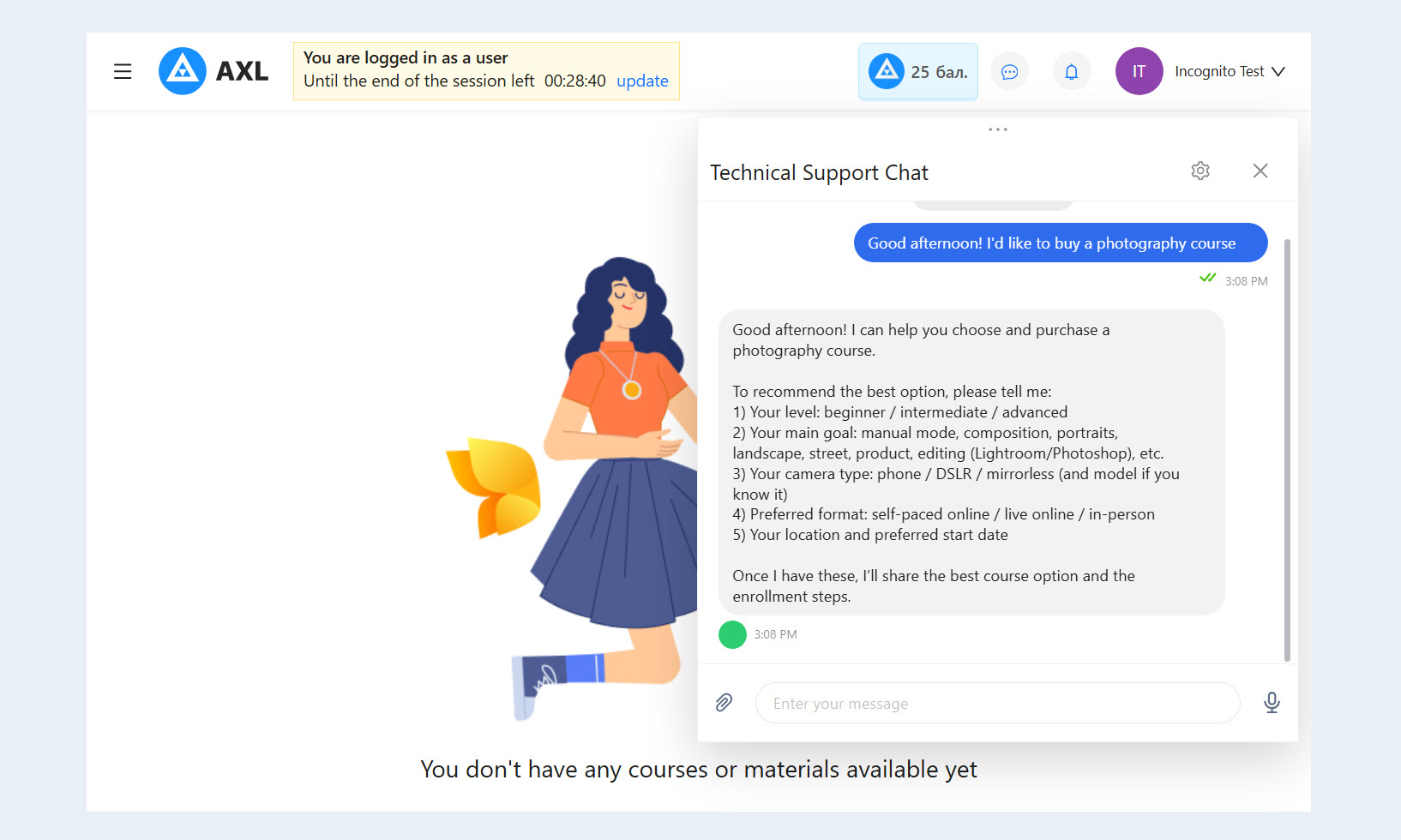
The Chat Agent is designed to communicate with customers and users automatically. Unlike the built-in AI Assistant, which helps administrators manage the platform, this application works in both external and internal chats as a virtual agent.
The Chat Agent can:
answer questions using an uploaded knowledge base;
maintain the context of a conversation;
ask follow-up questions;
qualify inquiries and leads;
analyze images, documents, and voice messages;
hand off complex conversations to a staff member;
operate in connected communication channels;
participate in automated AXL workflows.
Each Chat Agent can have its own name, instructions, communication style, knowledge base, operating strategy, and list of channels. Before connecting it to live chats, you can test it in the built-in conversation simulator.
In workflows, the Chat Agent is used as a standalone node. It can continue a conversation until a defined goal is reached, identify the user’s intent, and route the contact to the appropriate branch of the workflow.
Usage is billed based on the number of tokens consumed.
Learn more: https://docs.axl.tech/application-ai-assistant.
Connecting External AI Services via MCP
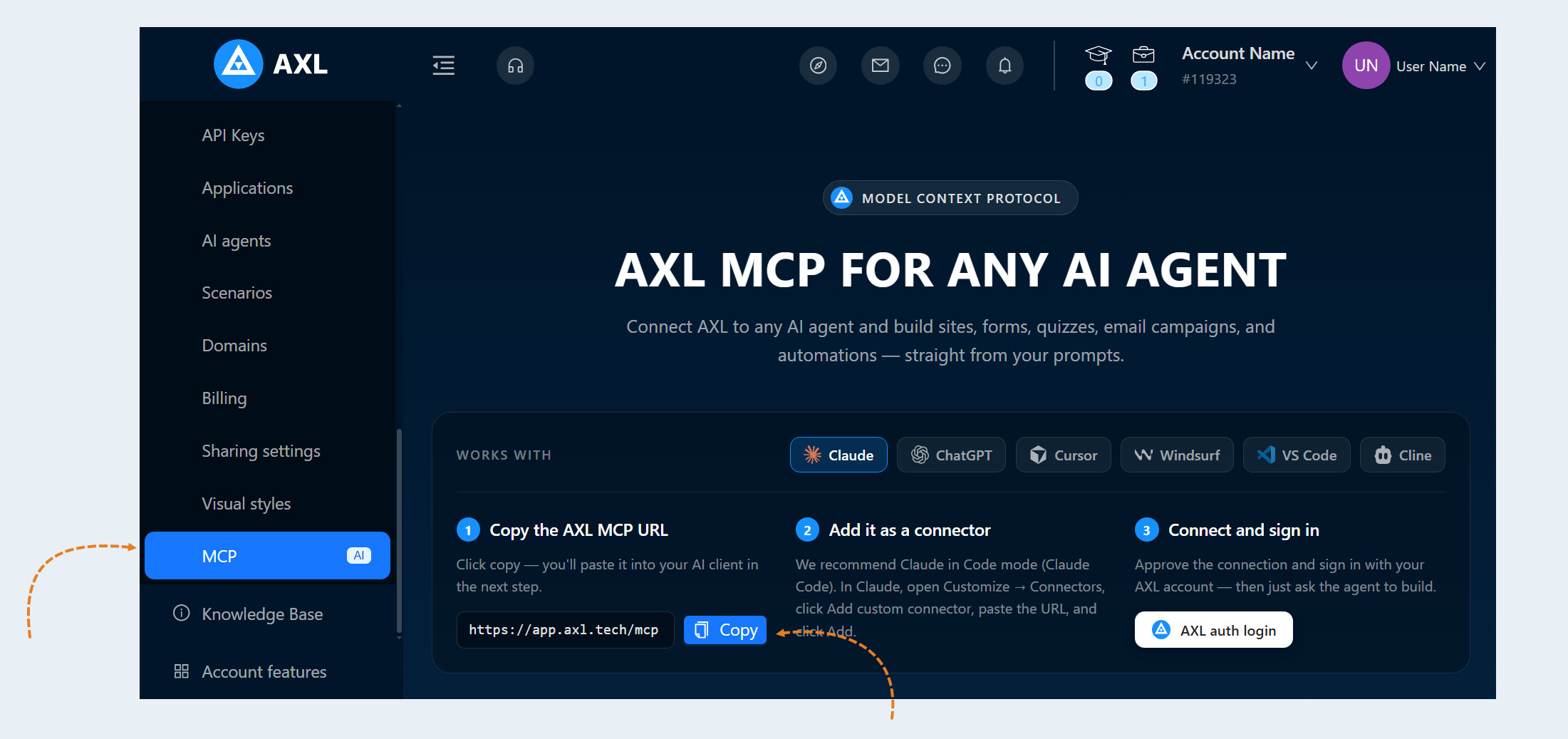
AXL supports the Model Context Protocol (MCP), which lets users connect compatible AI applications to their account and access AXL capabilities from those applications’ interfaces.
Once connected, users can assign tasks through Claude, ChatGPT, Codex, Cursor, and other MCP-compatible tools. The AI agent receives access to authorized AXL features and takes action within the connected user’s permissions.
Example prompts:
"Build a course from the uploaded videos. Add a course structure, learning materials, questions, and tests."
"Create a page on my website that presents this course, and add a registration form."
"Prepare an email campaign for webinar attendees who registered but have not yet purchased the course."
Through MCP, users can create websites, courses, forms, emails, quizzes, and workflows, as well as work with account data directly in the external AI service’s chat interface.
Access and Pricing
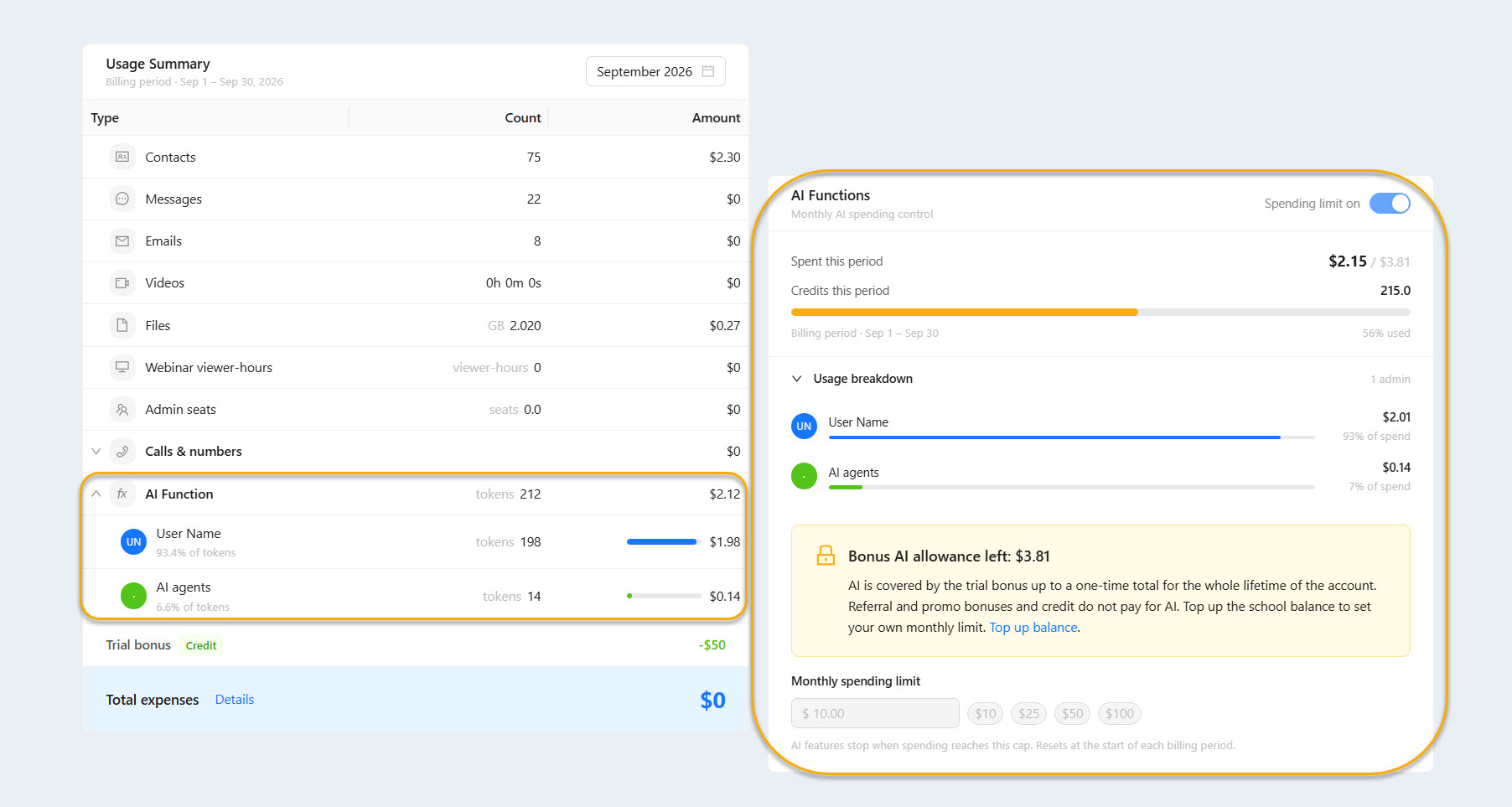
Use of AI features within AXL is charged against the account balance. The cost of each task is based on actual AI usage.
AXL’s internal billing unit is the AXL token: 1 AXL token = $0.01. The default spending limit is $10. To change or remove the limit, the account owner must go to the billing section and update it.
When working through MCP, AXL does not charge an AI usage fee. Users pay the selected external service—such as Claude or Codex—directly.
Summary
AXL’s AI tools support several areas of work:
the built-in AI Assistant helps administrators manage their accounts;
the page, email, and quiz editors speed up content creation;
the Curator Agent automates course assignment reviews;
the Chat Agent handles inquiries from customers and users;
MCP makes it possible to manage the platform through external AI services.
The main result of this update is a shift from manually configuring individual tools to managing work through task-based requests. Users describe the business outcome they need, and AI helps create and connect the necessary AXL components while leaving users in control of the final settings and launch.