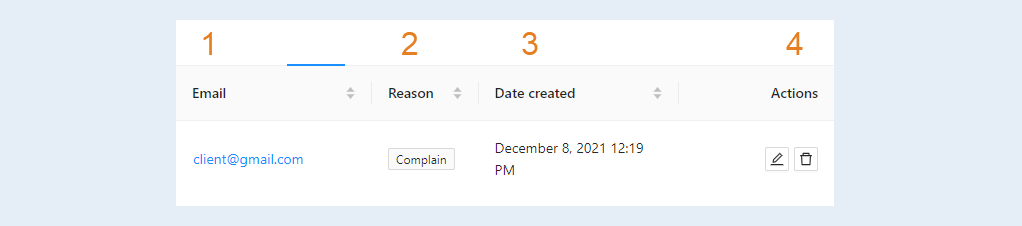
A stop list is a list of email addresses to which sending letters is prohibited. This is where you can enter the email addresses of users to which emails will not be sent.
In the Mail section, select the Sent Items tab. Then select the "Stop List" tab in the top menu.
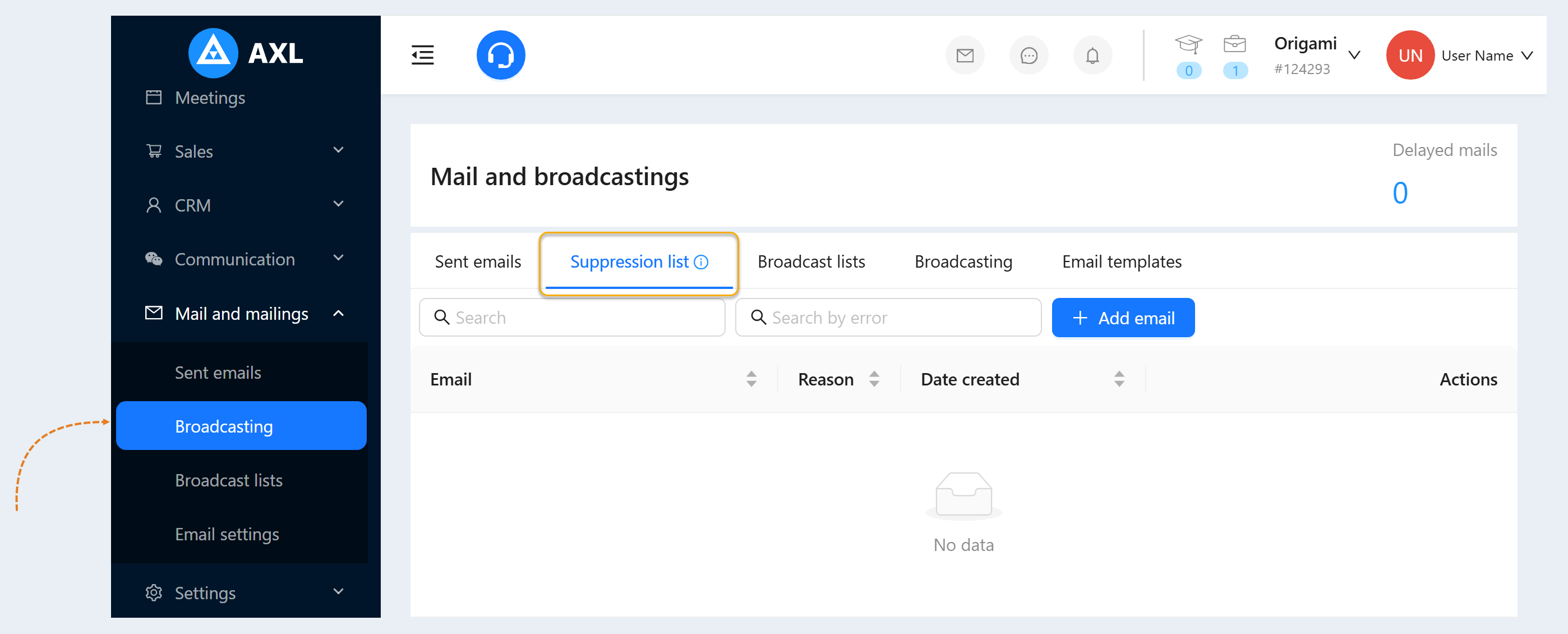
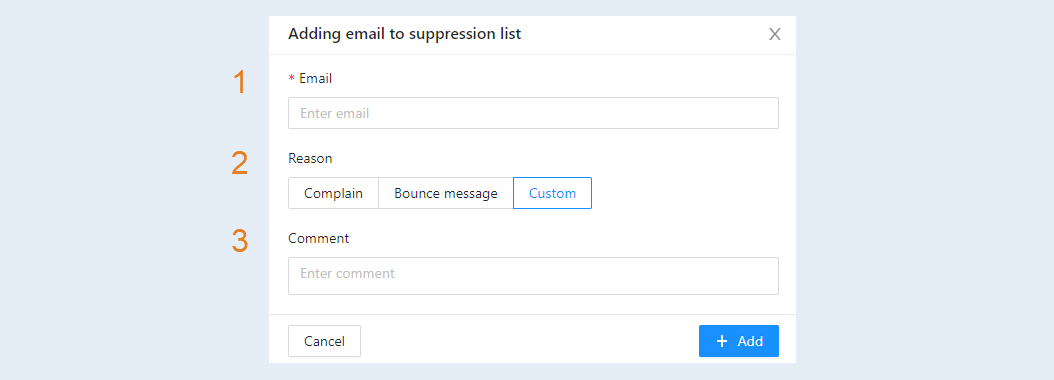
Click the Add Address button. Fill in the fields in the additional window:
- Email address.
- The reason for entering the Stop List.
- Comment on this contact.
After the address is added, it will appear in the Stop List. You will see information for all added addresses:
- User's email address.
- The reason for entering the stop list.
- Date created. Date added to the stop list.
- Actions. Here you can manage this contact (edit or delete from the Stop List)