A website in AXL is a set of pages under one address. You create the website once, then add pages to it.
Create a Website
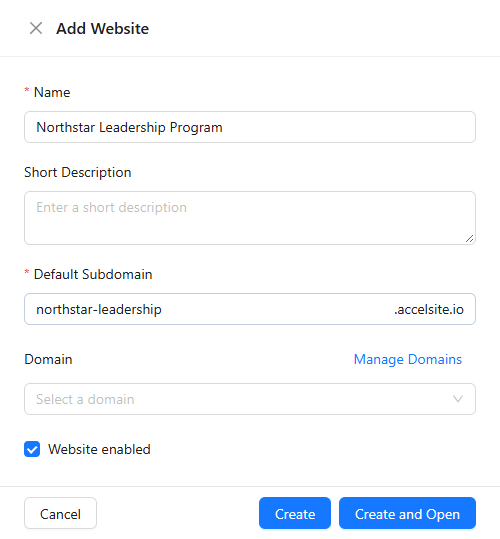
- Open Sites → Sites and click Add Website.
- Enter the Name and the Default Subdomain, the address where the website opens. You can connect your own domain later.
- Click Create and Open.
Add a Page
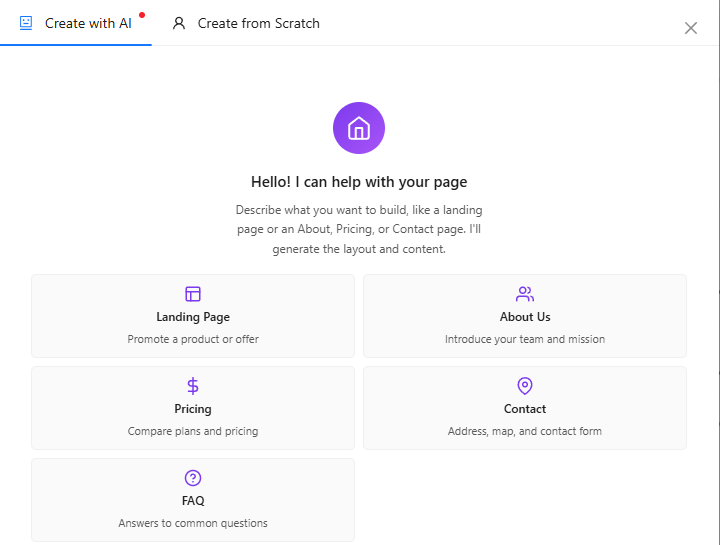
On the website's Pages tab, click New Page. In Create with AI, pick a starting point (Landing Page, About Us, Pricing, Contact or FAQ) or describe the page in your own words. Create from Scratch starts from an empty page instead.
Edit the Page and Add a Form
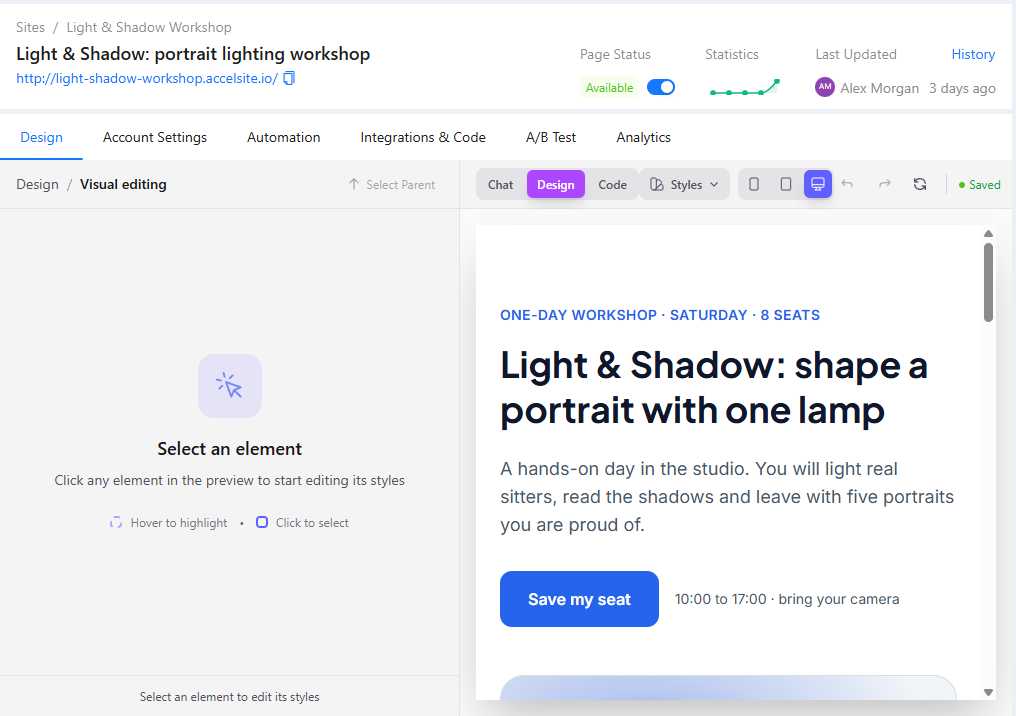
The page opens in the editor. In Chat, ask for changes in plain words, for example "Add a sign-up form with name and email under the first section". In Design, click any element in the preview to change it by hand. The Contact starting point already includes a contact form.
Publish and Test
- Your edits are saved as a draft. When the editor shows unpublished changes, click Publish; visitors see only the published version.
- Make sure the Page Status switch is on (Available) and the website is enabled.
- Open the page address under its name, fill in the form with your own email and send it.
- Open CRM → Contacts: a form sent with an email or phone creates or updates a contact.
More in "Site Pages" and "Forms and Quizzes".