Webinar chat messages are a list of all messages left by participants in the webinar chat. In this tab you can see the list of messages and export messages in XLSX and CSV format.
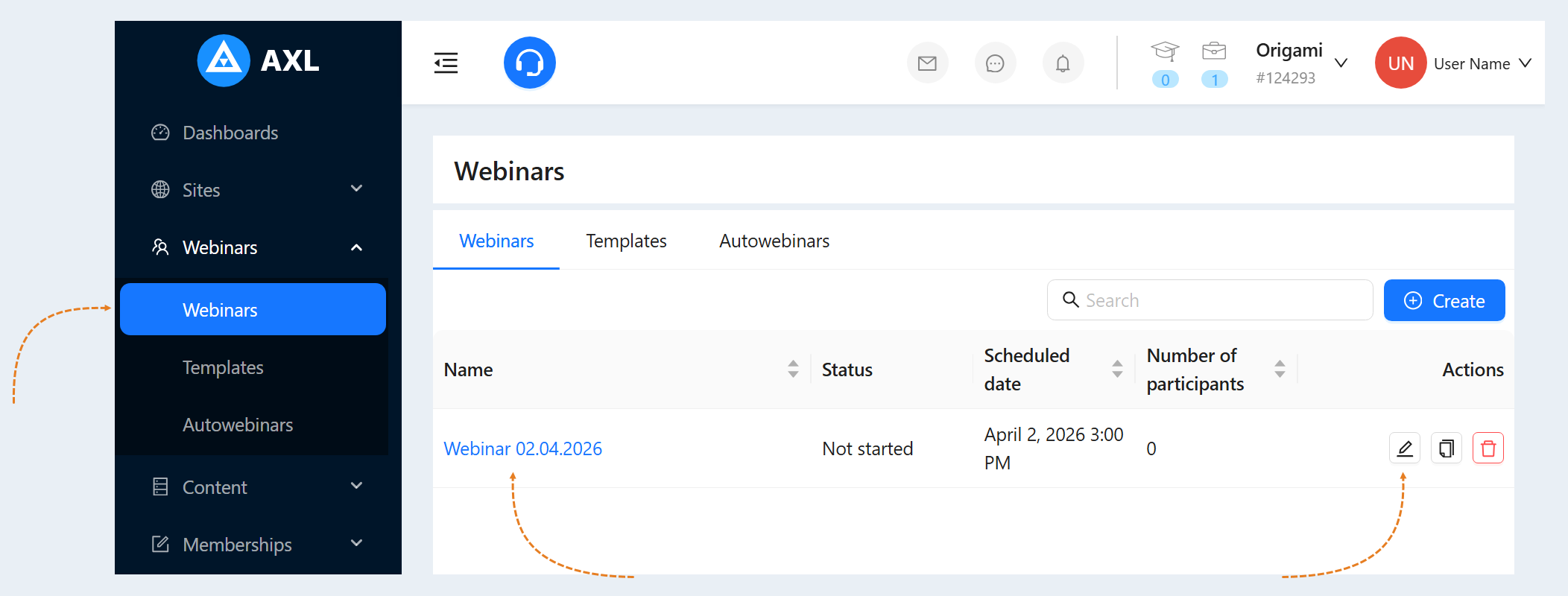
Go to the "Webinars" section. Click on the name of the webinar or the "Edit" button.
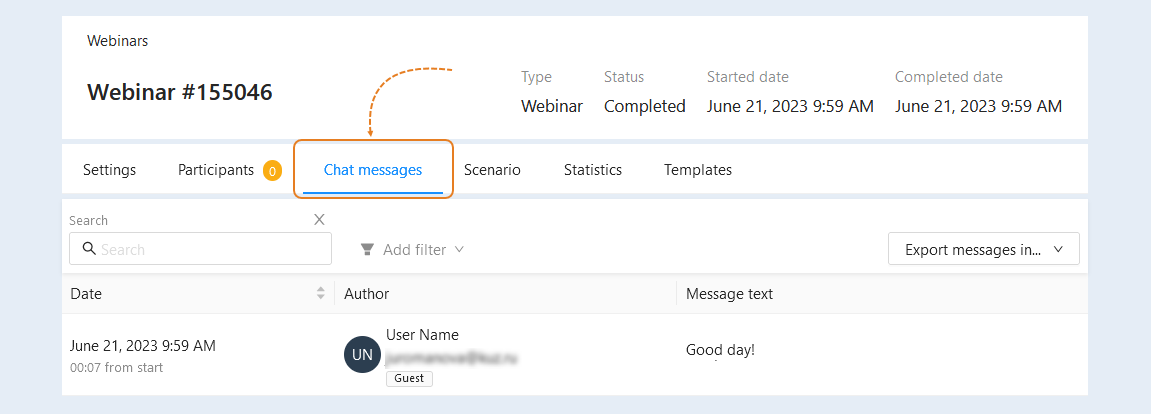
Go to the "Chat Messages" tab.
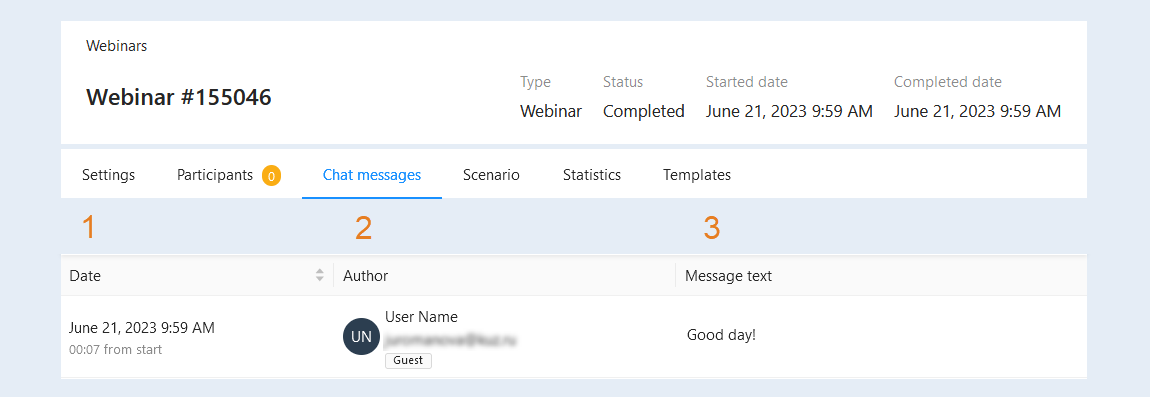
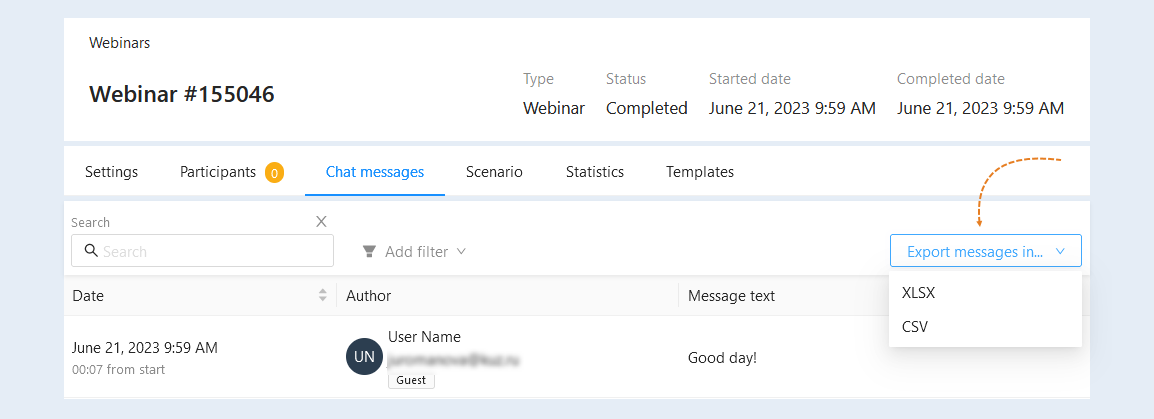
In the list of chat messages you can see detailed information about each message:
- Date. The exact date and time of sending the message is indicated, as well as the time of sending from the beginning of the webinar.
Author. The CRM contact, email of the participant and his role are specified.
Message text. The text of the message is specified.
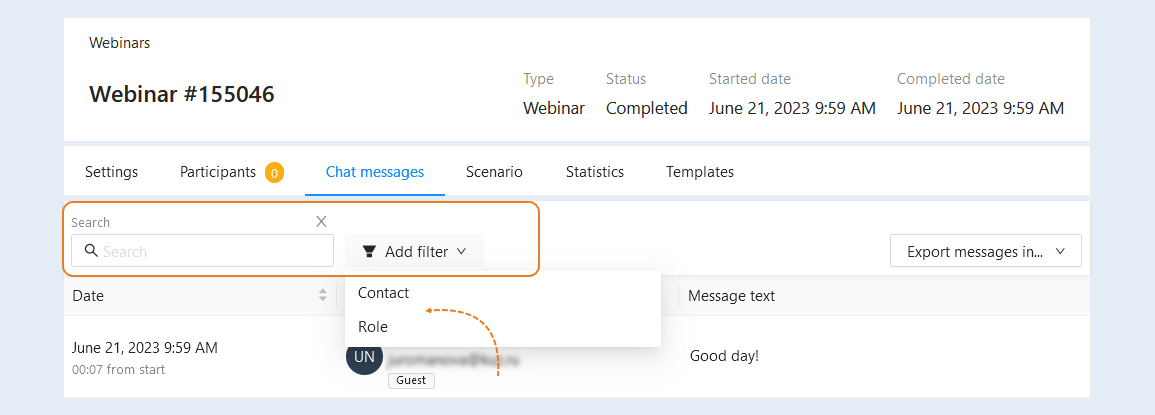
Filters for quick search are available at the top:
- Search. Enter the text or the name of the webinar participant in the search box.
Add filter. To add more search terms, click "Add Filter" and select a new condition from the list:
Contact. Select the desired contact from the CRM contact list.
Role. Select the role of the webinar participant from the list: all, host/moderator or guest.
You can upload a list of messages to your device (computer, laptop, tablet) in one file (in CSV or XLSX format). This way you can quickly transfer a large number of messages.
To export messages in XLSX or CSV format, click the "Export Messages to" button and select the desired format.
A message export window will open for you. Click the "Action" button.

Next, select the desired action from the list: download, download and complete or complete.
The list of webinar participants' messages will be saved to your device (computer, laptop, tablet).