The Analytics section is designed to track and analyze the effectiveness of video content. It helps to understand how users interact with videos and improve the content and learning process based on this data.
Click on the desired section of the article to go to its description.:
Analysis of an individual video
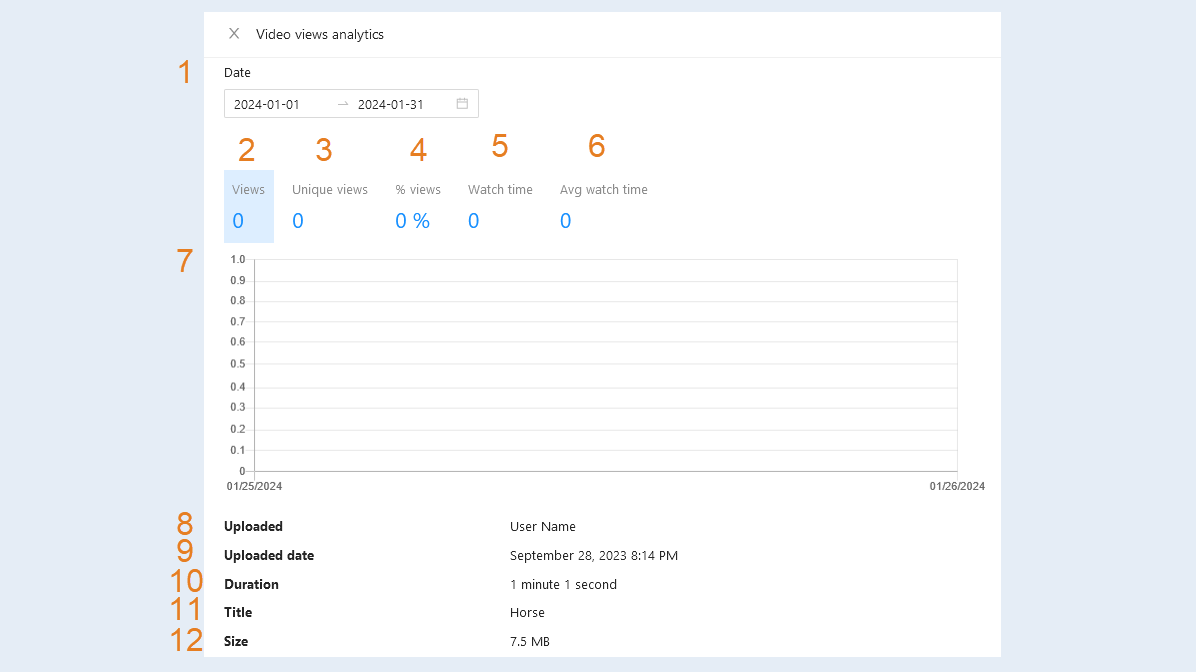
You can track the statistics of each of your videos uploaded to the AXL platform. Click the Analytics button to view information about the views of this video. An additional window will open. Here you can see detailed statistics:
- Date. Select the time period in the calendar for which you want to view statistics: day, month, year. Or you can choose a period from the suggested options: 1 day, 15 days, 1 month, 3 months, 6 months.
Views. Here you can see the number of views of this video.
Unique views. Unique video views differ from simple video views in that they only take into account the unique users who viewed the video. Thus, unique views allow you to estimate how many times a video has been viewed by different users, excluding repeat views from the same account. This is useful for analyzing the popularity of videos and the engagement of unique users.
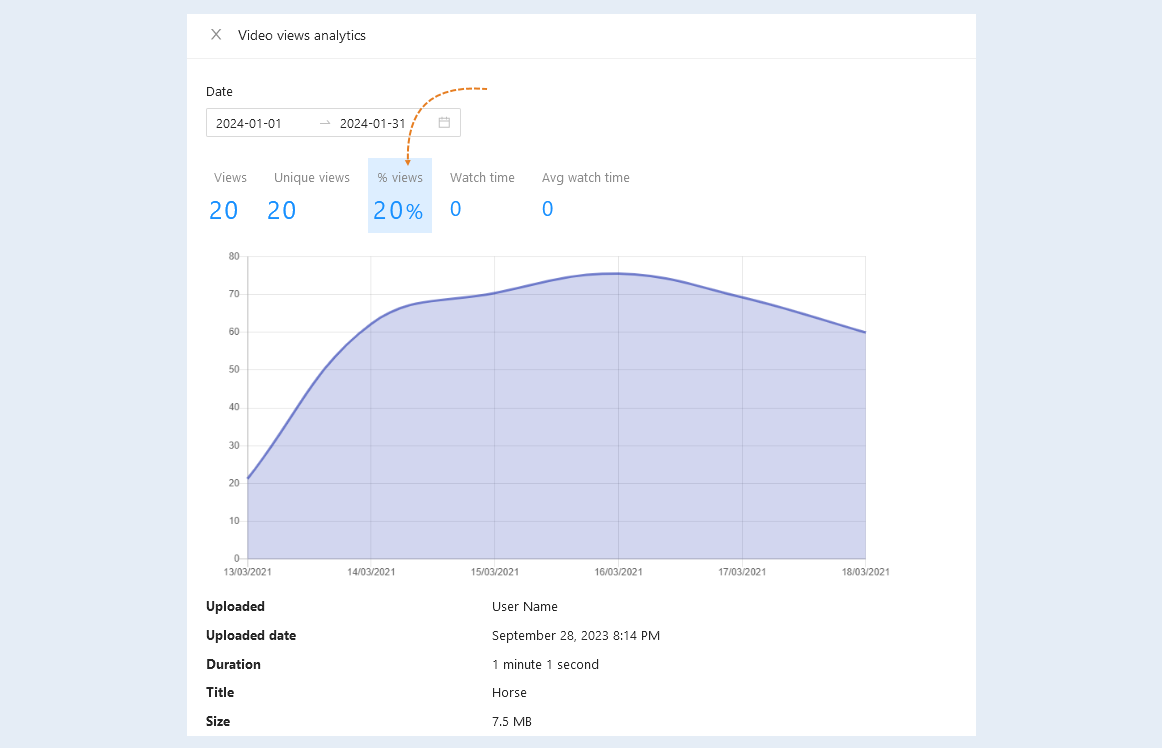
Percentage of views. Here you can see the number of views as a percentage: how many people have opened the video and how many people have watched the video. For example, 60% means that 60 out of 100 people watched the video. The remaining 40 people opened the video, but did not watch it.
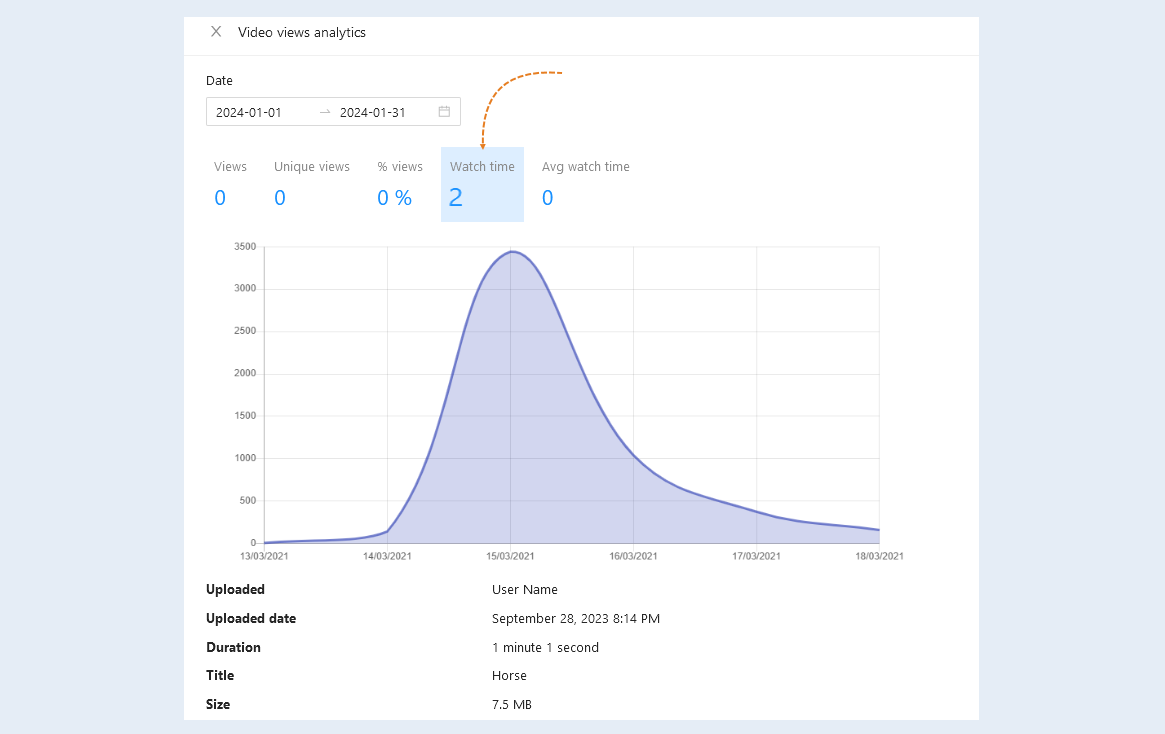
Watch time. Here you can see how long users have watched this video.
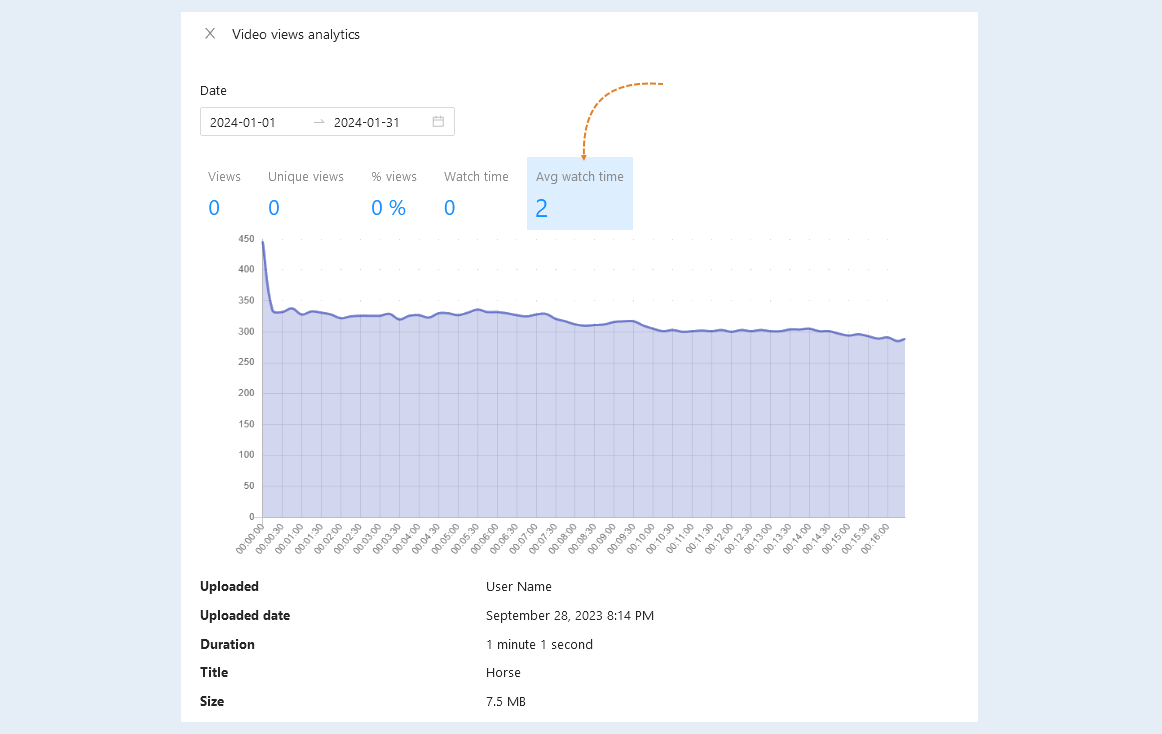
Avg watch time. This shows the average viewing time of a given video by users.
View schedule. On the chart, you see the trend of statistics (rising or falling). Here, the numerical values are more clearly presented and you can understand whether the number of video views is increasing or decreasing.
Uploaded. The name of the administrator who uploaded this video.
Uploaded date. The exact time and date that this video was uploaded.
Duration. The total duration of your video clip.
Video title. The title of your video clip.
Size. The amount of data that the video takes up is shown.
Thanks to this analytics, you can determine the most popular videos and, conversely, those videos that are not watched or overlooked.
Charts
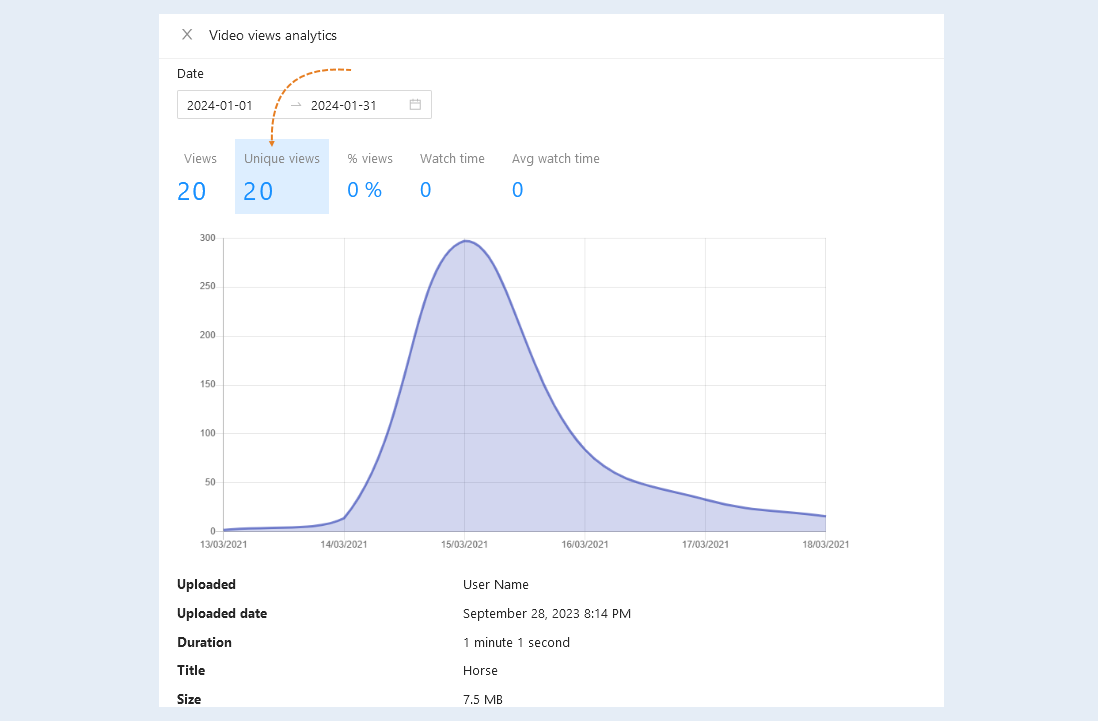
Set the time span. The graph will show how the statistics indicators changed at the time you set. Click on the statistics indicator to see the graph.
Number of views. On the graphs you can see on which day (s) the maximum number of views was.
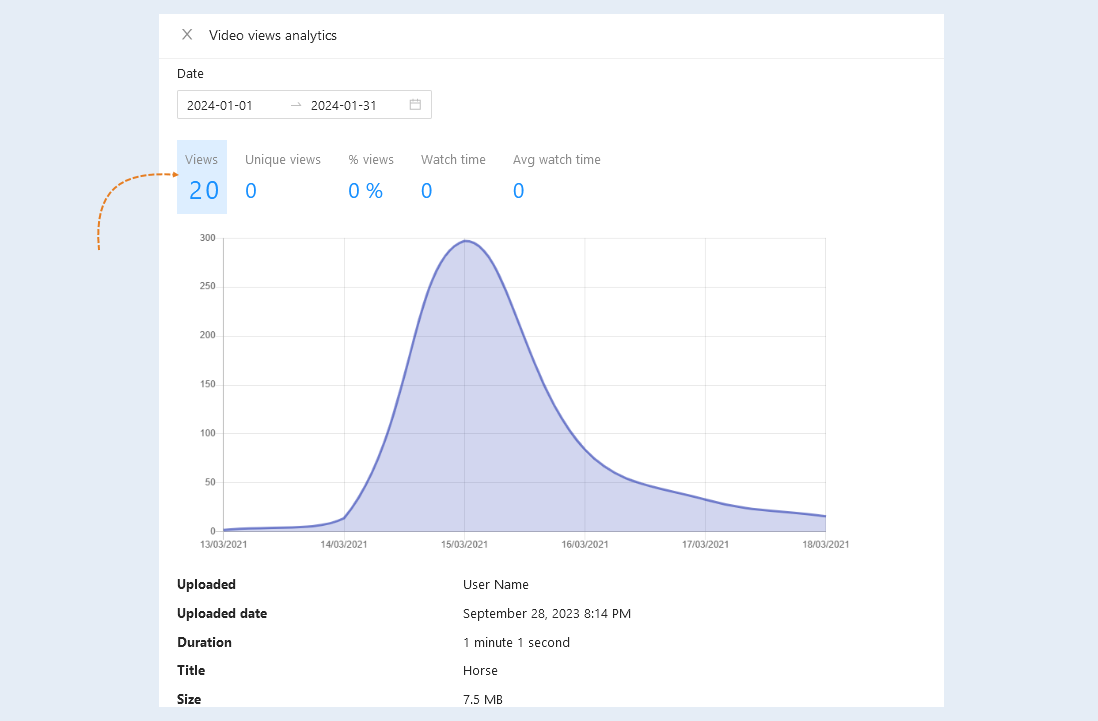
Unique views. On the charts, you can see on which day(s) the maximum number of unique views was.
Percentage of views. In this graph, you can see the percentage of views by day for the period you specified.
Watch time. On the graphs, you can see the total time your video was viewed for the specified period.
Avg watch time. In this graph, you can see how the duration of video viewing has changed by days for the specified period.
Return to the Video page. Click on "Video Title". Here you can see detailed information about the video itself.
General analysis of all videos
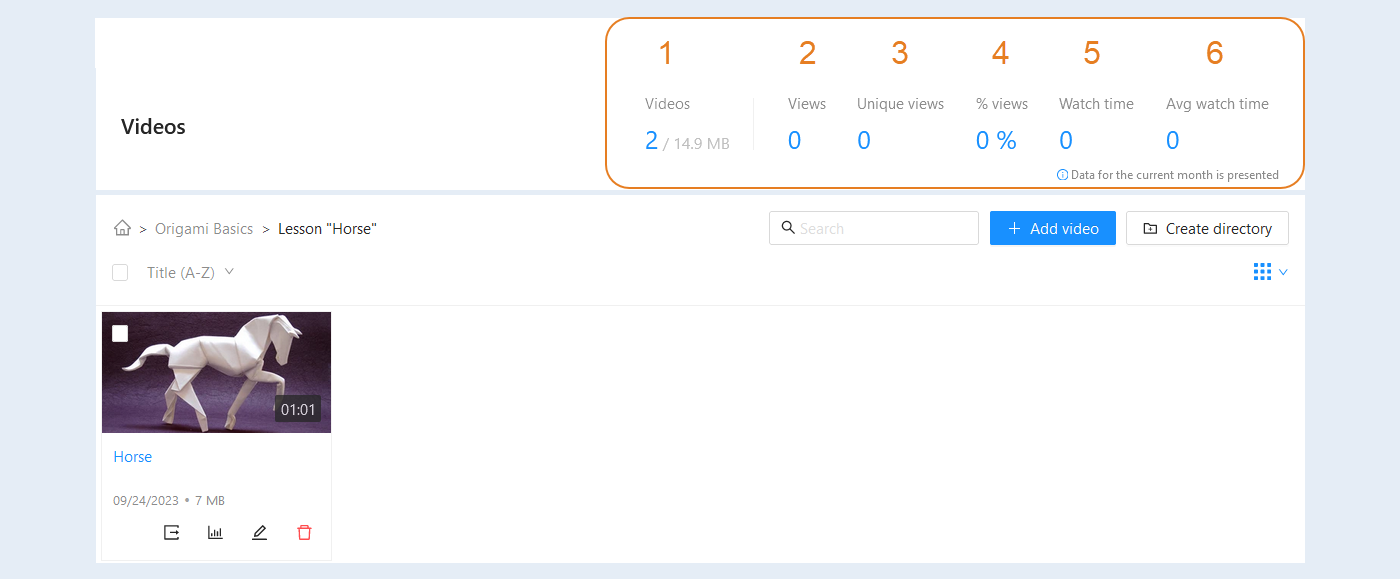
General video analytics allows you to evaluate the overall effectiveness of video content. This section contains data for the current month.
Return to the Video page. In the upper right corner, you have access to general analytics of all your videos. Data for the current month is presented.
- Video. The number of downloaded files and the total amount of data.
Number of views. The total number of views of all your videos.
Unique views. Unique video views differ from simple video views in that they only take into account the unique users who viewed the video. Thus, unique views allow you to estimate how many times a video has been viewed by different users, excluding repeat views from the same account. This is useful for analyzing the popularity of videos and the engagement of unique users.
Percentage of views. The number of views as a percentage of the total number of videos.
Viewing time. The total amount of time all your videos have been watched.
Average viewing time. The average length of time your videos are viewed over the total number of videos.