MercadoPago is the leading online payment solution in Latin America. It was launched in 2004 and has operations in Argentina, Brazil, Chile, Colombia, Mexico and Venezuela. MercadoPago is designed to facilitate transactions both on and off the MercadoLibre's marketplace by providing a mechanism that allows its users to securely, easily and promptly send, receive and finance payments online. MercadoPago is accepted by multiple platforms, including MercadoLibre, ecommerces, email, social network and so on. MercadoPago is part of MercadoLibre, the largest online commerce platform in Latin America.
Click on the desired section of the article to go to its description:
1
Registration in MercadoPago
To get started, create a MercadoPago account. Register on the official MercadoPago website at this link. Click the "Create your Account" button.
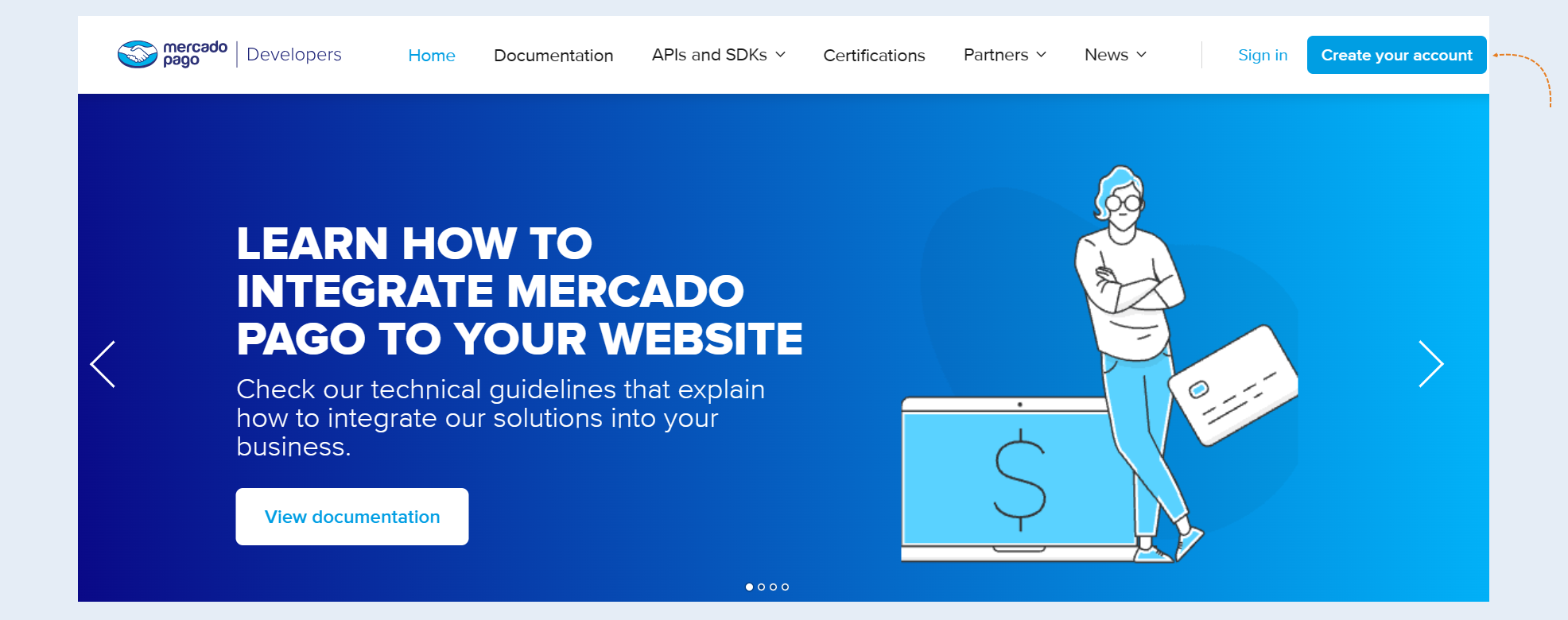
Complete the registration following the instructions of the website.
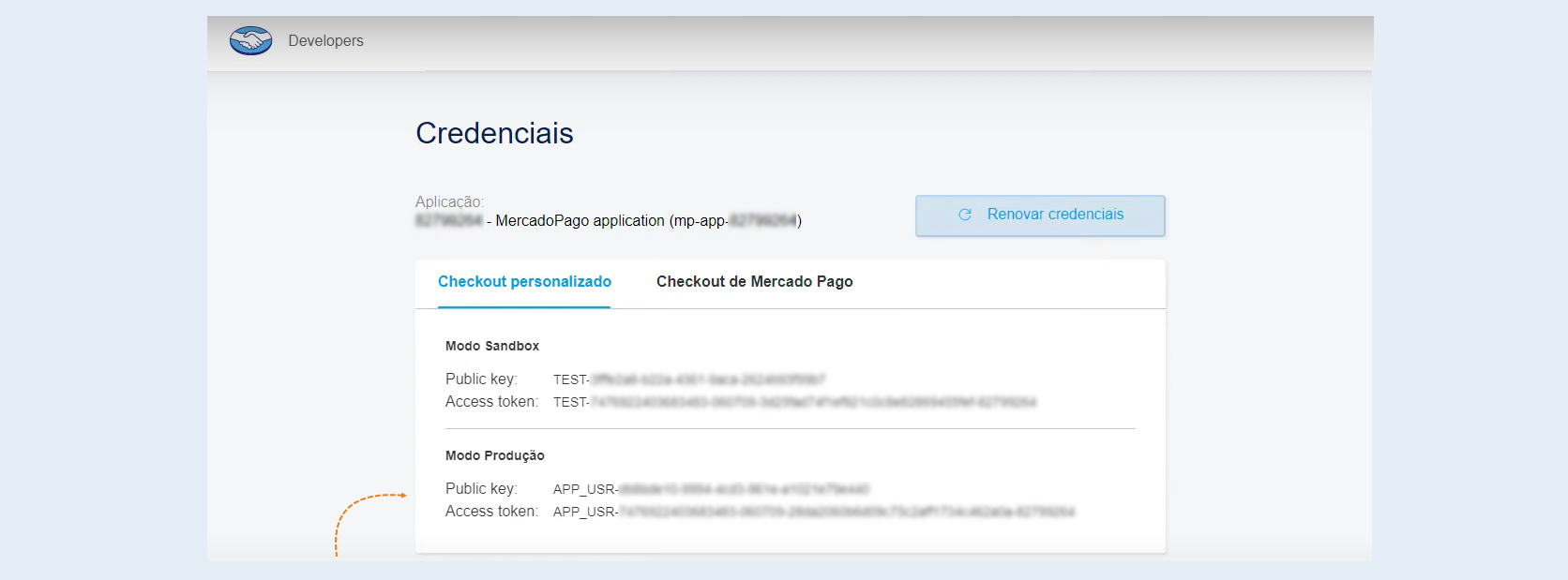
Copy the Public Key and Access Token, you will need these data at the next stage of creating a payment integration. They are available in the Credentials panel or from your Mercado Pago account in Your Business - Settings - Credentials.
We recommend to use first your test credentials, or those of a test user, to verify that everything works correctly in Sandbox and then you can use the productive ones to start receiving payments.
2
Integration with AXL
Next, you need to integrate the payment instrument into AXL
Go to the AXL website. Select the "Settings" section and the "Payment Acceptance" tab. Click the "Create Payment Integration" button.
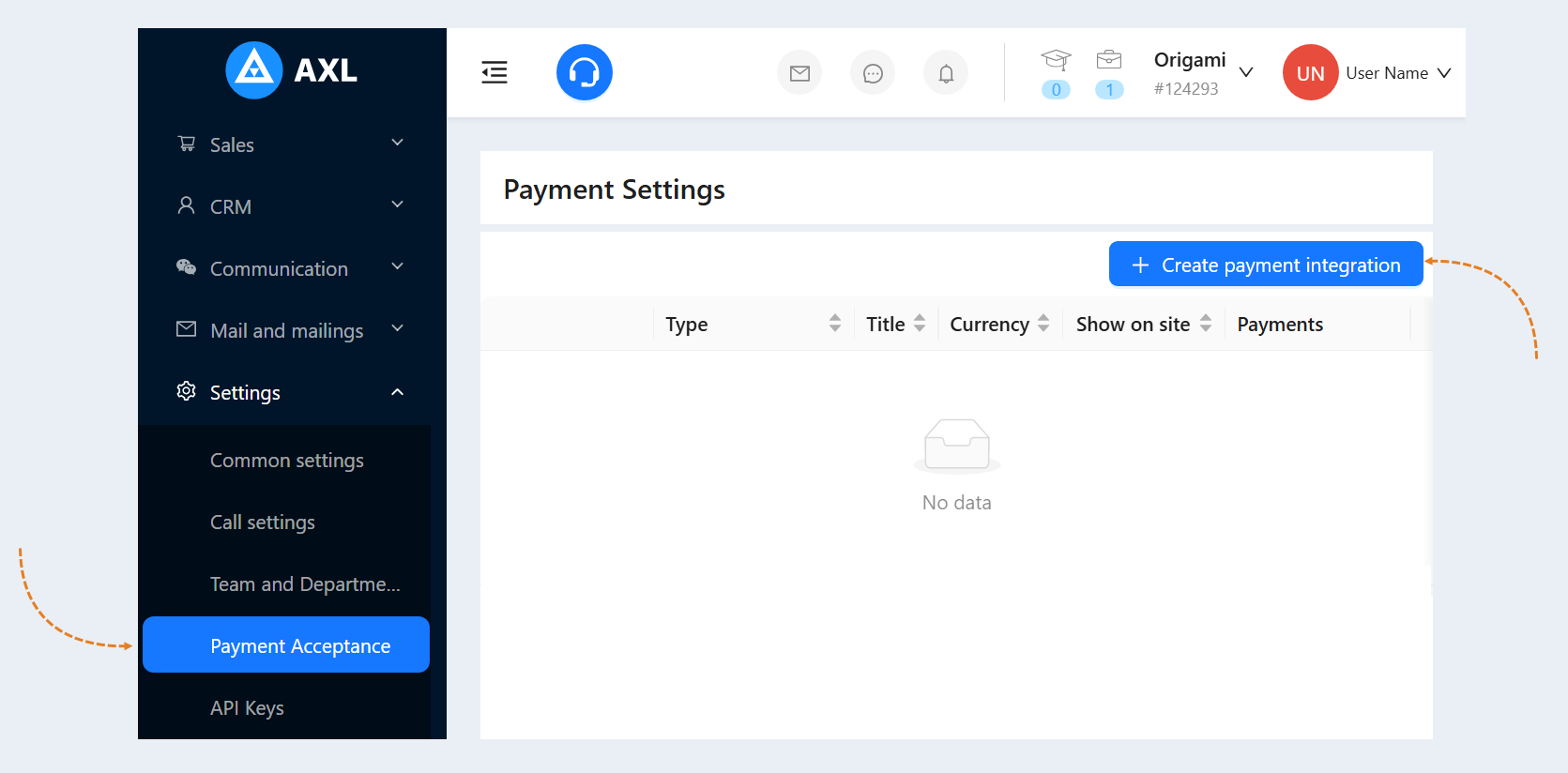
Select "MercadoPago" from the list. In the window that opens, fill in the fields:
- Title. Write the name of the payment instrument.
Description. Add a description of this payment instrument. Customers will see this description on the website.
Payment Button Text. Write the text that will be displayed on the payment button on your website.
Is Primary Payment Method. Check the box if this payment method will be the main one in your account.
Show on site. Check this box to make this payment method available on your website.
Currency. Select the currency in which you plan to accept payments. If you work in different markets in different countries, you can choose the currency for accepting payments in each payment system. For example, by selling courses in dollars through one payment system, you can accept rubles through another payment system. Automatic currency conversion takes place at the international exchange rate.
Public Key. Enter the Public Key that you copied on the MercadoPago website in step №1.
Access Token. Enter the Access Token that you copied on the MercadoPago website.
Show pop-up window. Check the box so that a pop-up window with payment opens when paying for the order, and does not redirect the user to a separate page for payment.
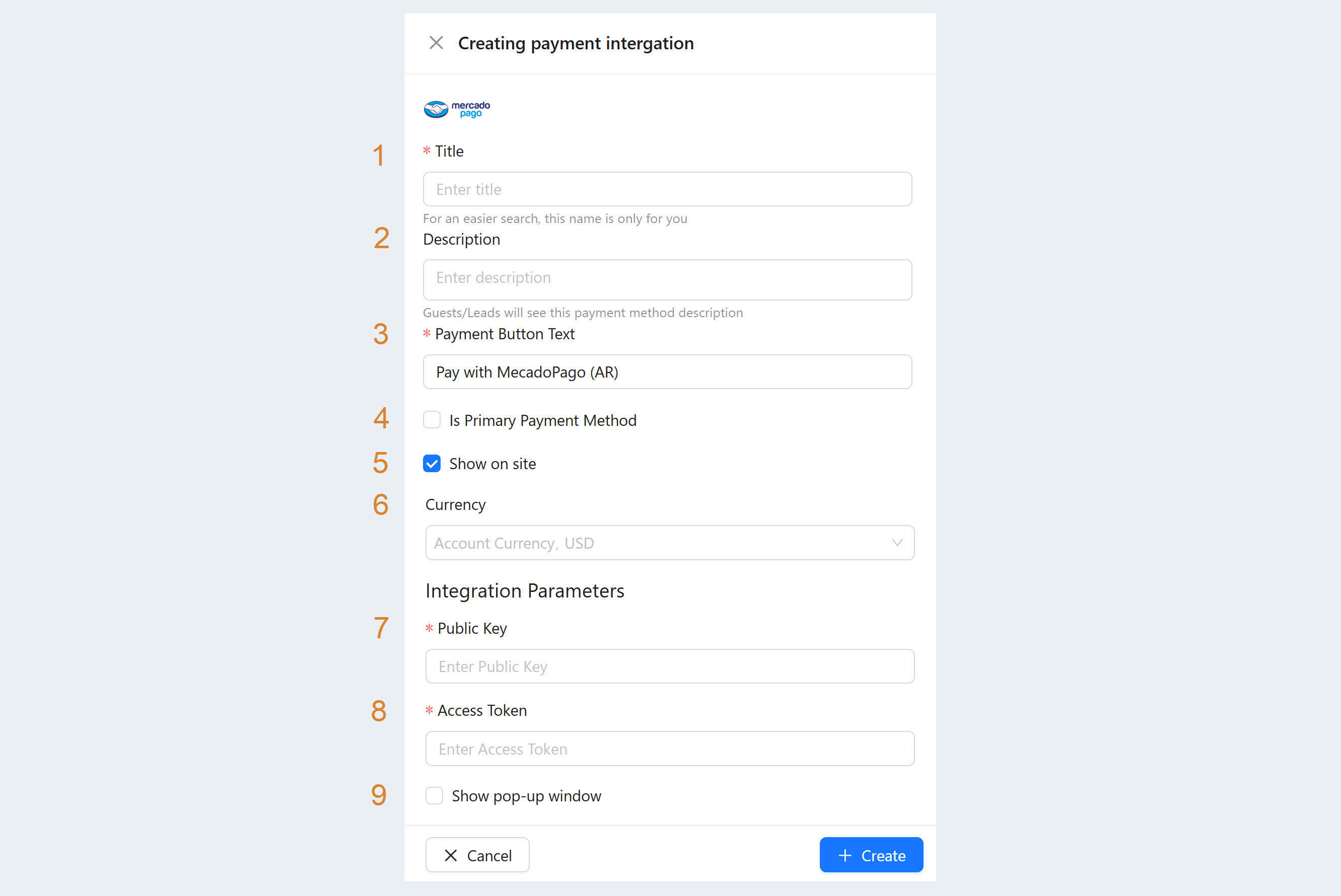
After filling out the form, click "Create". Now you have the "MercadoPago" tool in the list of payment instruments.