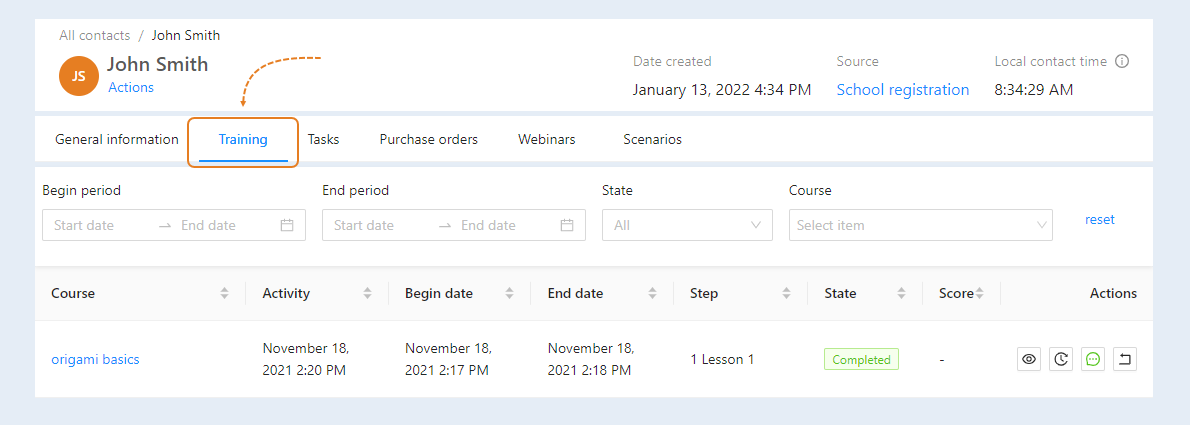
The "Training" section displays information about available training courses for the contact. This tab duplicates the “Users” tab in the “Courses” section.
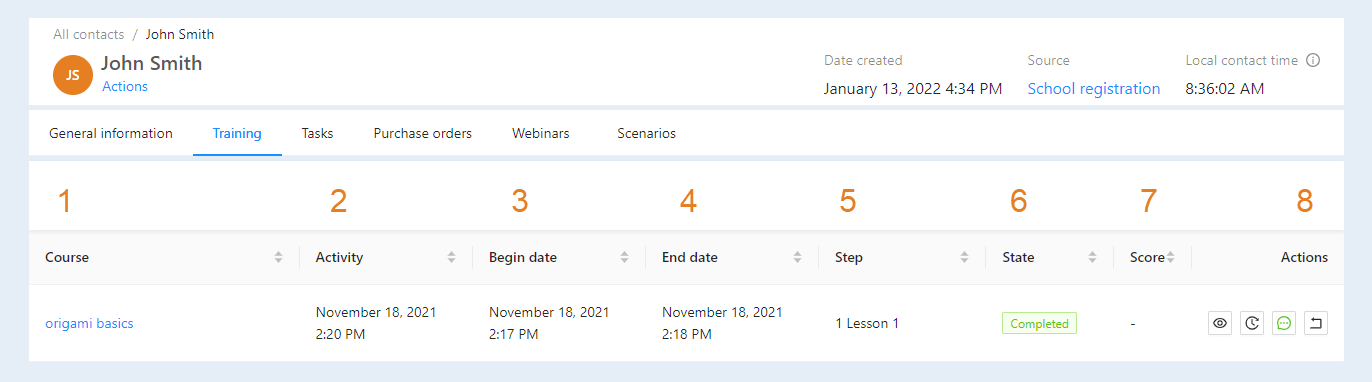
In this list you can see information about training:
- Course. The name of the course that is available to the user.
- Activity. The date of the last activity at the membership portal.
- Begin date. The exact date and time the course started.
- End date. The exact dates and times of the end of the course.
- Step the user is currently on.
- State. At what stage of training is the user now: not started, active, completed.
- Score. It displays the number of points earned by the user in training.
- Actions. Here you can perform actions with access to the course.
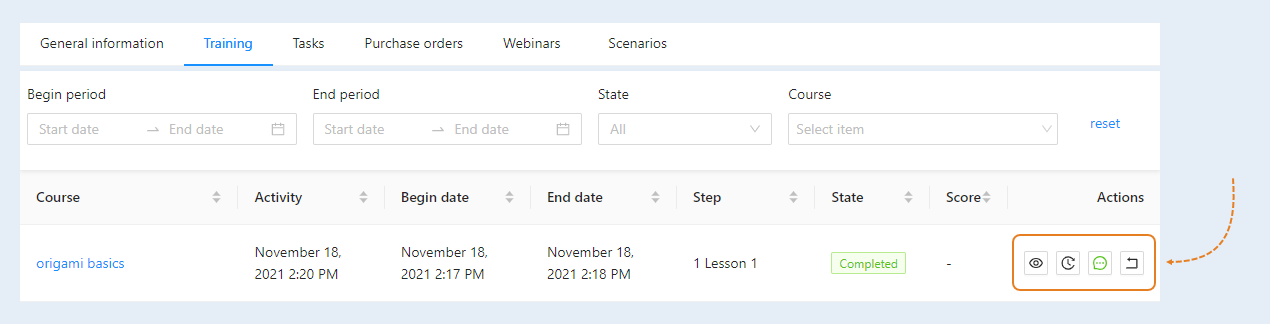
In the "Actions" column, you have access to:
- View on behalf of the user. You can go to the membership portal website and view the course of study inside the user's personal account, on his behalf.
- Story. In a separate window, you can view a detailed history of the course by the user (steps, date, time, grade, comments.
- Feedback. This displays the course feedback that the user left.
Cancel course completion. This button will be available if the course is completed. Click the button to cancel the course completion.
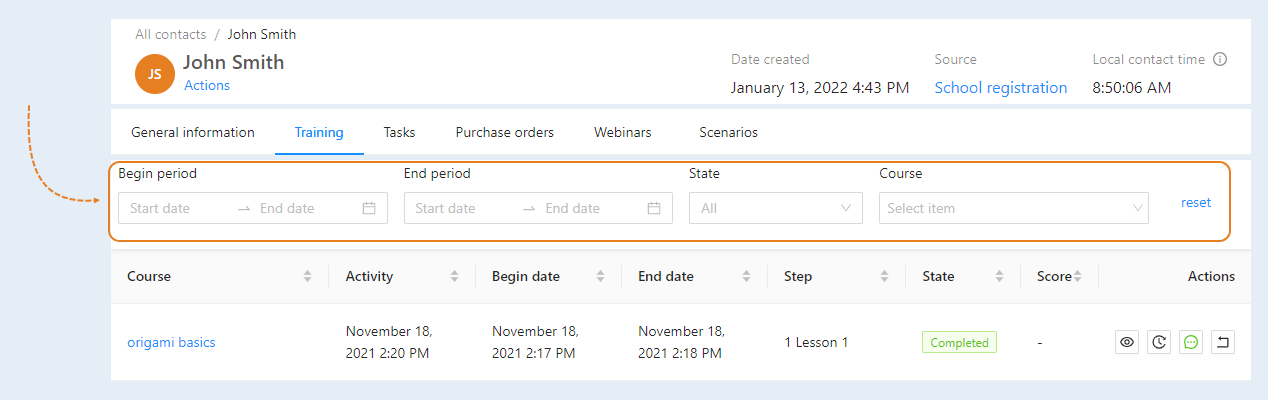
At the top of the "Learning" page, you see the search strings. Here you can select training information:
- Begin period. Select a start date for the course.
- End period. Set a graduation date.
- State. Select the training state from the list: not started, active, completed.
- Course. Select a course of study from the list.
- Reset button. Click the button to reset all filters.