Fondy is an international payment service for entrepreneurs from all over the world. The main task of Fondy is to provide an Internet acquiring service - processing payments online on websites, in mobile applications and devices of various types connected to the Internet.
The full list of countries for which the Fondy connection is available can be found at the link.
Click on the desired section of the article to go to its description:
1
Registration in Fondy
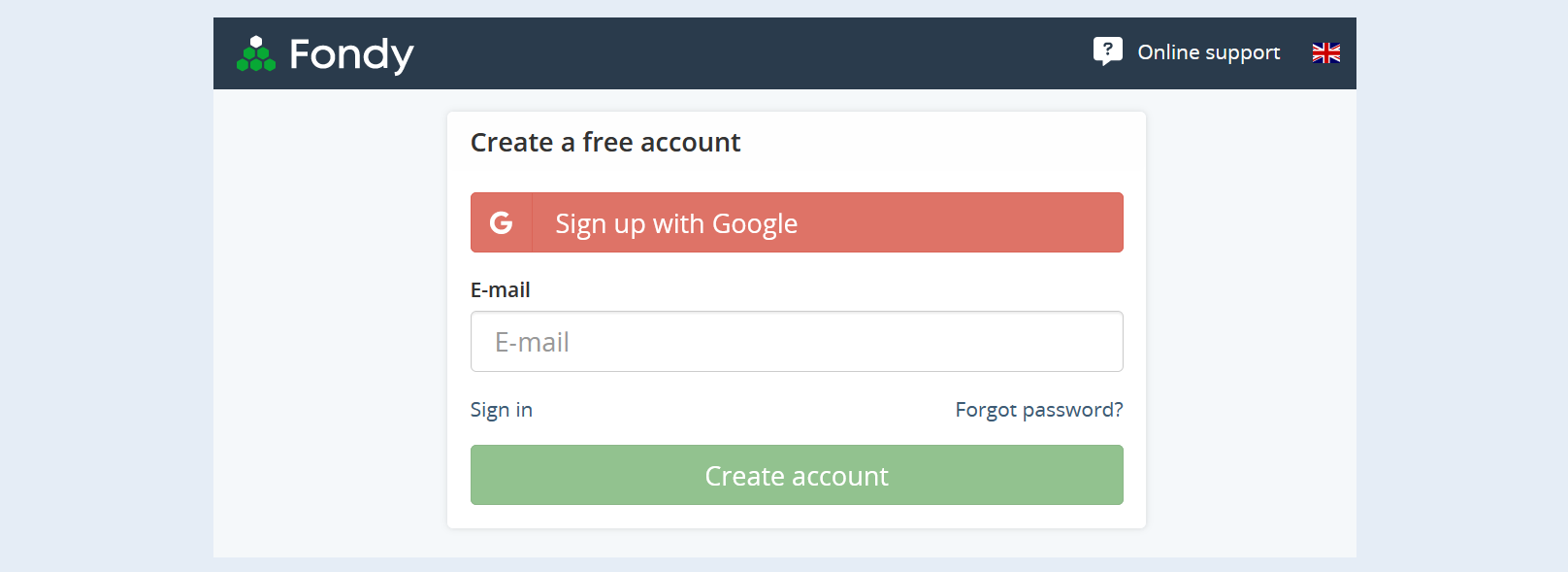
To connect Fondy, you need to have an account. Register on the official Fondy website at this link.
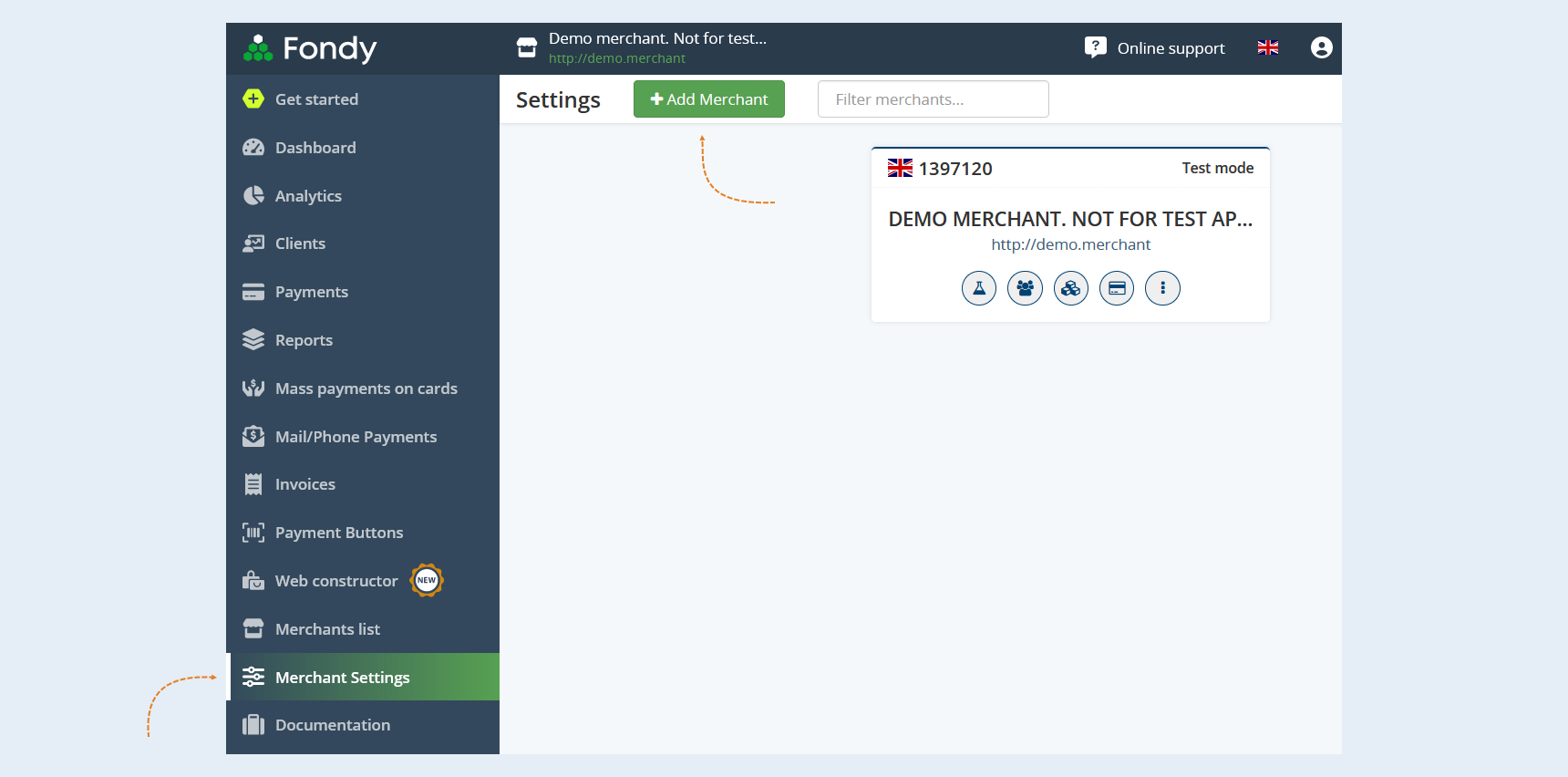
Go to the "Merchant Settings" tab and click the "Add Merchant" button.
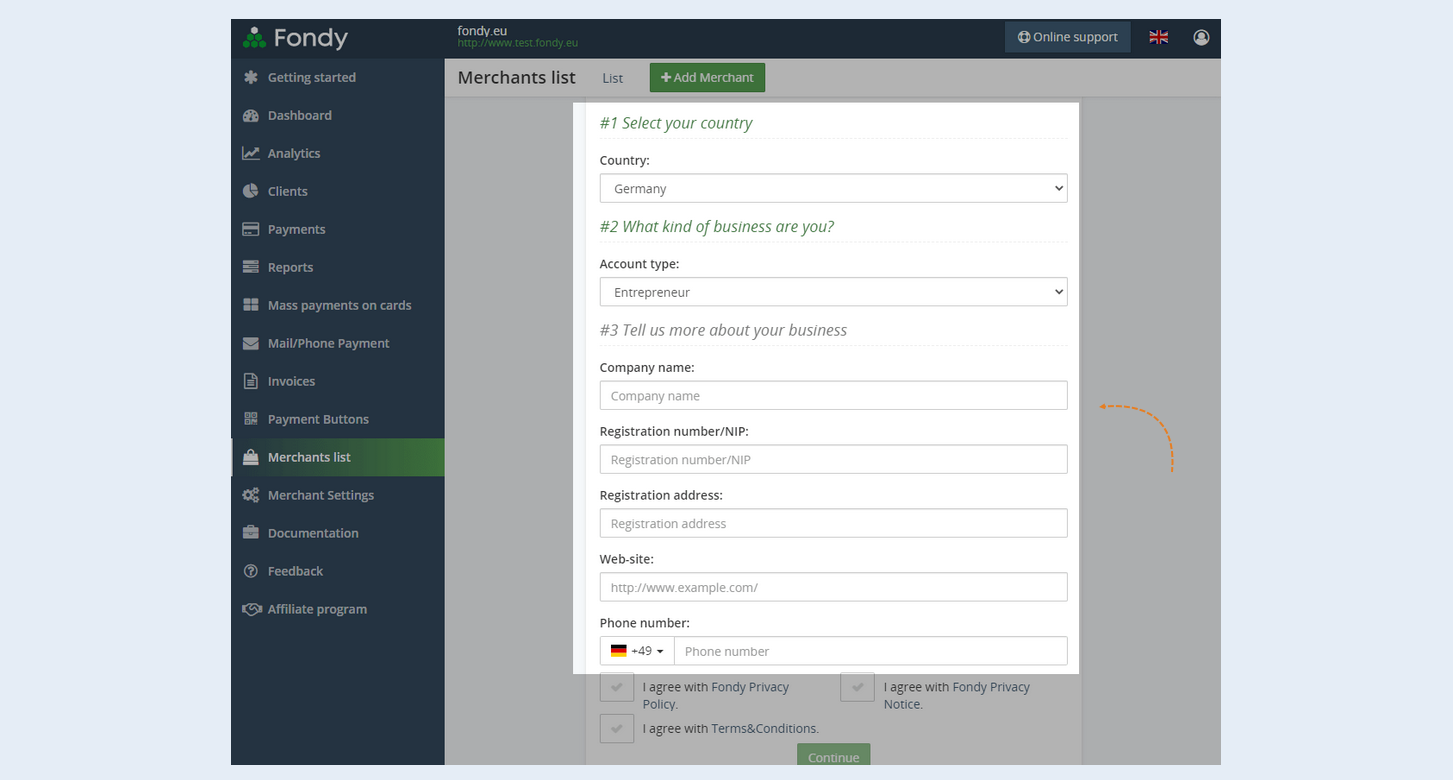
Fill in the information about your company (merchant): country, type of company and other data that may vary depending on the country and type of company. Click "Continue".
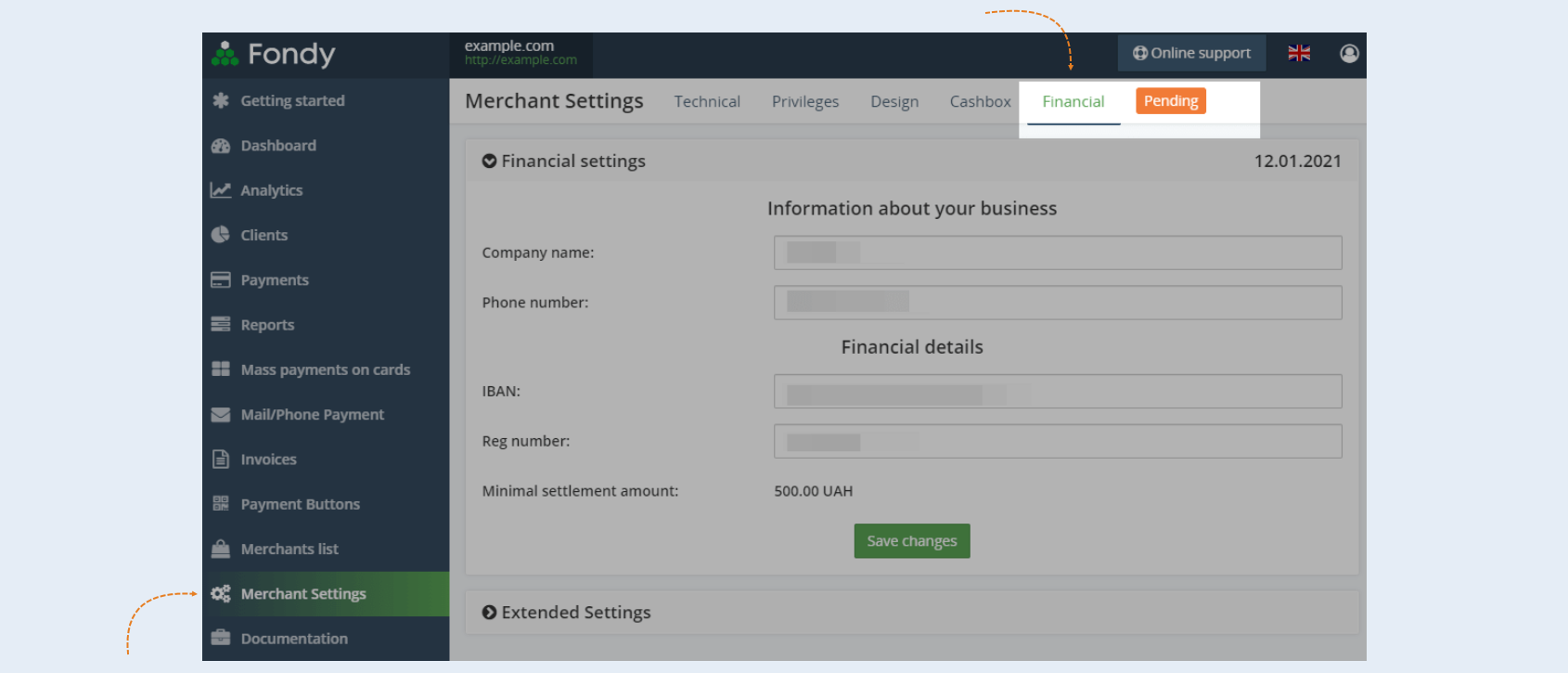
Next, apply for merchant activation and check the status. To activate, write to the technical support of the payment system with a description of the services for which you will accept payments and receive a list of documents that you need to provide.
To check the merchant's status, go to the merchant's settings on the "Financial".
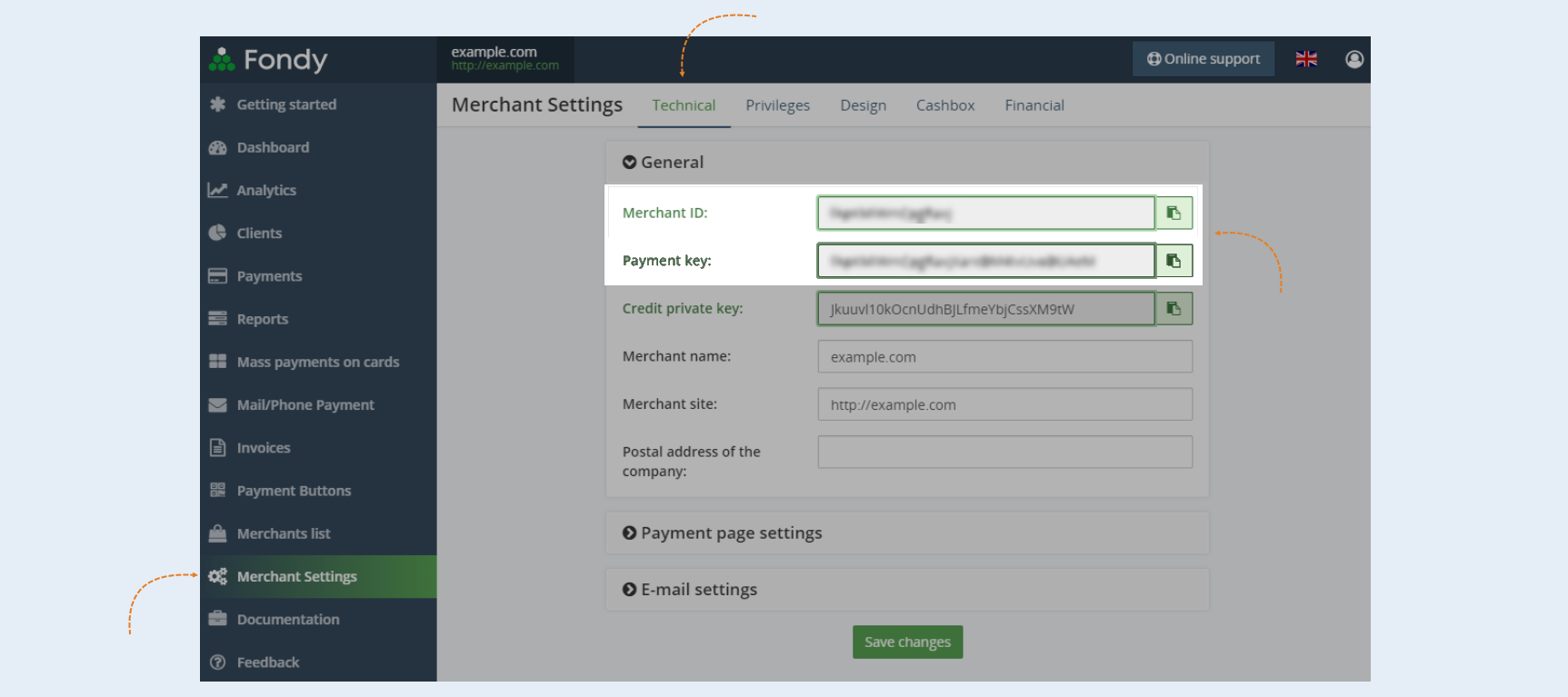
After creating a merchant, go to the "Technical" tab and copy the merchant ID and payment key.
2
Integration with AXL
Next, you need to integrate the payment instrument into AXL. In order for your customers to be able to pay for the services of your account, it is necessary to embed payment forms in your account.
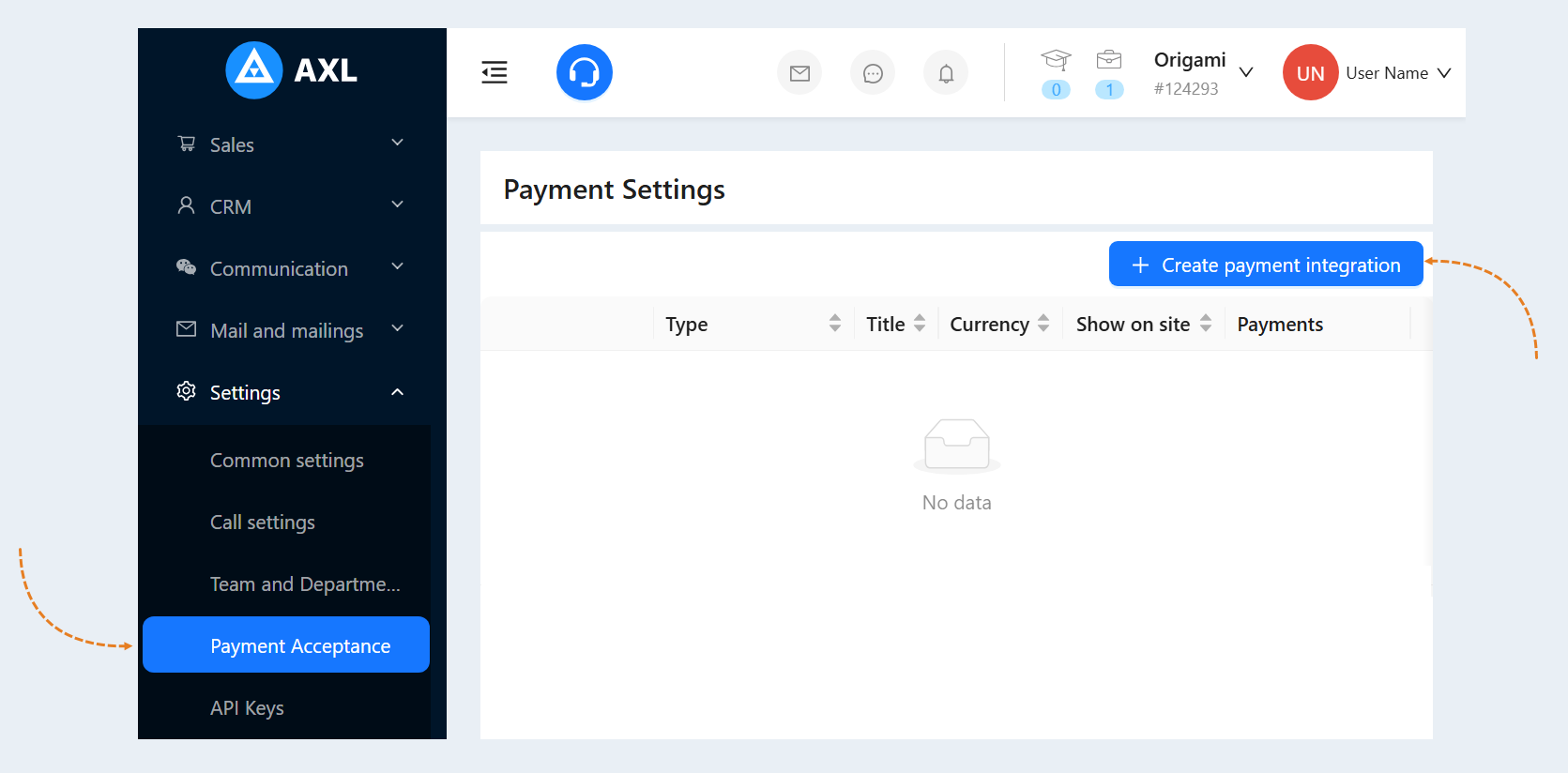
Go to the AXL website. Select the "Settings" section and the "Payment Acceptance" tab. Click the "Create Payment Integration" button.
Select "Fondy" from the list. In the window that opens, fill in the fields:
- Title. Write the name of the payment instrument.
Description. Add a description of this payment instrument. Customers will see this description on the website.
Payment Button Text. Write the text that will be displayed on the payment button on your website.
Is Primary Payment Method. Check the box if this payment method will be the main one in your account.
Show on site. Check this box to make this payment method available on your website.
Currency. Choose the currency in which your customers will pay for purchases. If you work in different markets in different countries, you can choose the currency for accepting payments in each payment system. For example, by selling courses in dollars through one payment system, you can accept euros through another payment system. Automatic currency conversion takes place at the international exchange rate.
Merchant ID. Enter the merchant ID that you copied on the Fondy website. How to create a merchant ID is described in step №1 of this article.
Payment key. Enter the payment key that you copied on the Fondy website. How to create a payment key is described in step №1 of this article.
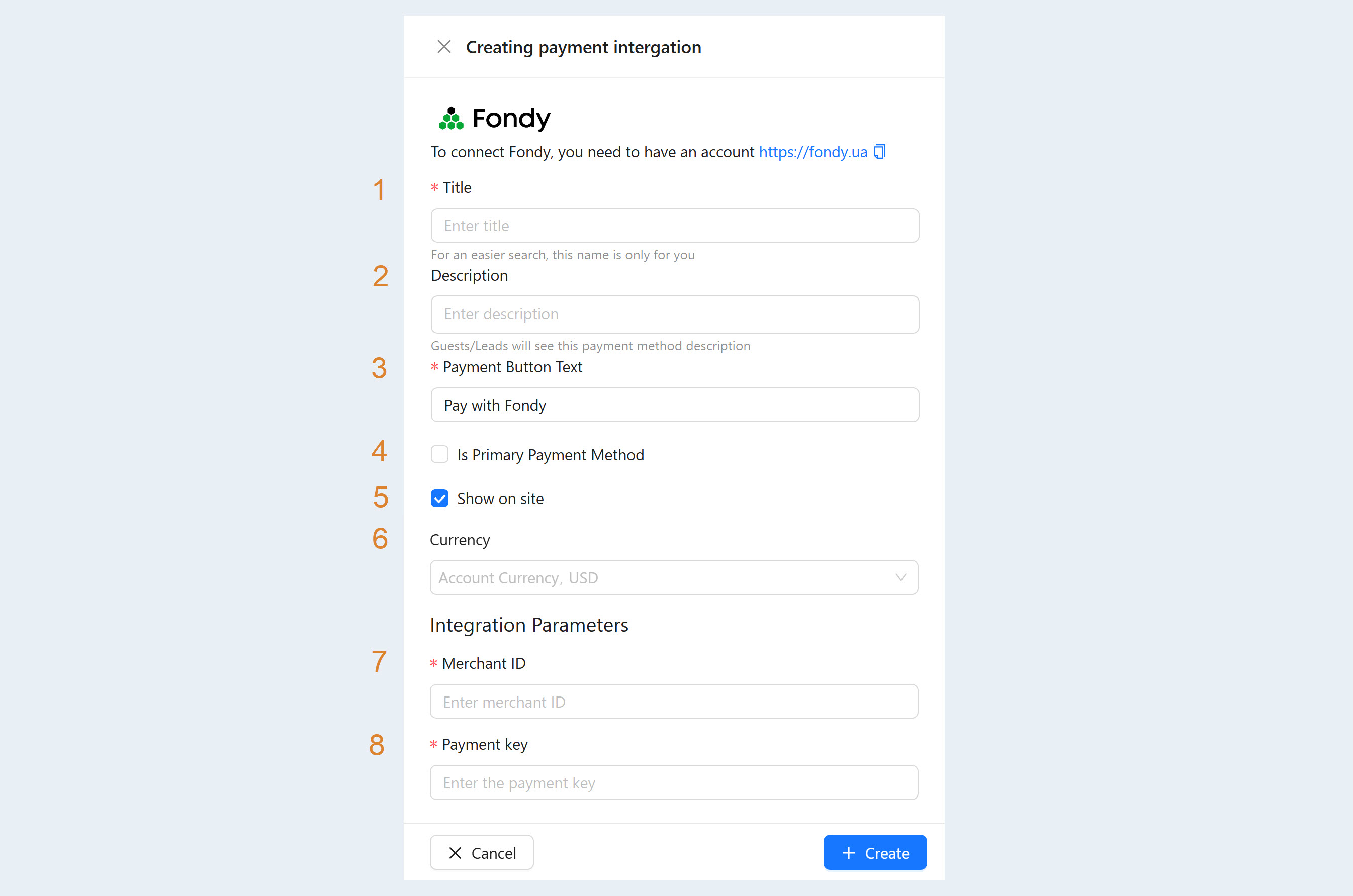
After filling out the form, click "Create". Now you have the "Fondy" tool in the list of payment instruments.