CyberSource is an American company specializing in payment technology and e-commerce services. CyberSource offers a range of products and services including payment gateways, payment processing solutions, security and fraud analytics, and services to enhance the user experience in online payments. The company was founded in 1994. In 2010, CyberSource Corporation was acquired by Visa Inc. and is now a subsidiary of the major payment system Visa Inc.
Click on the desired section of the article to go to its description:
1
Registration in CyberSource
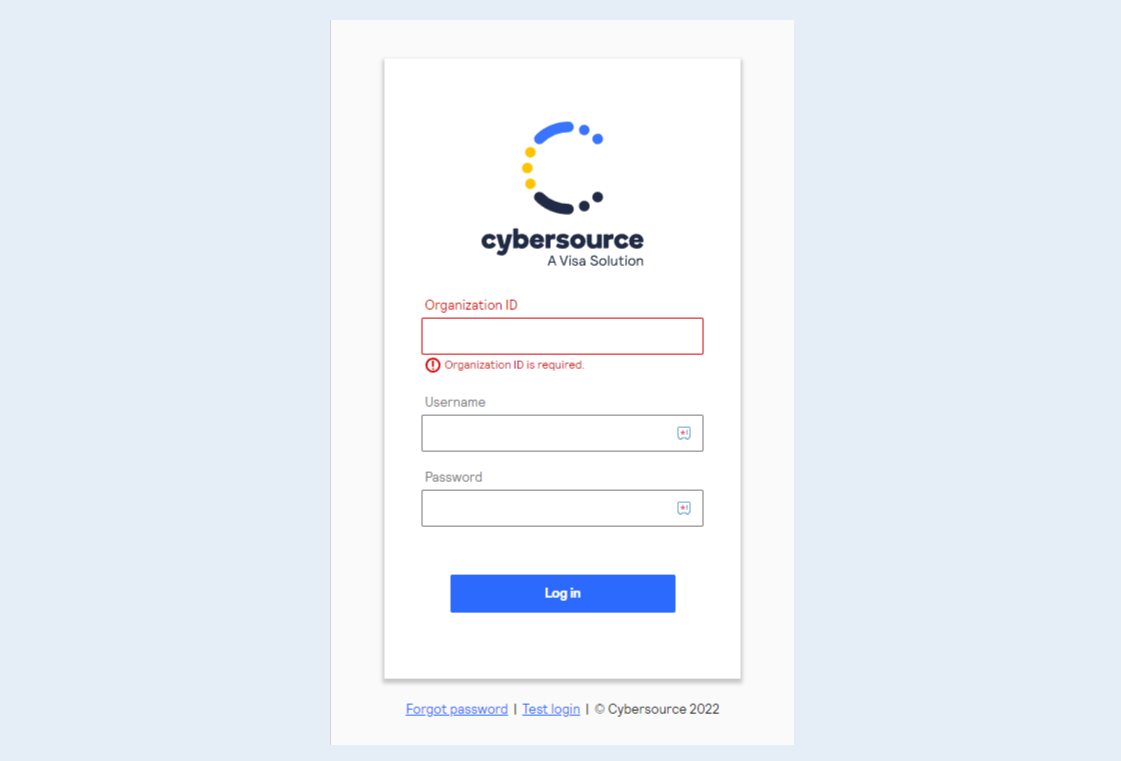
First, create a CyberSource account. Register on the official CyberSource website using this link. Click the "Log in" button.
Complete the registration following the instructions of the website.
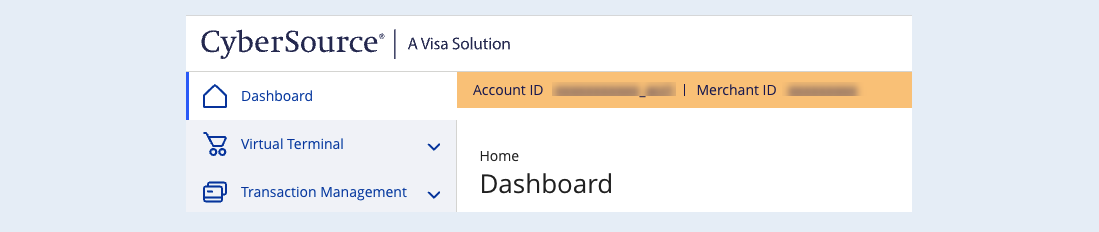
Copy the Merchant ID, you will need it in the next step. This is the CyberSource assigned Merchant ID for your account. You can see this in the CyberSource Business Center.
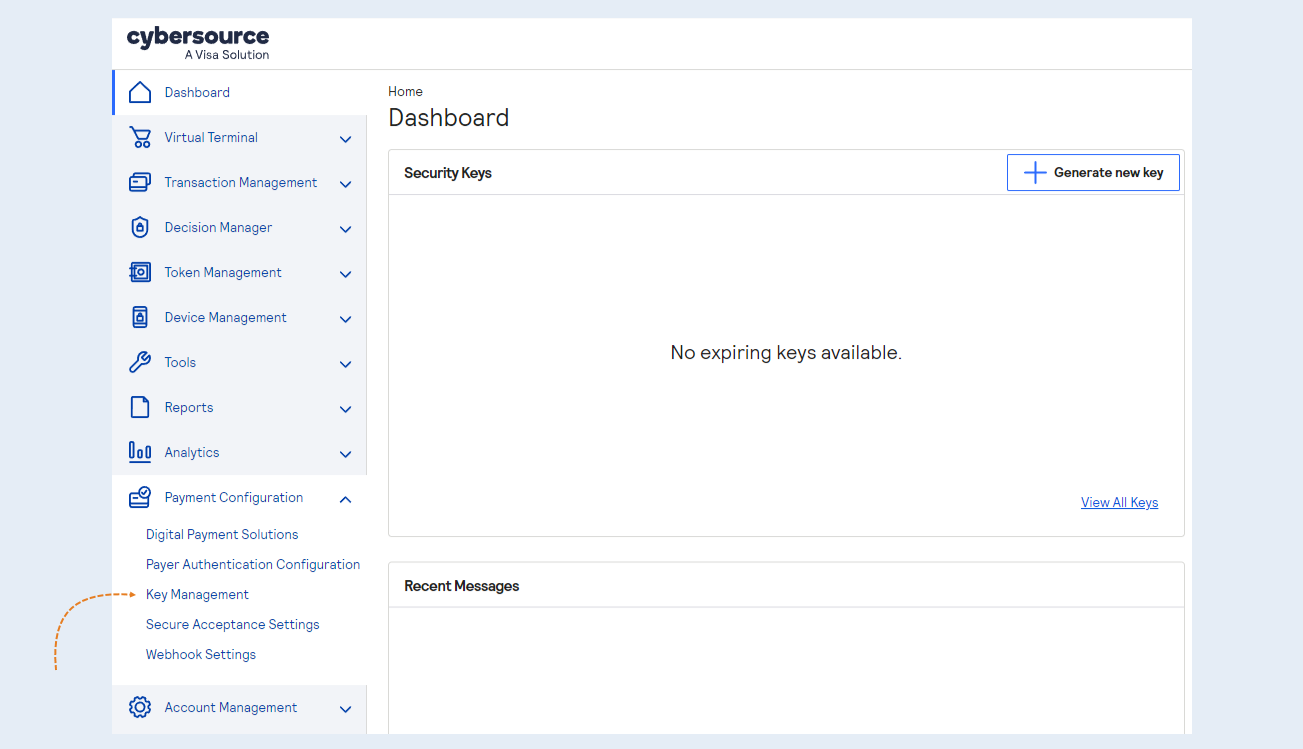
Complete the registration following the instructions of the website. Go to "Payment Configuration". Click on "Key Management".
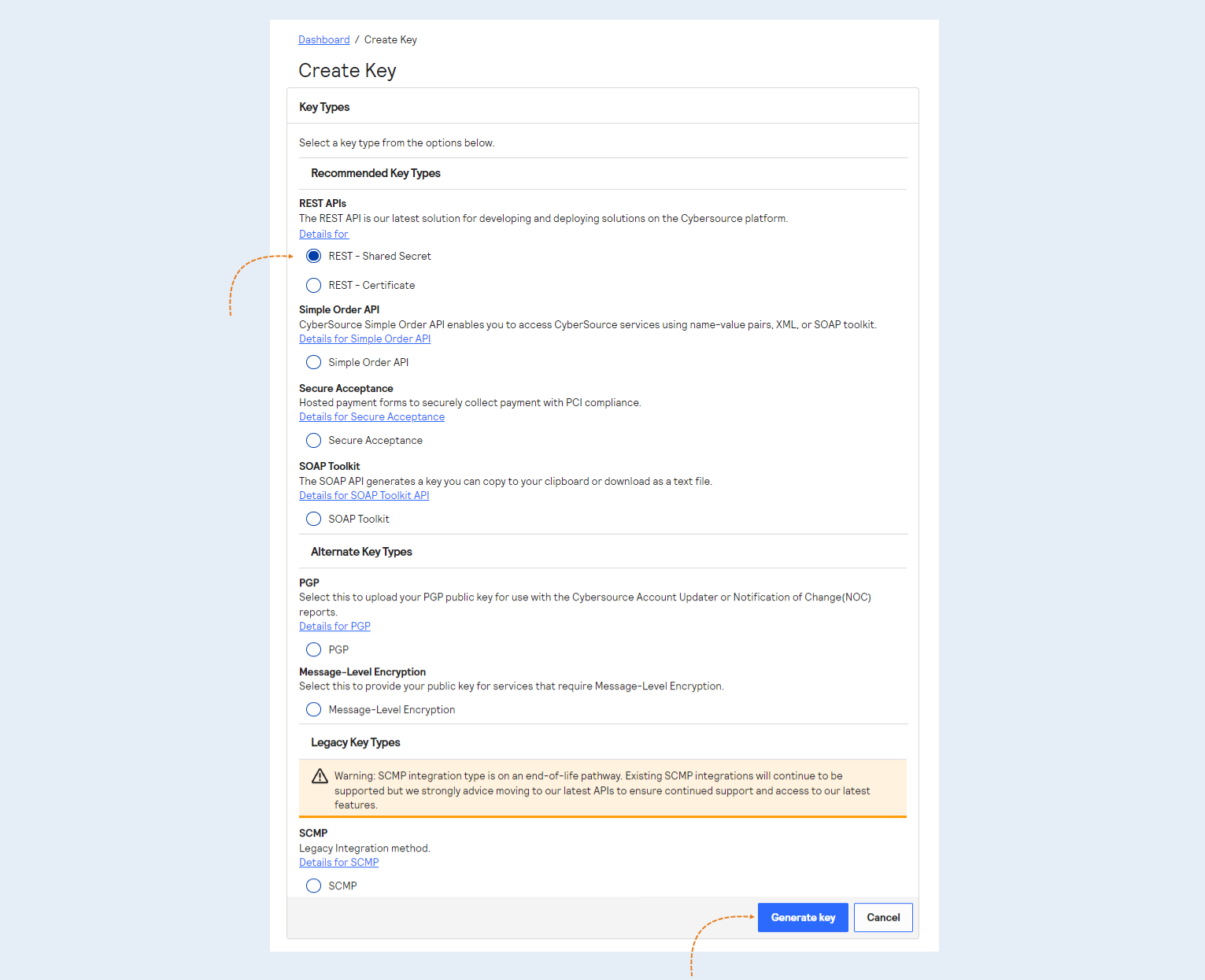
Click on "Generate Key" in the top right corner.
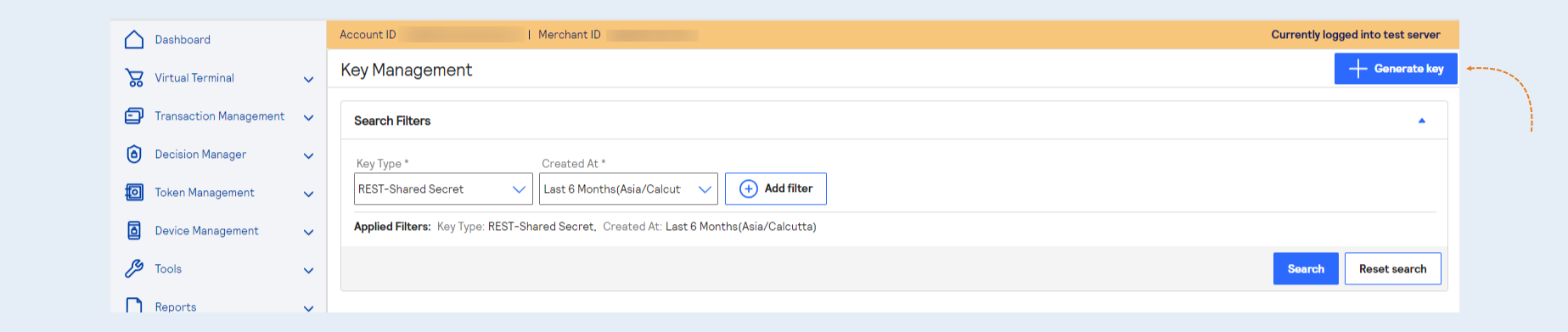
Choose "REST - Shared Secret". Hit "Generate Key".
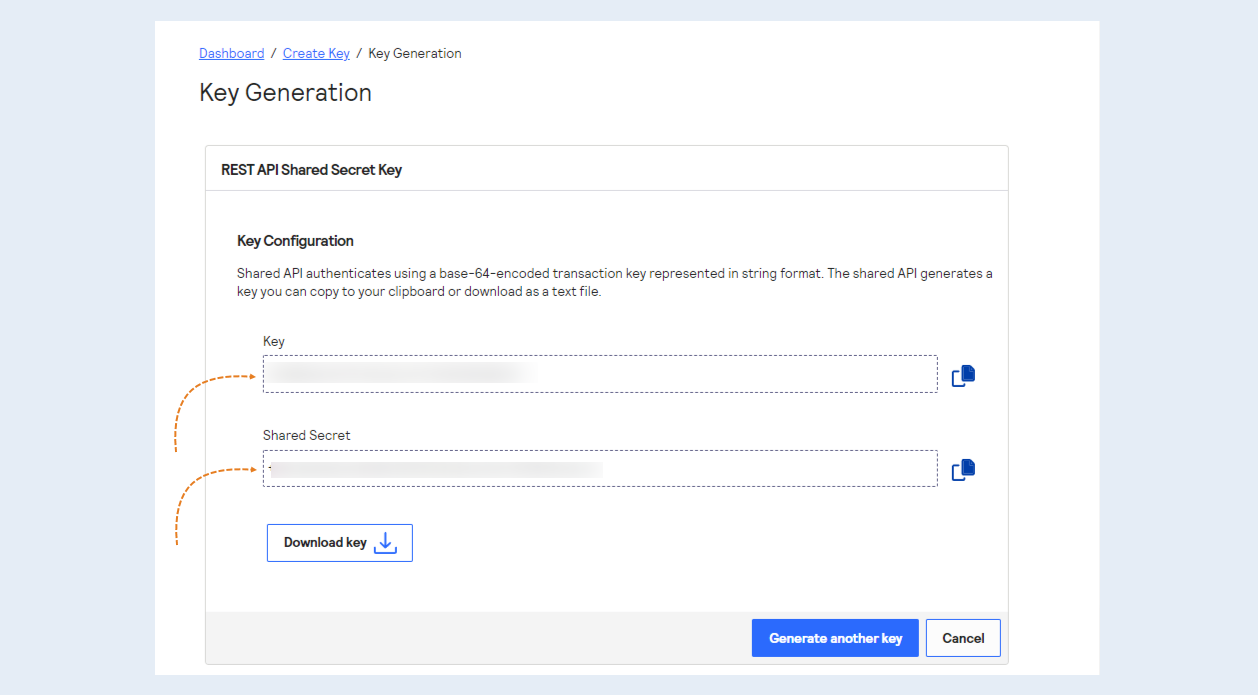
Copy the Key & Shared Secret Key for later use.
2
Integration with AXL
Next, you need to integrate the payment instrument into AXL. In order for your customers to be able to pay for the services of your account, it is necessary to embed payment forms in your account.
Go to the AXL website. Select the "Settings" section and the "Payment Settings" tab. Click the "Create Payment Integration" button.
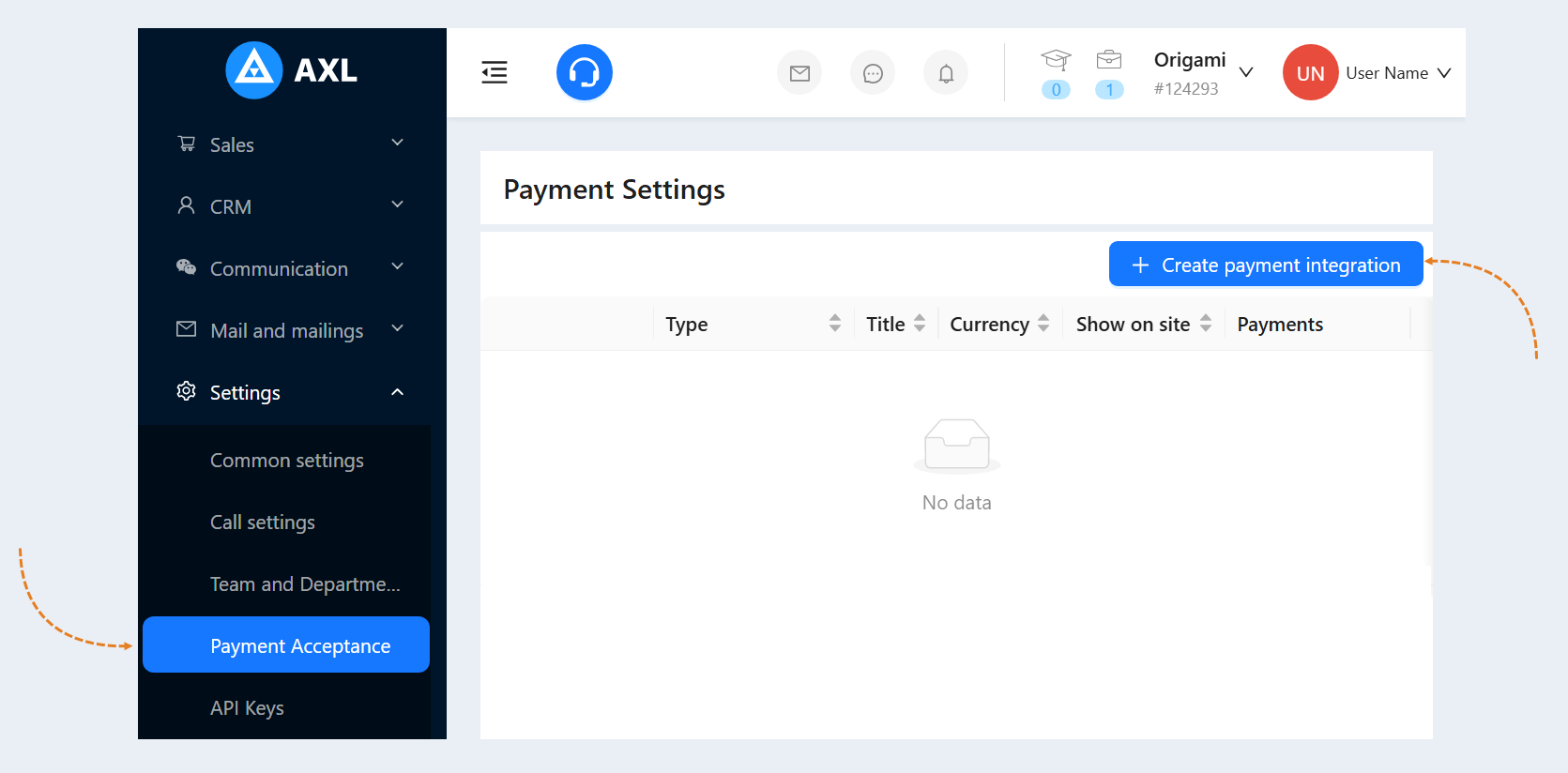
Select "CyberSource" from the list. In the window that opens, fill in the fields:
- Title. Write the name of the payment instrument.
Description. Add a description of this payment instrument. Customers will see this description on the website.
Payment Button Text. Write the text that will be displayed on the payment button on your website.
Is Primary Payment Method. Check the box if this payment method will be the main one in your account.
Show on site. Check this box to make this payment method available on your website.
Currency. Select the currency in which you plan to accept payments. If you work in different markets in different countries, you can choose the currency for accepting payments in each payment system. For example, by selling courses in dollars through one payment system, you can accept rubles through another payment system. Automatic currency conversion takes place at the international exchange rate.
Organization ID. Enter the Organization ID that you copied on the CyberSource website.
Key. Enter the Key that you copied on the CyberSource website.
Secret Key. Enter the Secret Key that you copied on the CyberSource website.
Test mode. Check the box to make a test payment (without money).
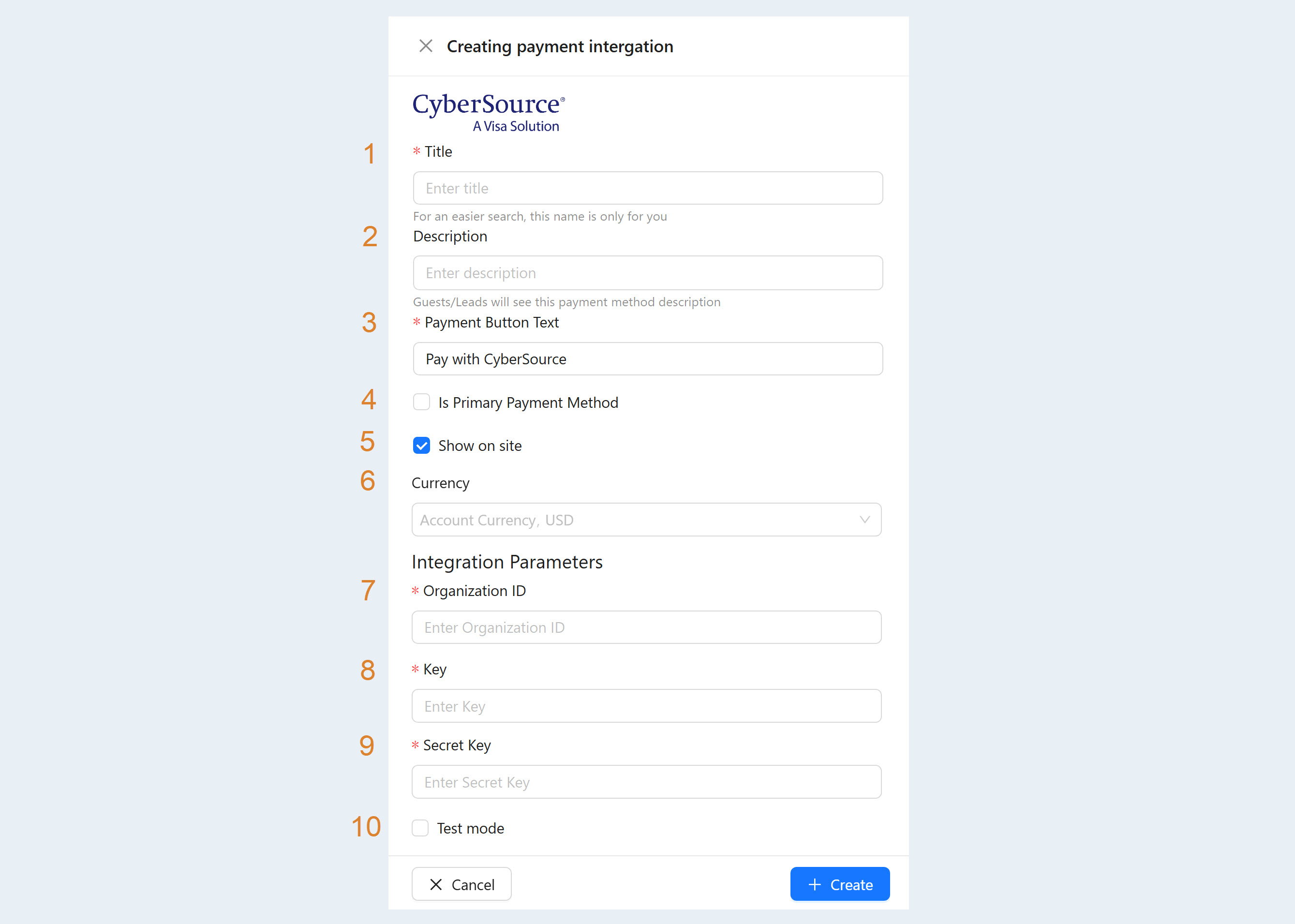
After filling out the form, click "Create". Now you have the "CyberSource" tool in the list of payment instruments.