The "Gamification" section is duplicated in the contact card.
Gamification is a tool that utilizes game elements to enhance users' educational experience. It includes various game mechanics, rewards, and achievements designed to motivate users and make learning more interesting and engaging. This section helps stimulate users' interest in learning and keep their motivation high. Gaming elements such as rewards and achievements create a sense of progress, inspiring users to continue learning and achieve new goals. For more information, read the article "Gamification"
In the contact card, in the "Gamification" tab, you will see the following sections:
Achievements. This section provides general information about the points earned.
Transaction history. This section shows the history of point accruals.
Below are detailed descriptions of these sections.
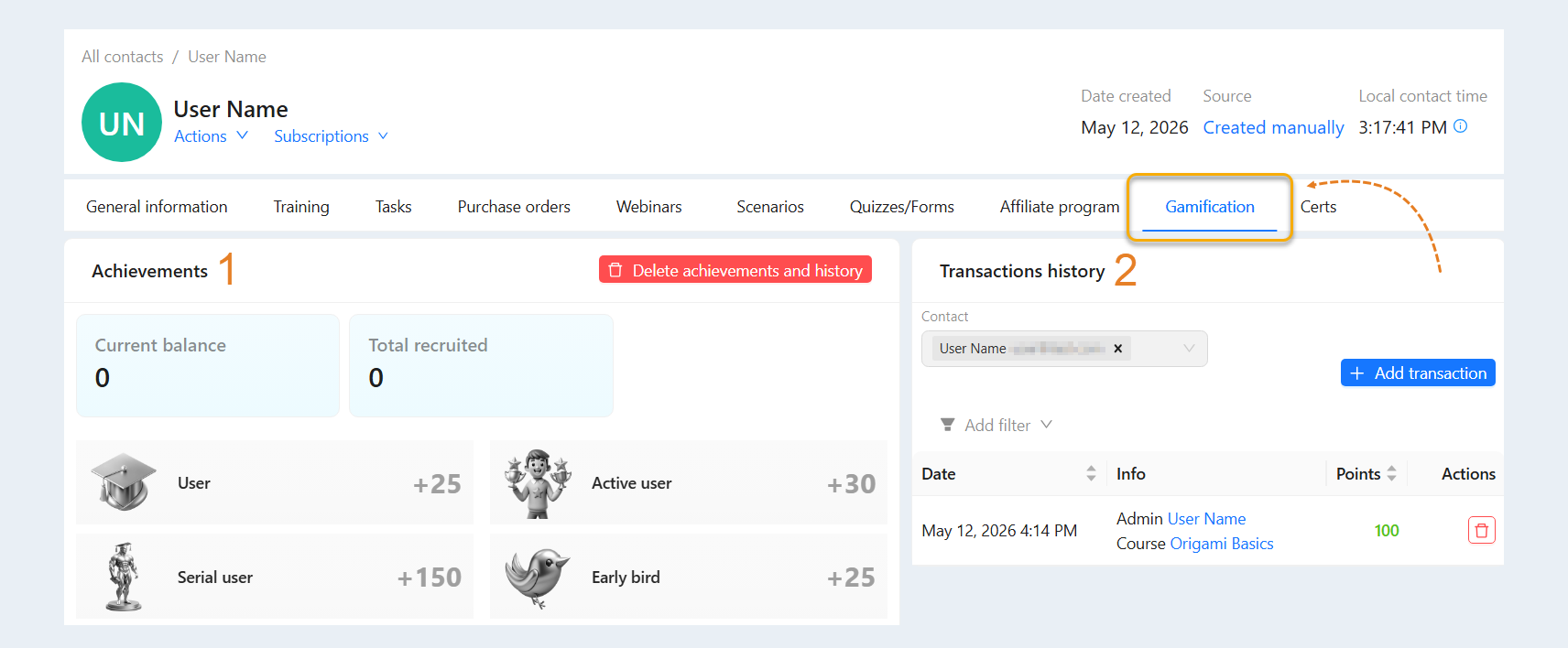
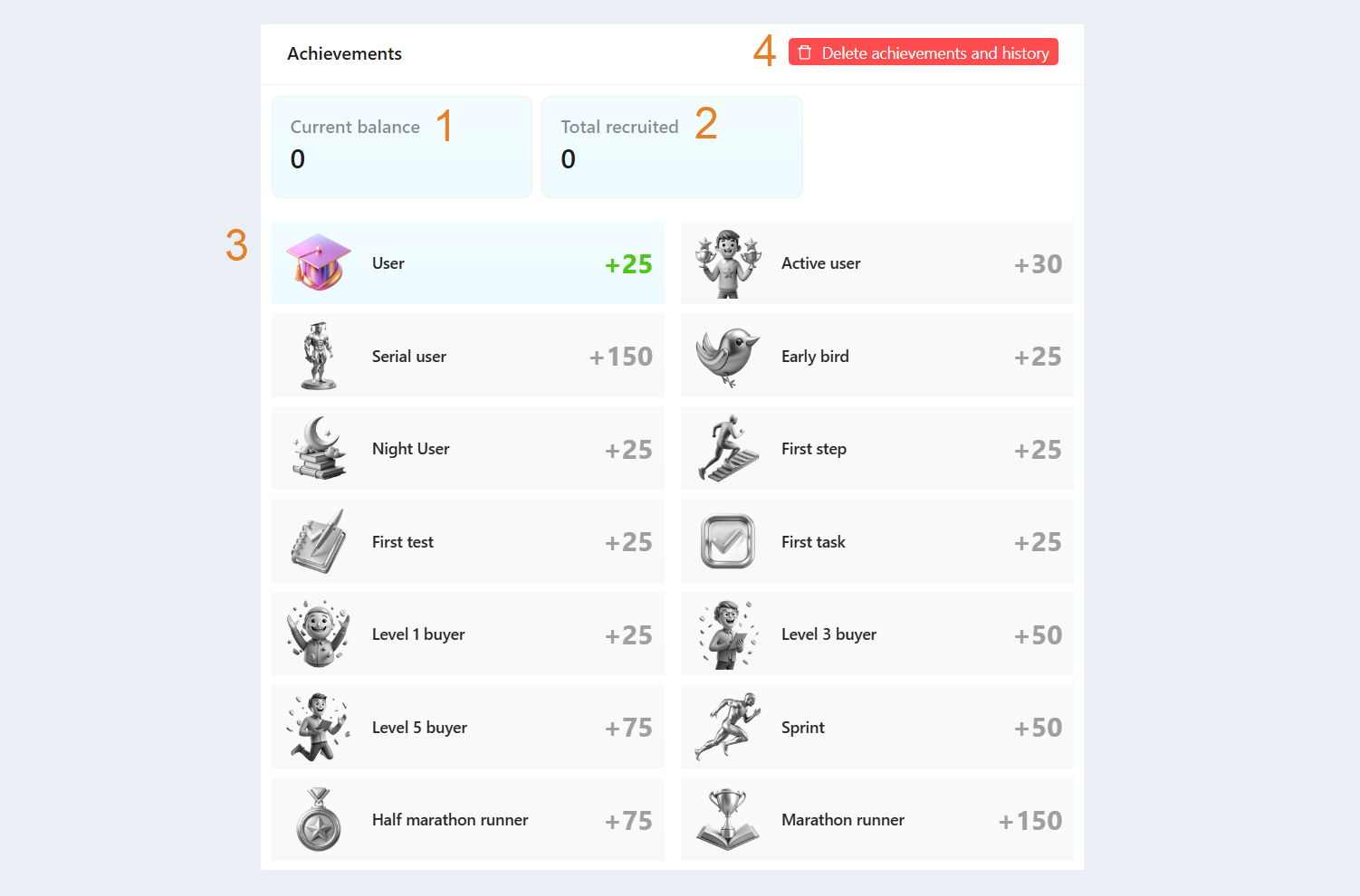
Achievements. This section provides users with an overview of their current level of activity and achievements within gamification. Here you will see the following information:
- Current balance. The current number of points in the user's account is displayed.
Total earned. The total number of points earned over time is shown.
Achievements.
Achievements are special rewards that users can receive upon completing certain tasks or goals during the learning process. Achievements can serve as external validation of a user's success and progress. They allow users to evaluate their efforts and can also be used to purchase items in the "points store." Here is a complete list of achievements that you can edit and customize as you see fit. To learn how to create and customize achievements, read the article "Gamification" Achievements earned by the user will be highlighted in color, with the date of achievement completion listed below.Delete achievements and history. When the button is clicked, all achievements and transaction history for the user will be deleted. Confirm the deletion in the window that opens.
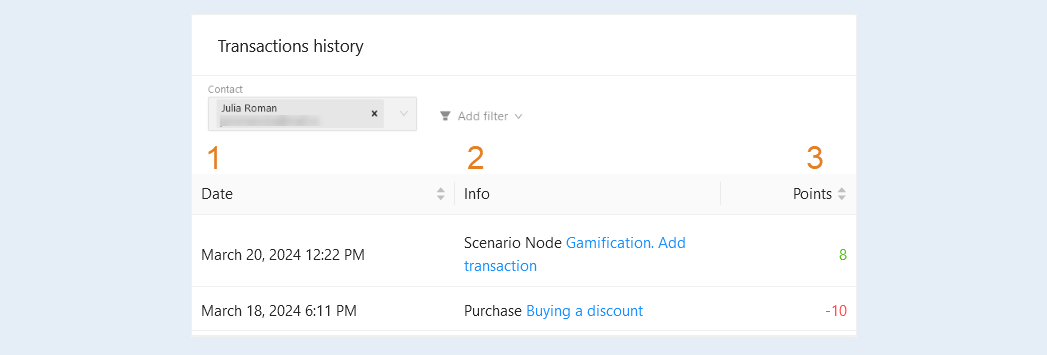
Transaction history. This section shows the personal history of point accruals. You can track progress and achievement levels within the learning process to understand how successfully the user is progressing in their studies. Here you will see the following information:
- Date. The exact date and time of the transaction are displayed.
Info. The name of the achievement and where it was obtained are shown. For example, the course and course element where the achievement was obtained are indicated.
You can click on the achievement name to access the settings for each item.Points. The number of points accrued or spent is displayed.
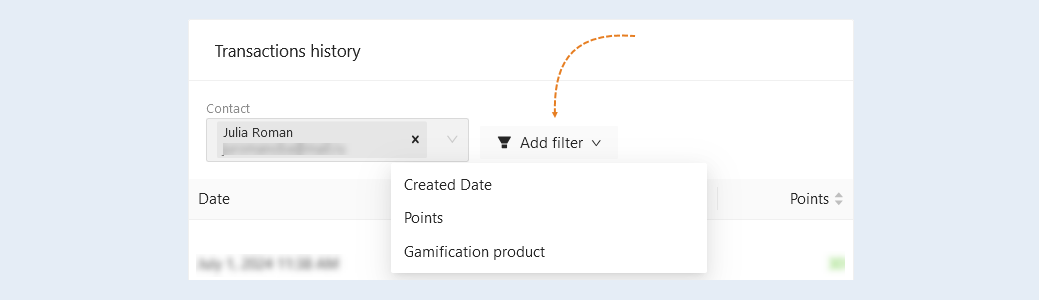
At the top of the section, you have access to a filter. Use it for more detailed settings. Click "Add Filter" and choose a filter condition from the list:
- Contact. By default, the contact selected in the "Gamification" tab of the contact card is already chosen.
Created Date. Select a date or set a time interval to view the history for the selected period.
Points. This condition highlights transactions within the selected points range.
Gamification product. This condition highlights transactions related to the selected item.
Gamification products are items or bonuses that users can purchase with earned points for achievements in the learning process. These goods can vary, such as additional lessons, consultations with a teacher, certificates, e-books, etc. Such rewards motivate users to actively participate in learning and improve their results. For more information on how to add and customize goods, read the article "Gamification"