API key (Application Programming Interface - application programming interface, or application programming interface) is a special protocol for the interaction of computer programs that allows you to use the functions of one application inside another. The API is what allows you to configure how different program components should effectively interact with each other.
An API key is a unique identifier that is used to authenticate requests related to your project. API keys allow you to connect third-party programs to your sites or exchange information between services.
You can create your own API keys on the AXL platform and use them in your project.
How to create an API key
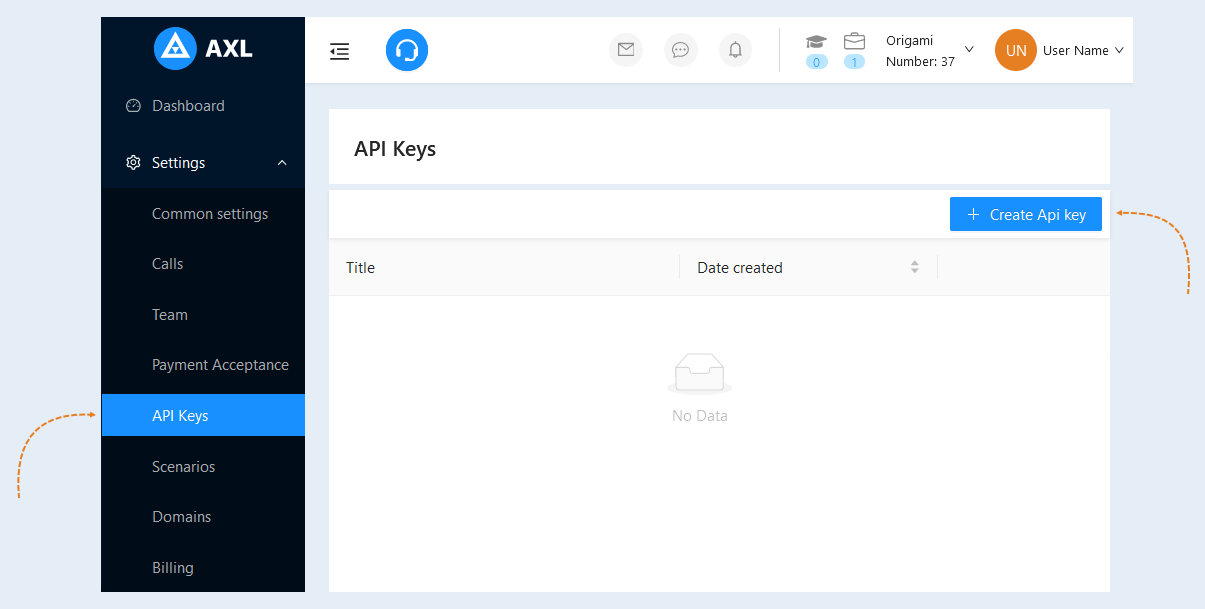
Go to the "Settings" section, "API Keys" tab. Click the "Generate API Key" button.
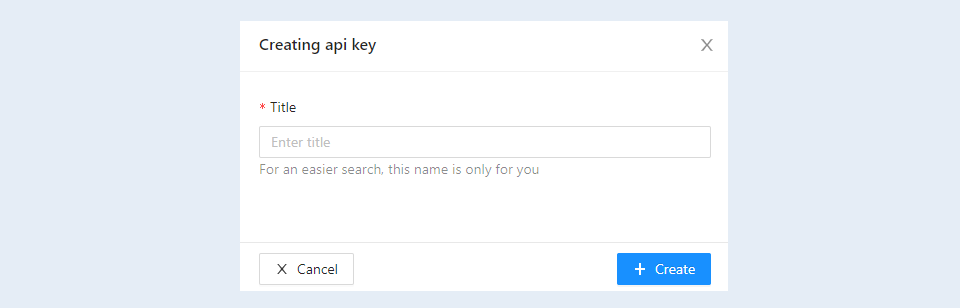
Enter a name for your key. And click the "Create" button.
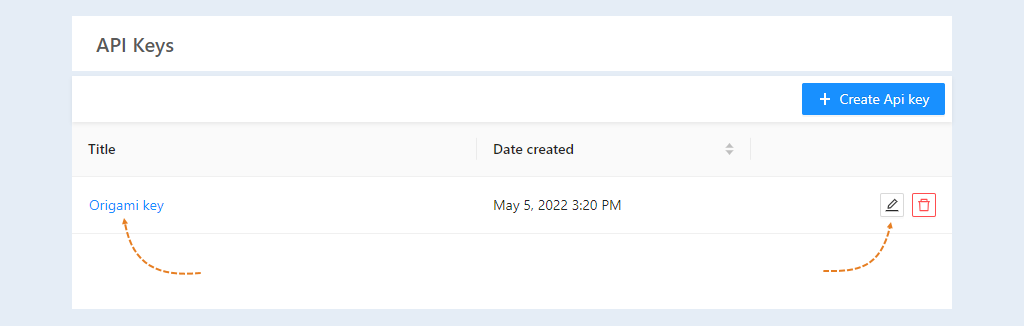
Once you've created an API key, open it. Click the title or the "Edit" button.
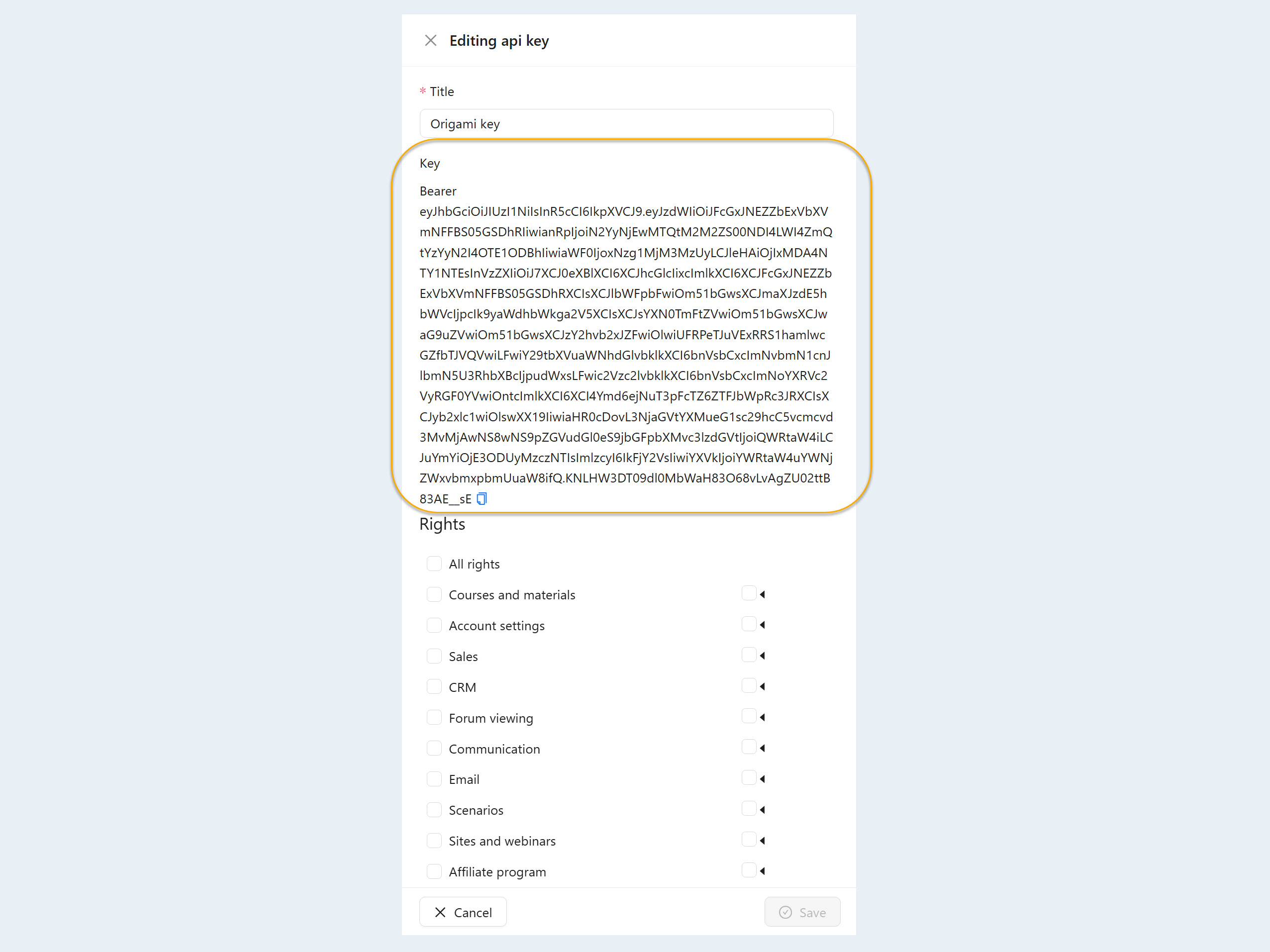
An additional window will open. Here you see your key. Click the "Copy" button and use for your sites.
Also in this window you can set access rights for this key.
You can create an unlimited number of API keys for your account.