Facebook is the largest social network in the world. It allows users to create their personal page, add friends, exchange messages, post statuses, photos, and videos, join groups and events, and play online games. Facebook also offers advertising and business activity opportunities.
Facebook channel creation requires you to have an account on the Facebook website. To register, follow the link. Register on Facebook by following the instructions on the site pages.
1
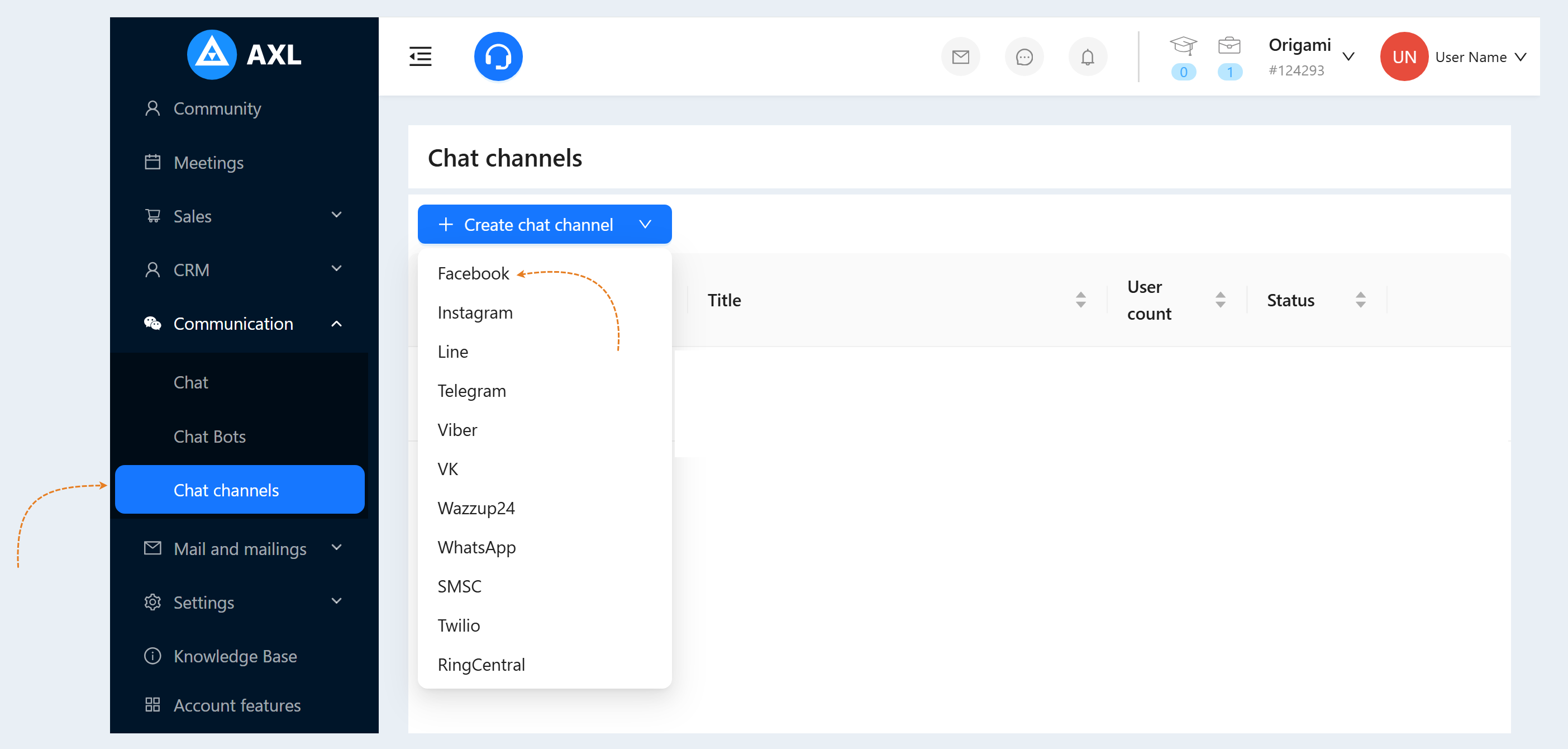
Return to your account on the AXL platform. Go to the "Communication" section, the "Chat Channels" tab. Click the "Create Channel" button and select the "Facebook" line in the list of channels.
2
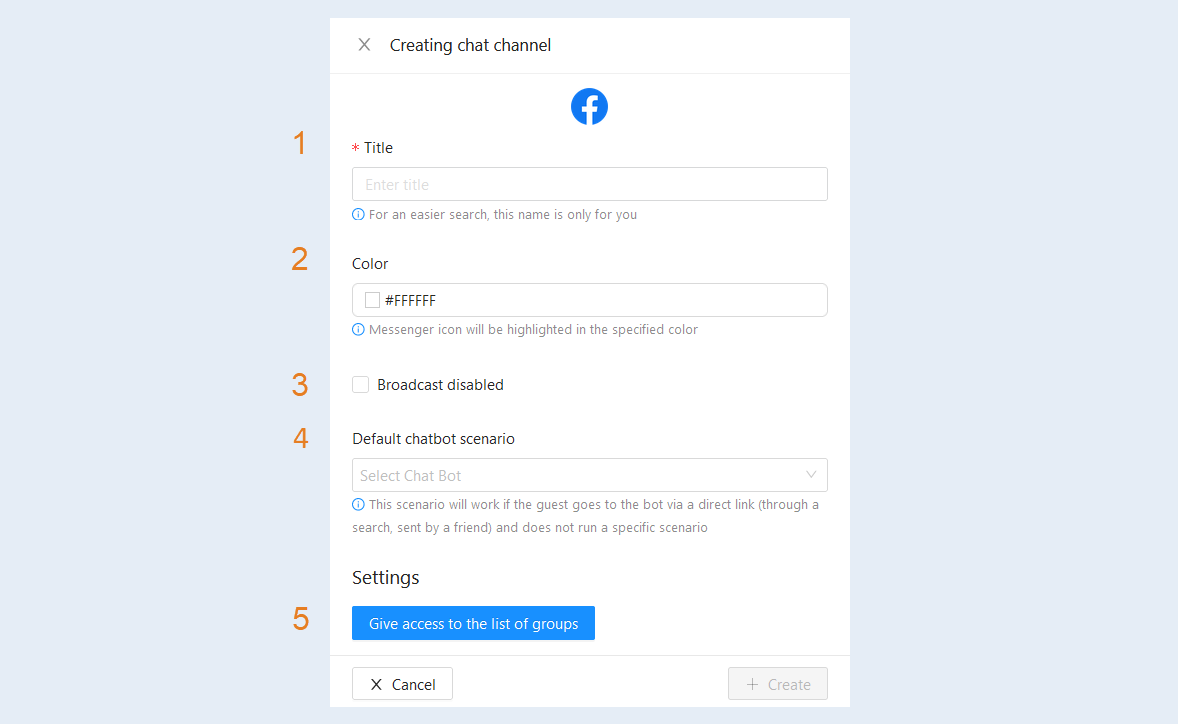
An additional window will open for you. Fill in the fields:
- Title. Enter the name of your channel.
Colour. Set the color of the messenger icon.
Broadcast disabled. Check the box to disconnect this channel from the mailing list.
Default chatbot scenario. Select a scenario from the list. This scenario will work if the guest goes to the bot via a direct link (through a search, sent by a friend) and does not run a specific scenario.
Click the "Give access to the list of groups" button.
3
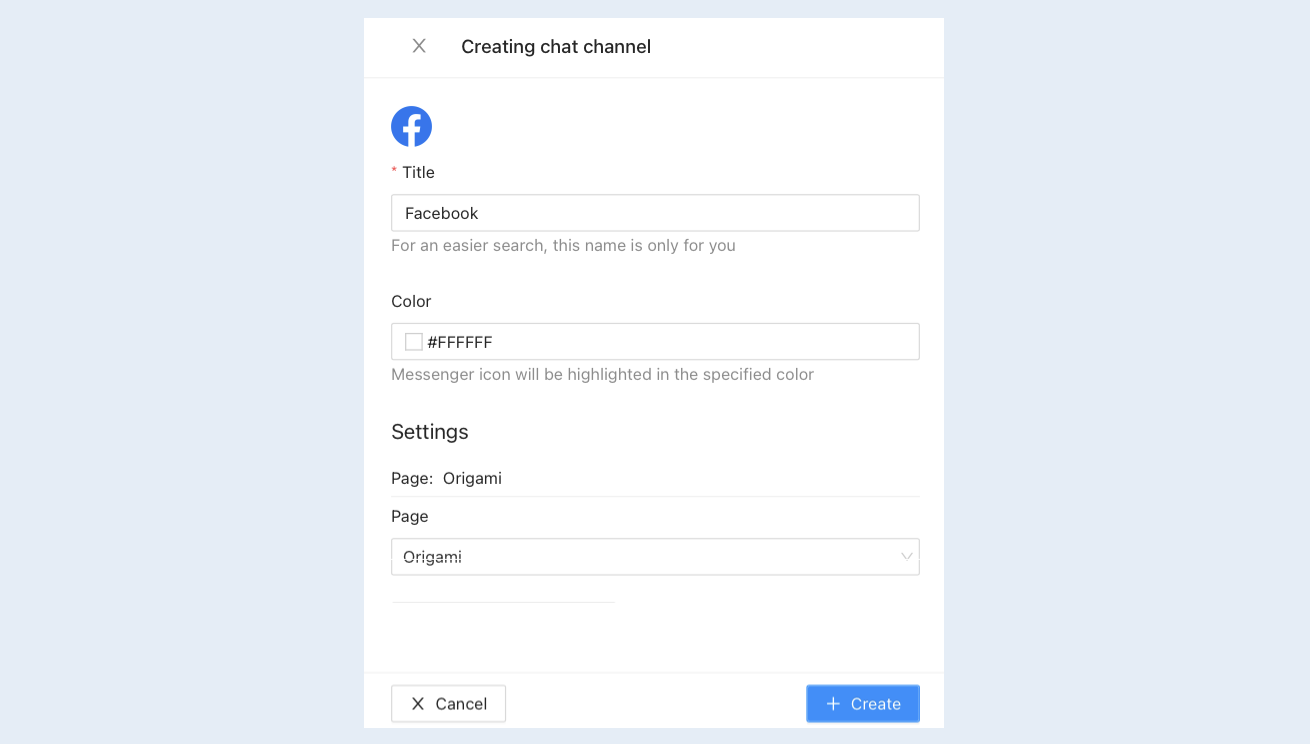
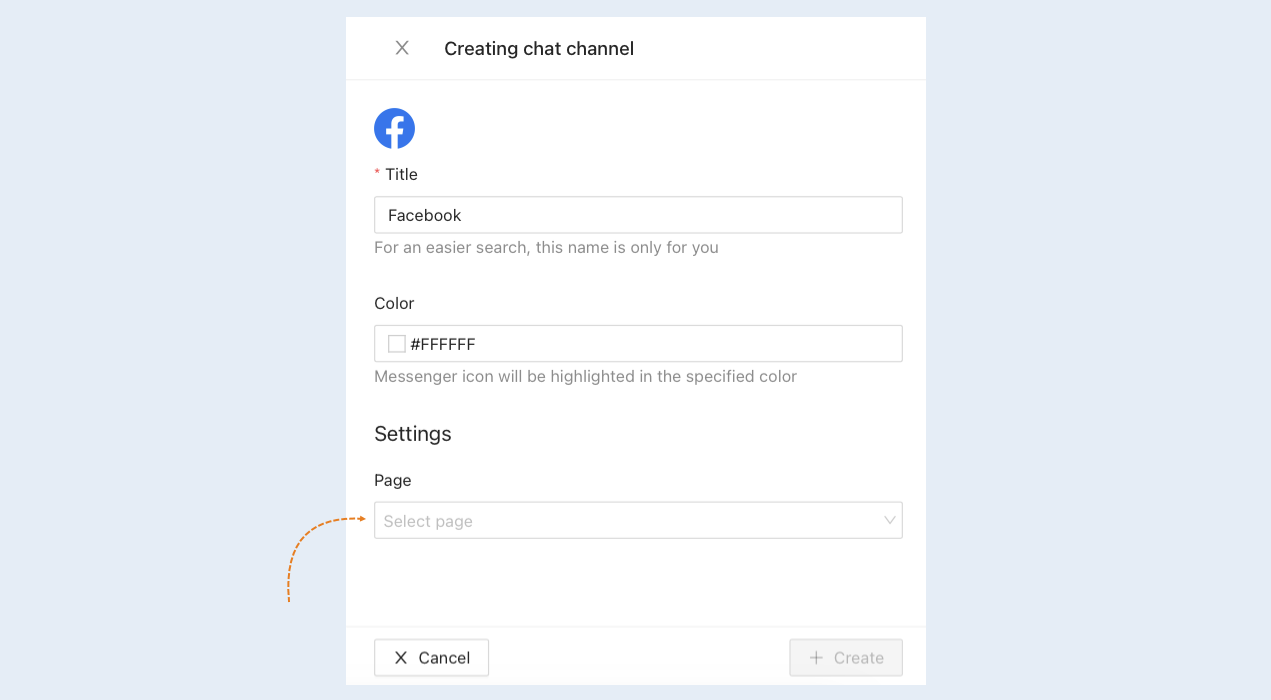
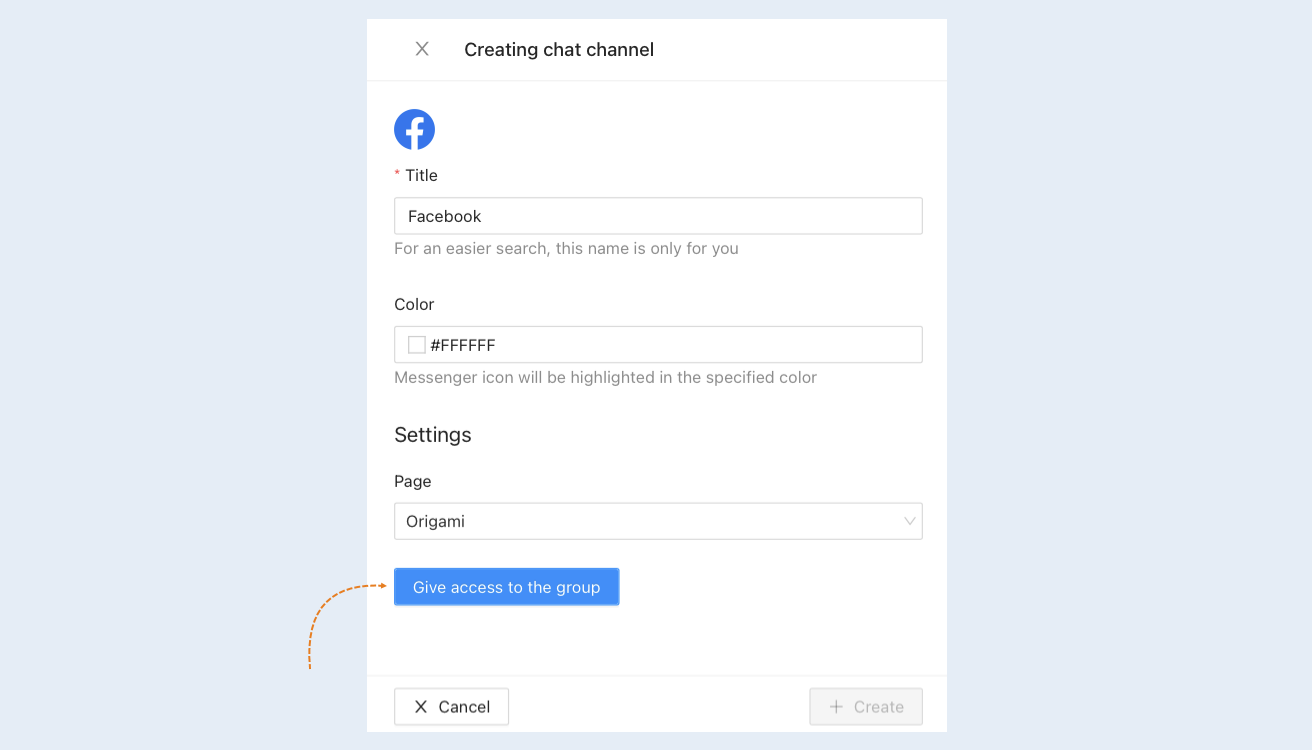
You will be asked to log in on the Facebook site. After that, an additional window "Creating chat channel" will open. In the "Page" settings, select the Facebook page from the list that you want to connect to your account.
4
The group you selected appeared in the groups row. Click the "Give access to the group" button.
5
Click the "Create" button. The Facebook channel you created will appear in the list of chat channels.