This article is for advanced users who need more subtle conversion settings and tracking events on the site.
Sites and widgets in AXL have built-in support for tracking events on pages.
You can access on the page the JS object AXLWebsite at any time.
Click on the desired section of the article to go to its description:
Description of the AXLWebsite object
This is an object that is stored in window.
You can subscribe to events happening on the page using it.
To check and see what events are happening, open the page by adding debug=true to the address, for example, https://site.com?debug=true . In the console you will see all the events that occur.
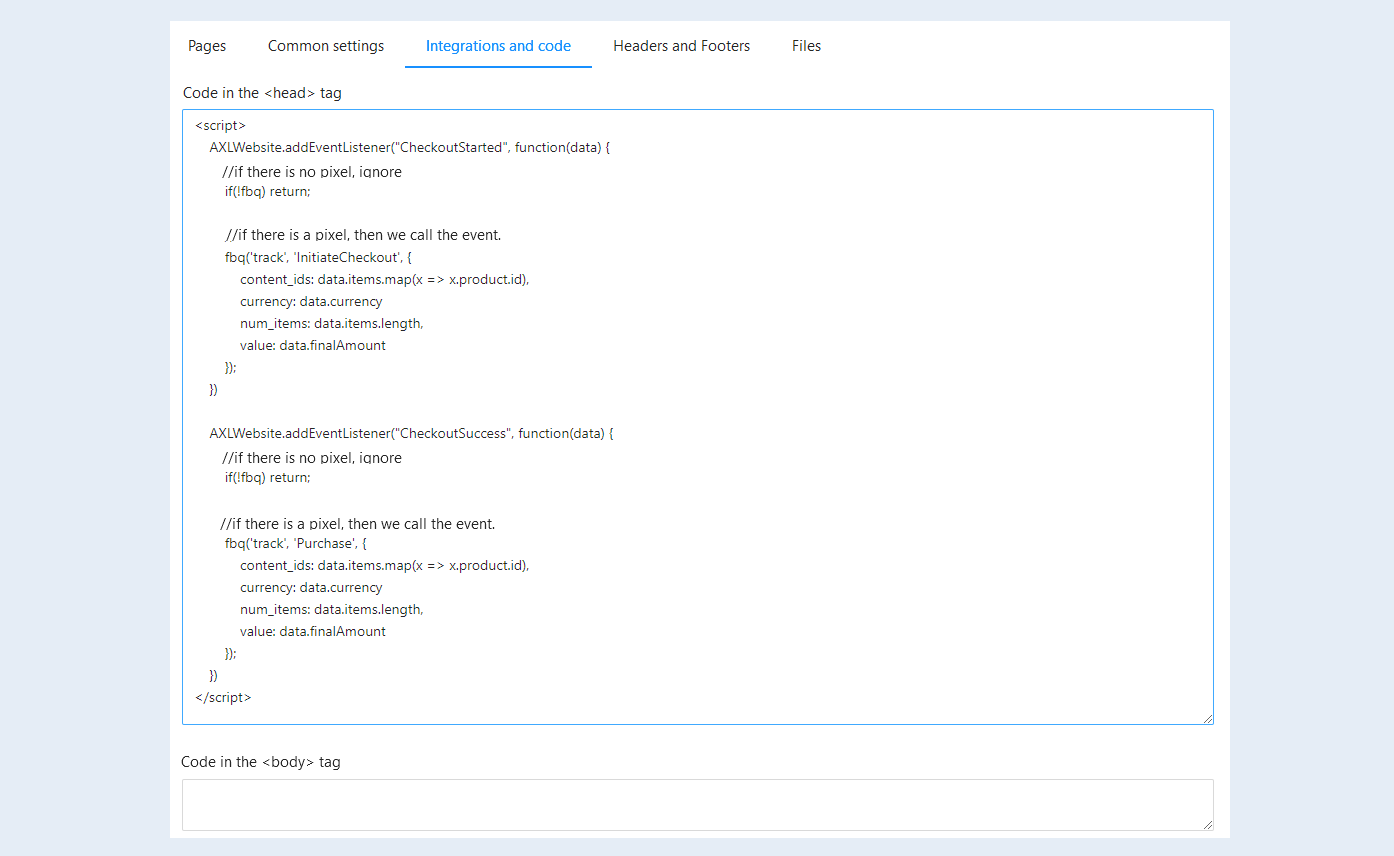
For example, if you want to send a conversion to Facebook Pixel, you can insert either html-code into the page, or add it through integration.
It is very convenient to subscribe to all events inside the site by adding a conversion code to the entire site. This way you get full coverage of the site with your conversions for all existing and future pages where payment or form submission takes place.
Note: of course, you need to insert the pixel code itself, where we send conversions.
Types of events
CheckoutSuccess - payment has been completed. Transmits data with the order.
CheckoutError - payment error. Transmits data with the order.
CheckoutInit - payment has been initialized. Transmits data with the order.
CheckoutStarted - payment has started (clicked the button). Transmits data with the order.
FormSubmit - sending the form to the pages. Will transmit the data with the form.
To understand and track what data the event will transmit to you, you can either put a debugger or console.log at the time of triggering.
Example:
AXLWebsite.addEventListener("FormSubmit", function(data) {
debugger
console.log("FormSubmit", data);
The list of events will be updated.
Example 1. Conversion when submitting a form
By default, AXL already sends a conversion to FB if a pixel is set. With this method, you can adjust more subtly.
AXLWebsite.addEventListener("FormSubmit", function(data) {
if(!fbq) return;
fbq('track', 'Lead');
})
Example 2. Conversion at the beginning of payment (click on the "Pay" button)
AXLWebsite.addEventListener("CheckoutStarted", function(data) {
//if there is no pixel, ignore
if(!fbq) return;
//if there is a pixel, then we call the event.
fbq('track', 'InitiateCheckout', {
content_ids: data.items.map(x => x.product.id),
currency: data.currency
num_items: data.items.length,
value: data.finalAmount
});
})
Example 3. Conversion upon successful payment
AXLWebsite.addEventListener("CheckoutSuccess", function(data) {
//if there is no pixel, ignore
if(!fbq) return;
//if there is a pixel, then we call the event.
fbq('track', 'Purchase', {
content_ids: data.items.map(x => x.product.id),
currency: data.currency
num_items: data.items.length,
value: data.finalAmount
});
})