Telegram is a messenger that allows users to send messages and files, share media content, and participate in group chats. It also has a high level of message security and encryption. Telegram allows users to create channels where they can subscribe to updates and receive news from their preferred sources.
1
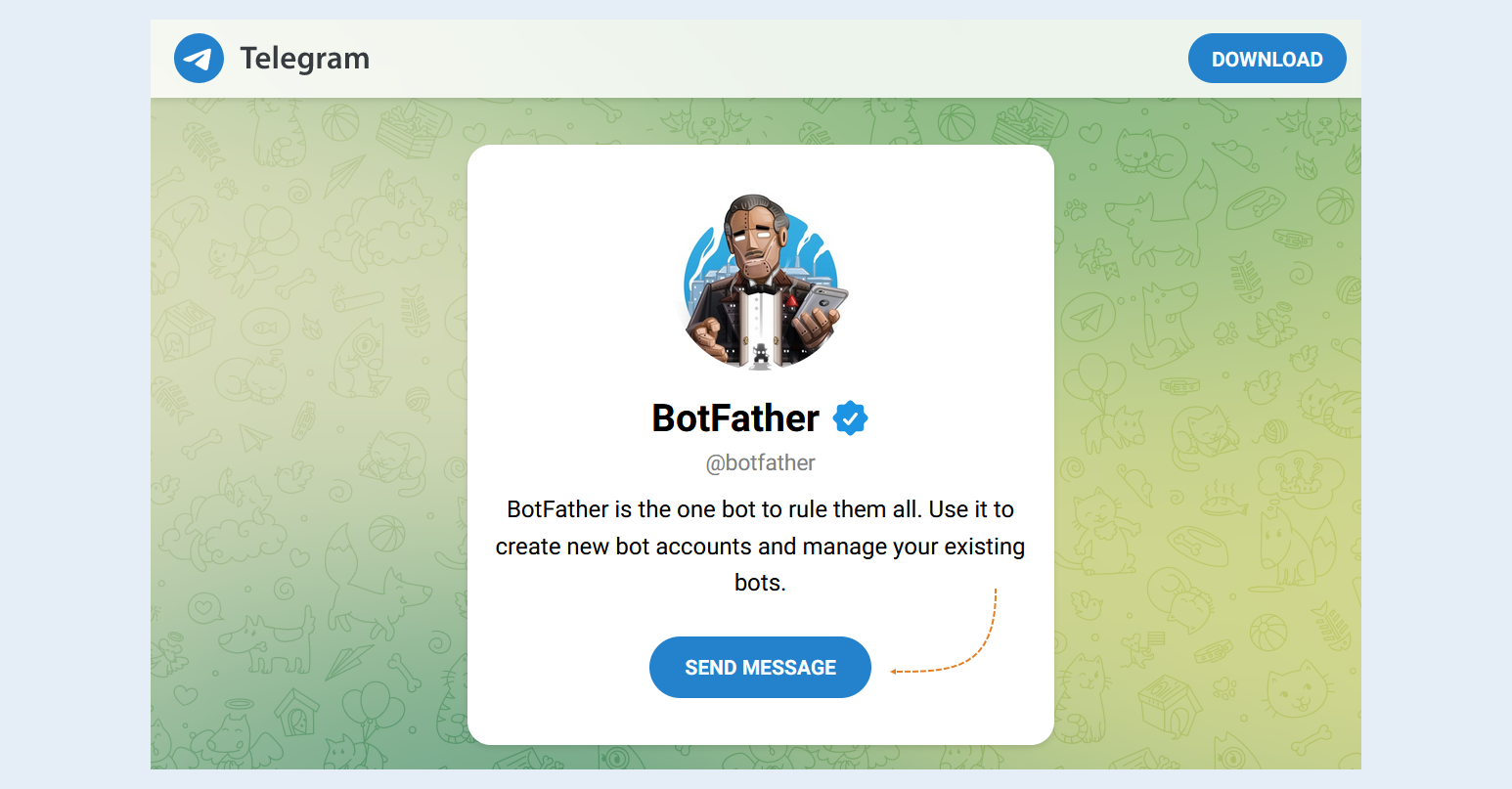
To create a Telegram channel, you need to create a bot in Telegram. It is created using another bot called BotFather. Follow the link. Click the "Send Message" button and open the app in Telegram Desktop.
If you want to use an existing bot, then its early settings will no longer be valid. Therefore, we recommend creating a new bot.
2
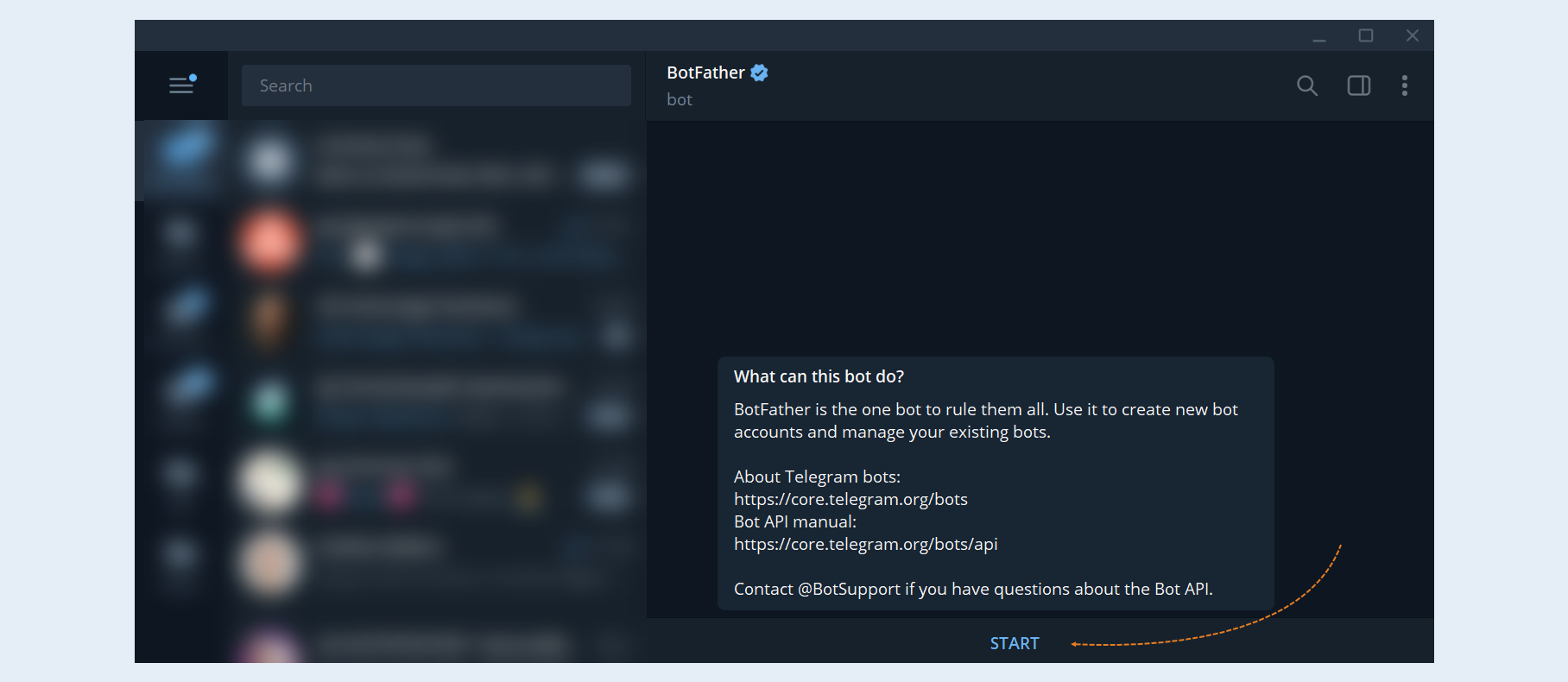
Go to telegram and start the bot by pressing Start.
3
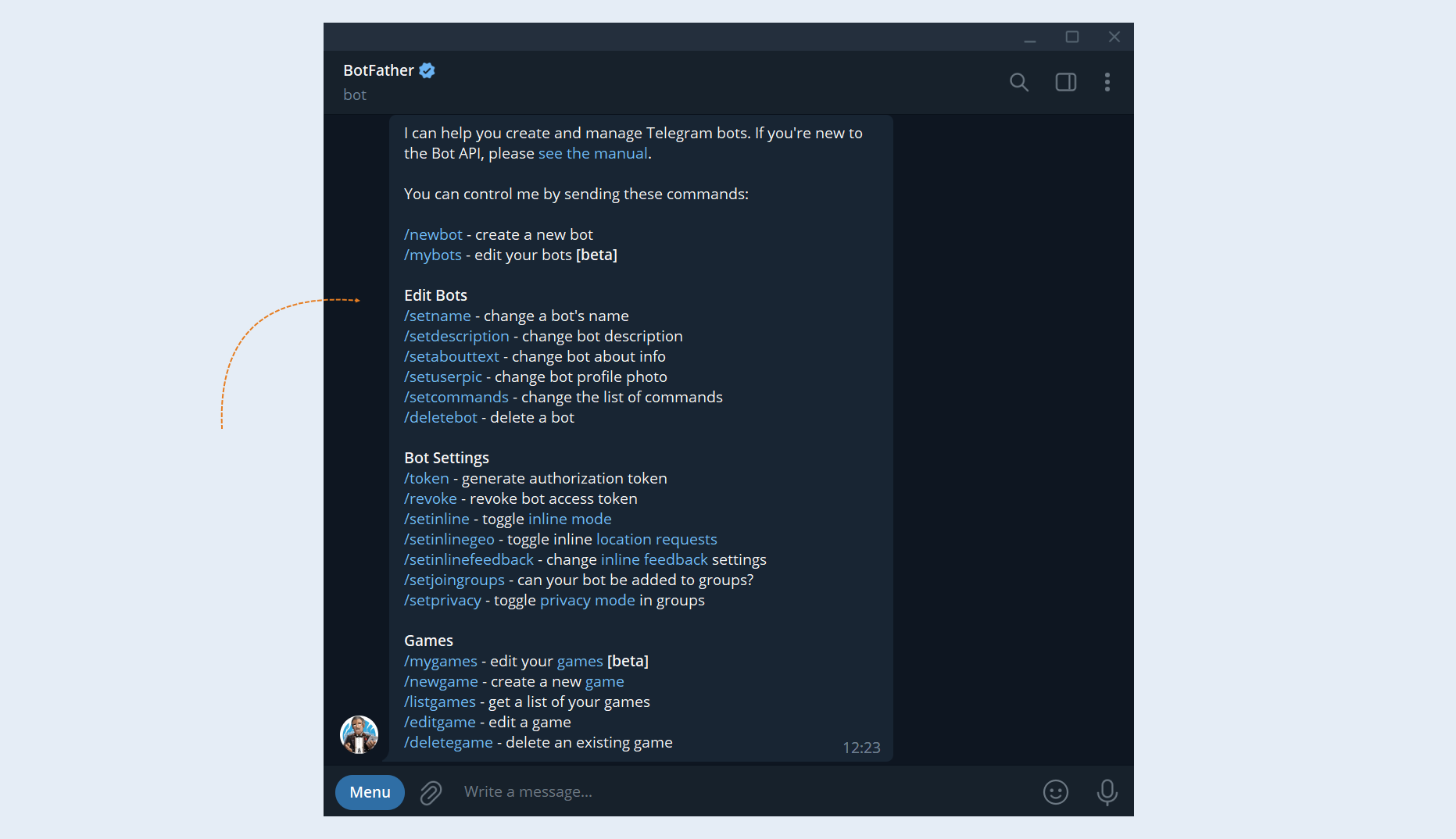
This will open the bot menu. All possible commands for the bot are listed here. You need to select the /newbot command.
4
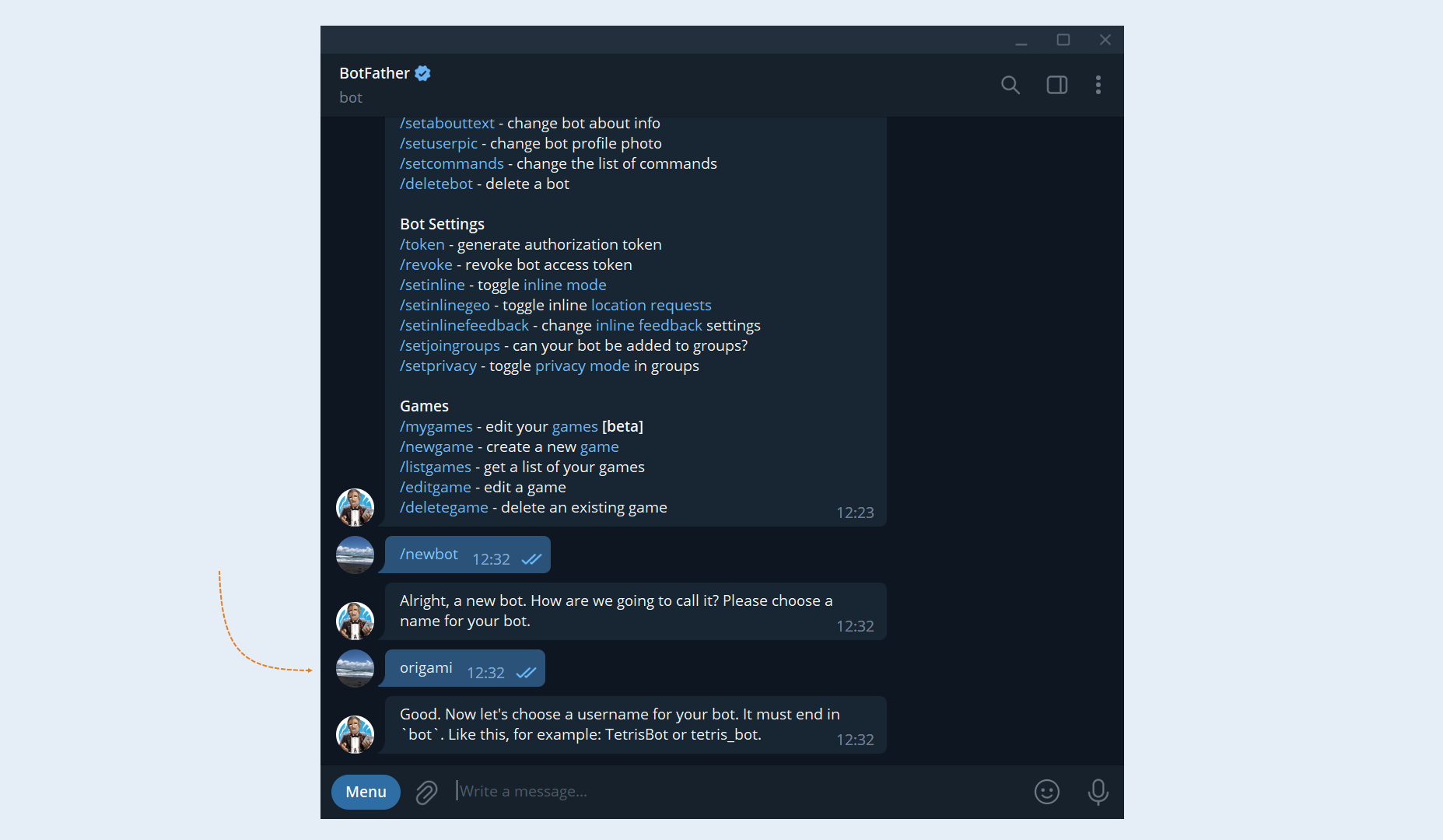
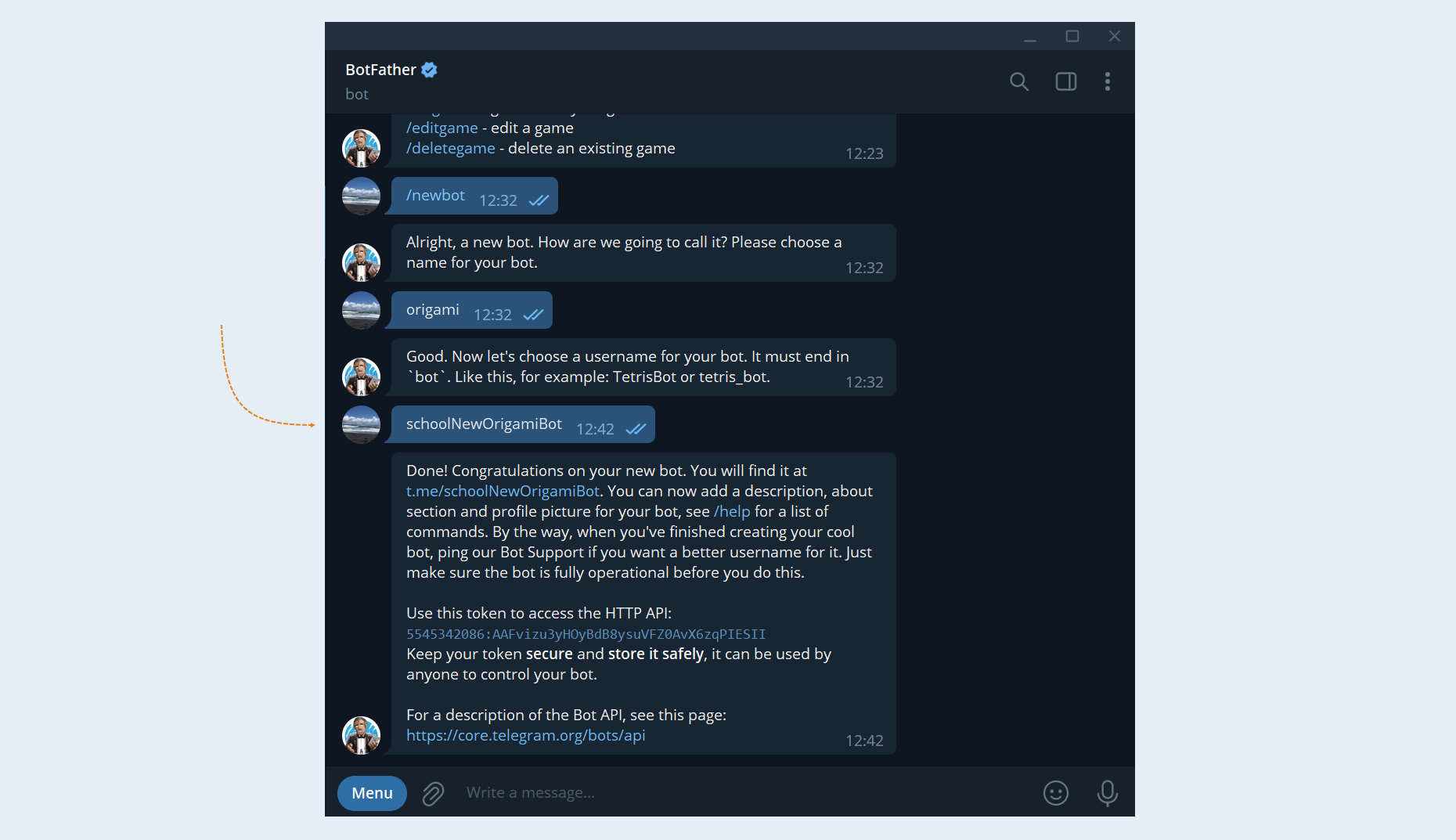
After that, you are prompted to enter a name for your bot.
5
If the name is approved by the bot, then you need to enter the login for your bot. Login must be unique and end with the word "bot". If the login you have chosen is already taken, then try changing the wording.
6
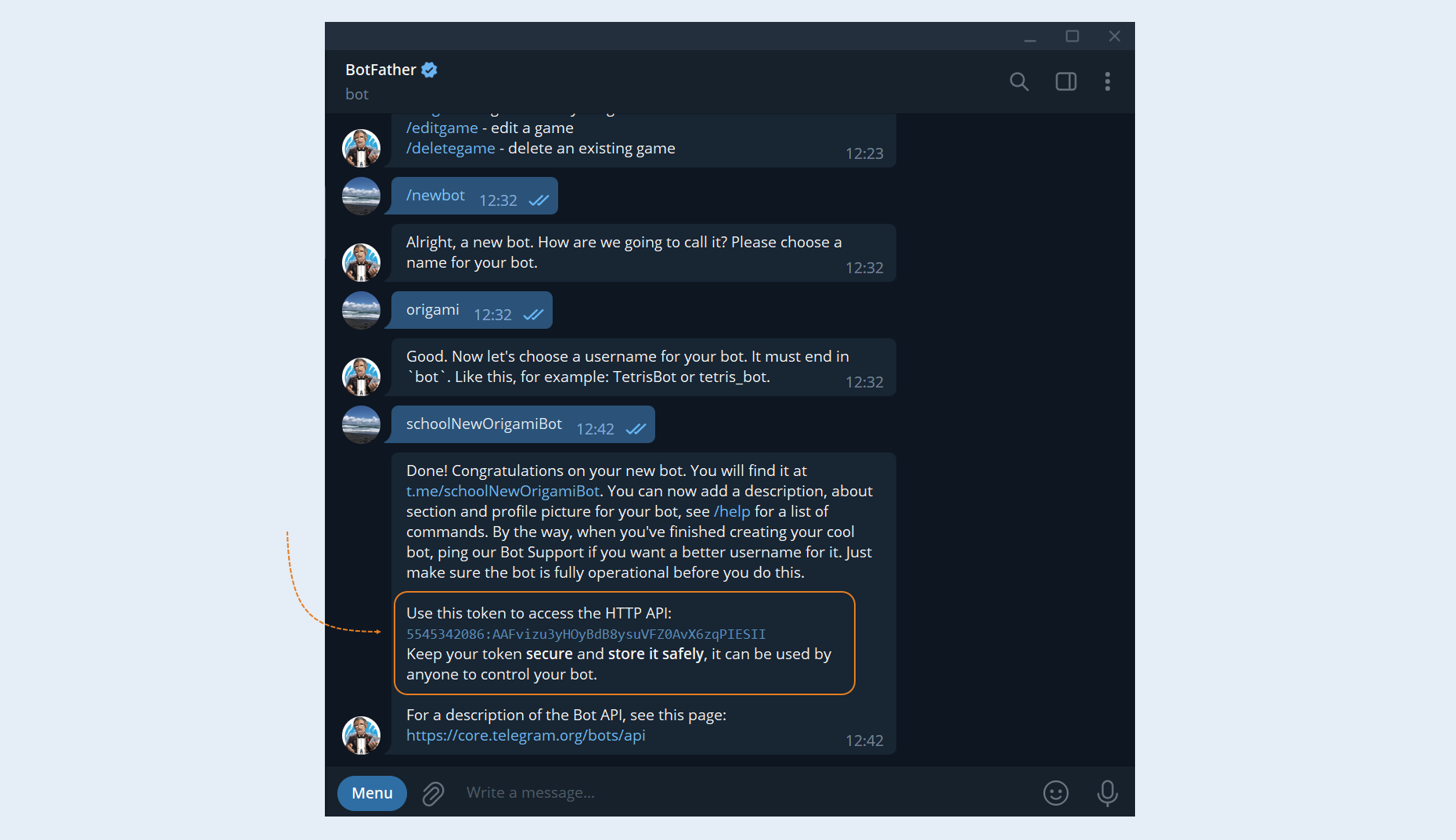
After the bot approves the login, you will see a message. The message will contain a link to your bot, as well as a token that must be attached to the telegram channel in your account on the AXL platform. Copy the given token.
7
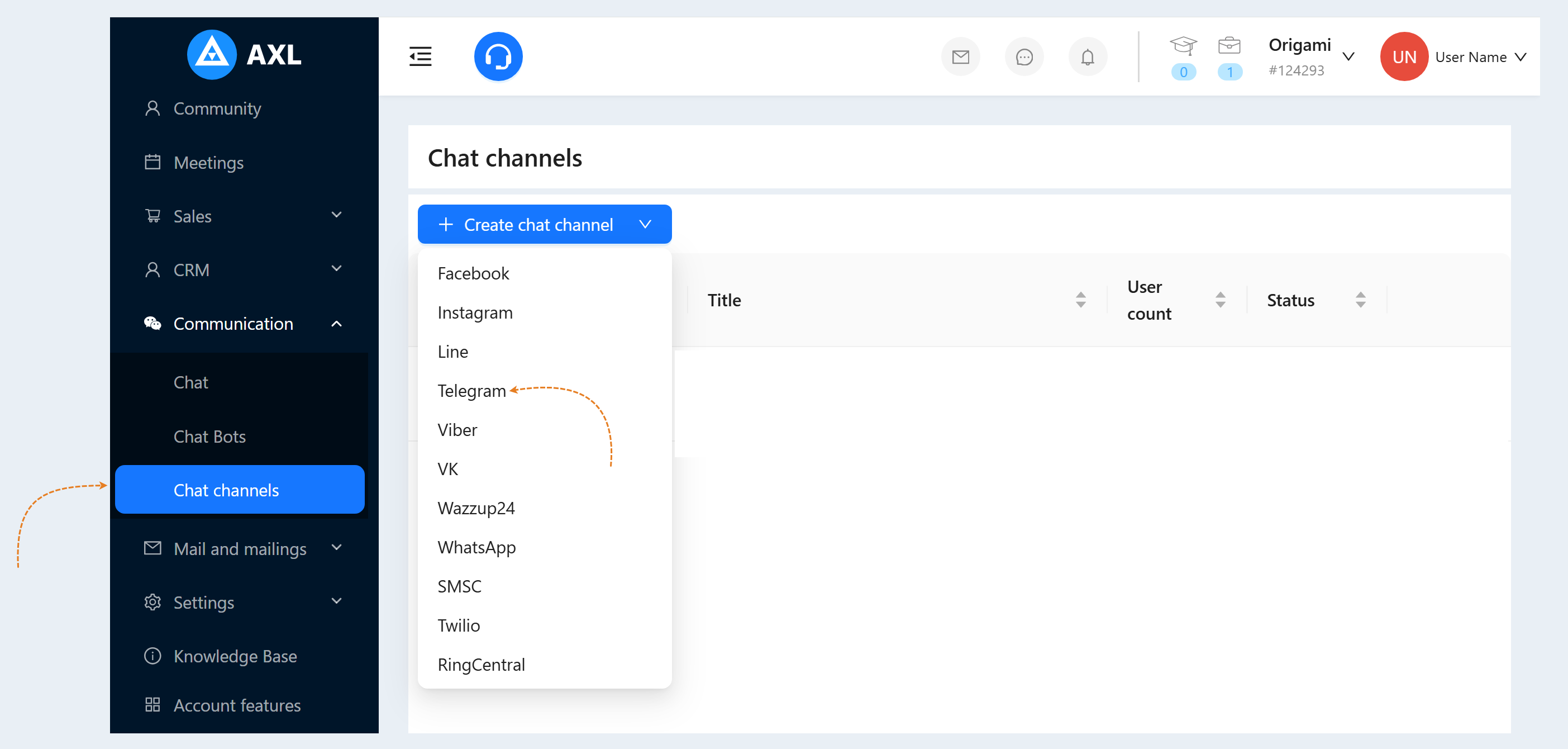
Return to the AXL platform, to your account. Go to the "Communication" section, the "Chat Channels" tab. Click the "Create chat channel" button and select the "Telegram" line in the list of channels.
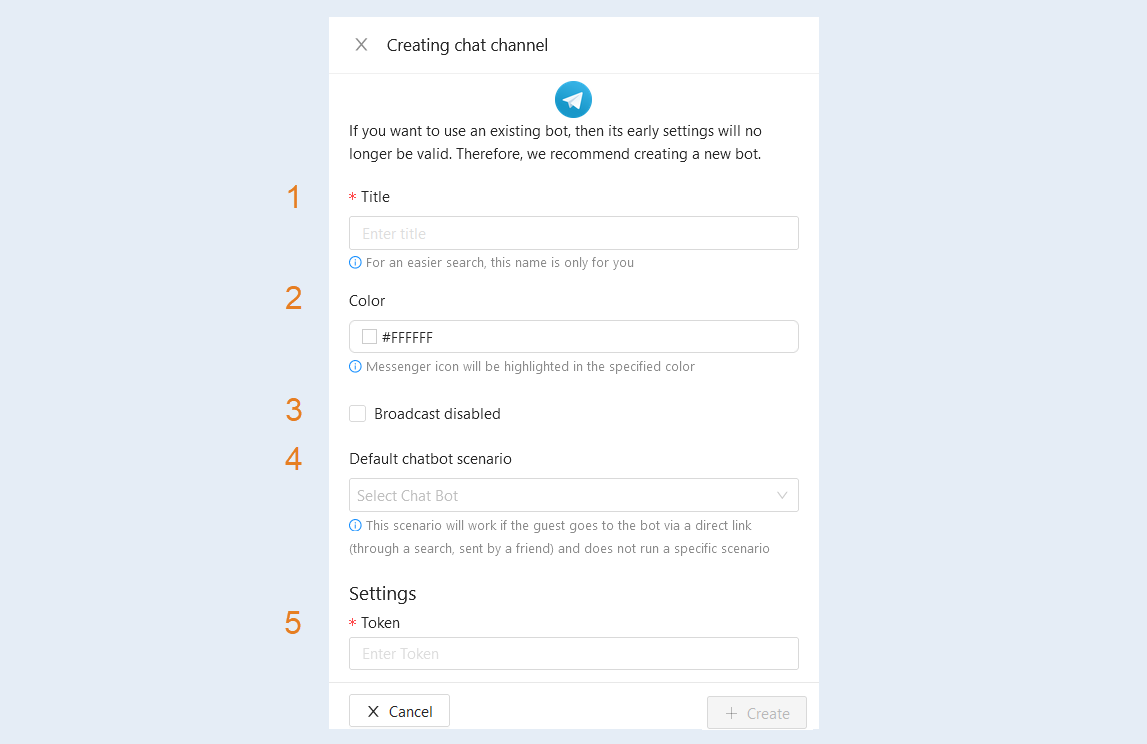
- Name. Enter the name of your channel (bot).
Color. Set the color of the messenger icon.
Broadcast disabled. Check the box to disconnect this channel from the mailing list.
Default chatbot scenario. Select a scenario from the list. This scenario will work if the guest goes to the bot via a direct link (through a search, sent by a friend) and does not run a specific scenario.
Token. Insert the token value from BotFather into this line.
Click the "Create" button. The telegram channel you created will appear in the list of chat channels.