AXL's built-in AI Assistant turns a plain-language request into a clear plan and actions within your account. It can find data, create and configure platform objects, and then return the result in the chat, along with explanations, links, and cards that provide quick access to editing. This means you can communicate with the assistant in the chat, work with data, and perform actions available on the platform without manually navigating from one section of your account to another.
AXL's AI Assistant combines guidance and task execution in a single conversation. It helps you quickly retrieve data, prepare a marketing campaign, build a webinar funnel, edit a page or email, and create an appointment booking system. You get the best results when your request includes a specific goal, context, constraints, and desired status, and when you review the final settings before launch.
Click a section below to view its description:
What Is AXL's AI Assistant
It is a work assistant built directly into the AXL admin panel. It interacts with your account based on your request: it can check the number of contacts in your CRM, create a promo code and an email campaign, build a webinar with landing pages and automated emails, set up a consultation booking page, and much more.
Unlike a regular chatbot, the assistant is not limited to giving advice. If a task is described precisely enough, it can configure the necessary elements in AXL and show the objects it created directly in the conversation. You remain in control: you can open the result, review it, edit it manually, or refine it with another command. You describe the business outcome, and the assistant helps translate it into specific AXL objects and scenarios.
Where to Find the Assistant and How to Get Started
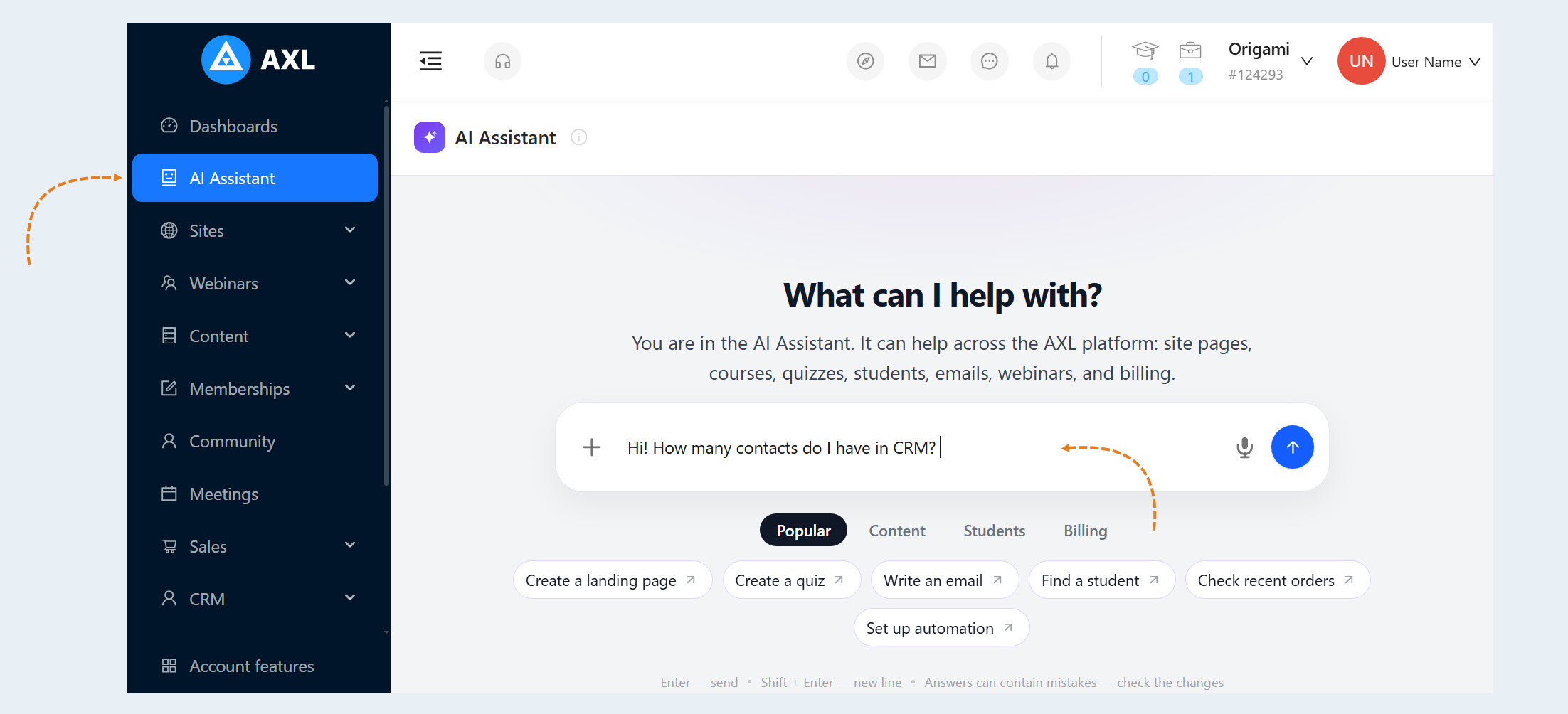
- Open the "AI Assistant" section in the left-hand AXL menu.
- Click "New Chat" or continue an existing conversation.
Describe your goal in plain language: ask a question, request an object, or ask the assistant to build an entire process. You do not need to know the exact name of the setting you need or search for the section where it is located in AXL. Simply describe the desired outcome, and the assistant will determine which actions are required.
Answer any clarifying questions. For example, specify the audience, date, time zone, channel, link, or desired status of the result.
Review the result in the chat and open the related cards or links to go to the settings.
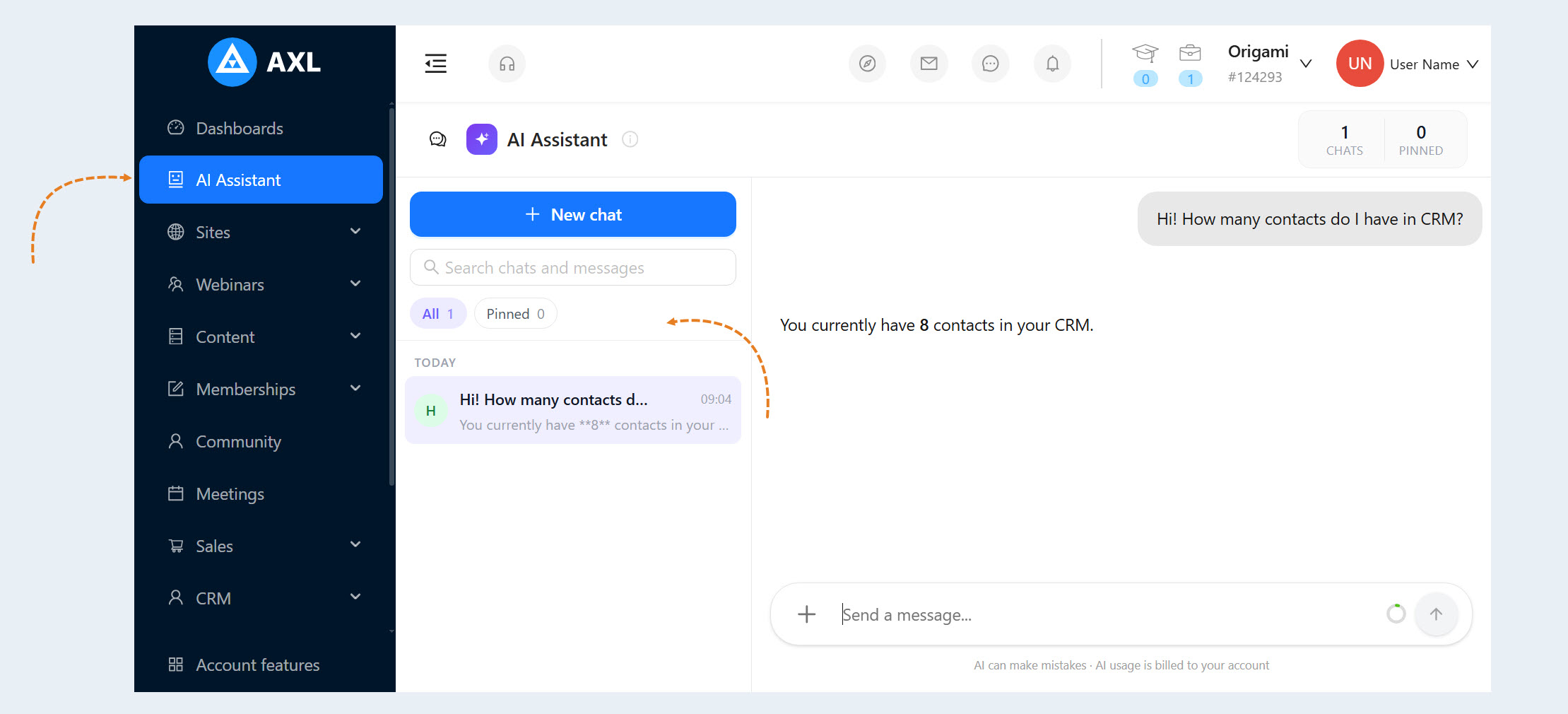
Chats are saved in the list on the left. You can pin, rename, search, archive, and delete them. This is convenient when different conversations are dedicated to different projects.
How a Request Is Processed
The assistant considers the context of your account: existing contacts, websites, webinars, and other available objects.
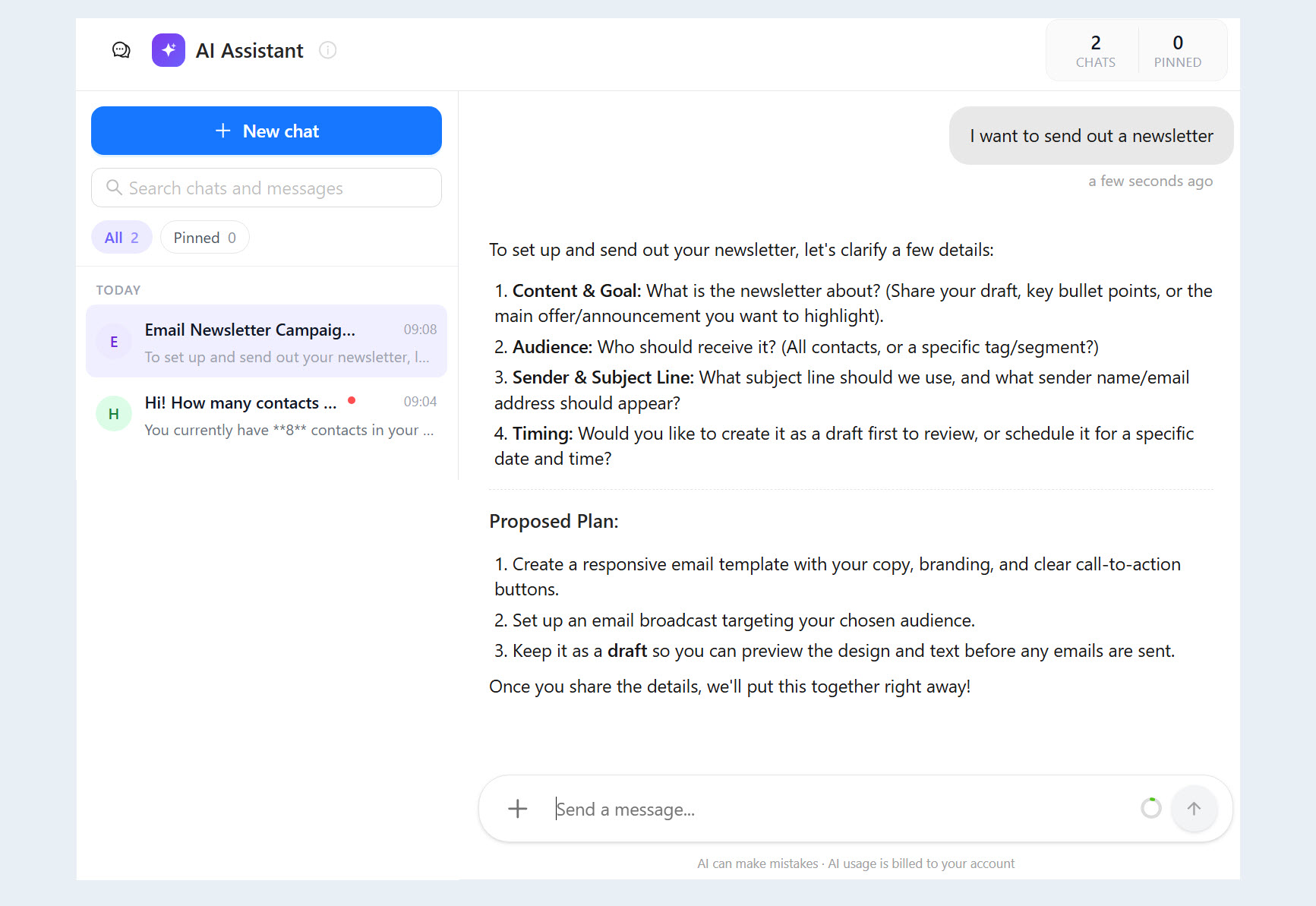
If there is not enough information: it asks clarifying questions and suggests a plan.
- During execution: the chat displays statuses such as "Looking into it" or "Working on it."
After execution: the assistant lists what was created or changed, provides the status, and suggests next steps. Cards and direct links to the corresponding AXL sections appear for the objects it created.
The assistant considers the context of your account: existing contacts, websites, webinars, and other available objects.
If there is not enough information: it asks clarifying questions and suggests a plan.
- During execution: the chat displays statuses such as "Looking into it" or "Working on it."
After execution: the assistant lists what was created or changed, provides the status, and suggests next steps. Cards and direct links to the corresponding AXL sections appear for the objects it created.
What You Can Ask the Assistant to Do
You can give the assistant tasks from different areas of AXL, ranging from finding information in your account to creating objects and configuring complex automations. The assistant serves as a single point of entry: if a feature is available in your account, you can describe the task in plain language without searching for the corresponding section or configuring each step manually.
For example, the assistant can:
Find and verify: contacts, students, orders, pages, and other data.
Create: a page, form, course, webinar, email, or promo code.
Edit: the content, settings, design, or status of an existing object.
Configure: an email campaign, registration, notifications, or a schedule.
Connect into a process: combine forms, emails, CRM, and events into an automated scenario.
The result depends on the features, data, and integrations available in your account. If an action is not possible - for example, because the required channel is not connected - the assistant will explain this and suggest an available option.
How to Write Requests for Predictable Results
A good request contains four elements:
Goal: what should be created, found, or changed.
Context: the website, webinar, CRM segment, or other object the task relates to.
Constraints: the audience, date, time zone, channel, duration, form fields, style, and links.
Result status: create a draft, publish, activate, postpone, or only suggest a plan.
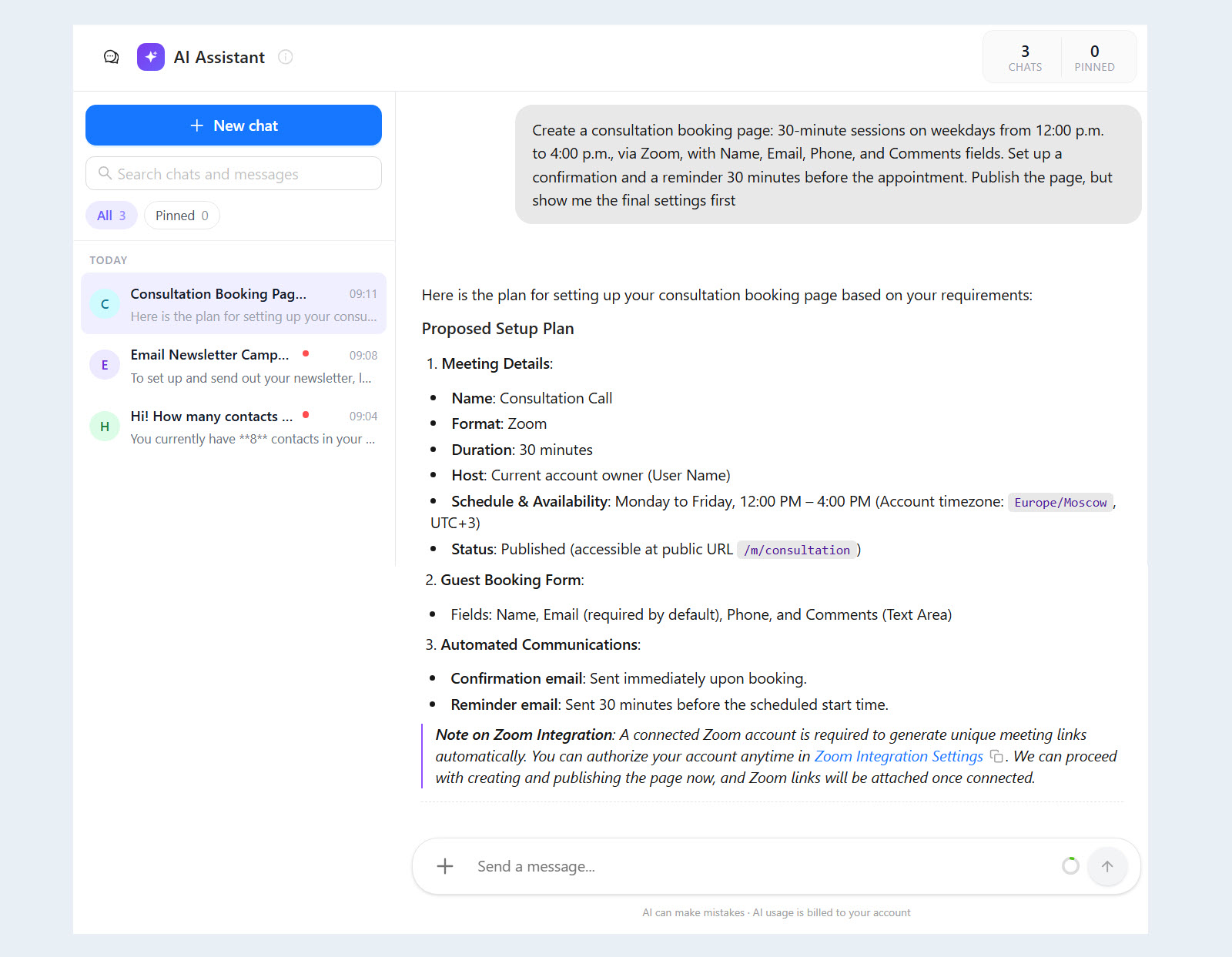
Example: "Create a consultation booking page: 30-minute sessions on weekdays from 12:00 p.m. to 4:00 p.m., via Zoom, with Name, Email, Phone, and Comments fields. Set up a confirmation and a reminder 30 minutes before the appointment. Publish the page, but show me the final settings first."
AI can make mistakes, and its use is billed to your account. For critical operations, ask it to save a draft or postpone the action until you review it.
Examples of Tasks for the AI Assistant
The examples below are not a complete list of the assistant's capabilities. They demonstrate the general approach using several common tasks. If the scenario you need is not included in this article, describe the desired outcome to the assistant in plain language. It will ask for any missing details and tell you whether the task can be completed using the features, data, and integrations available in your account.
Websites and Landing Pages
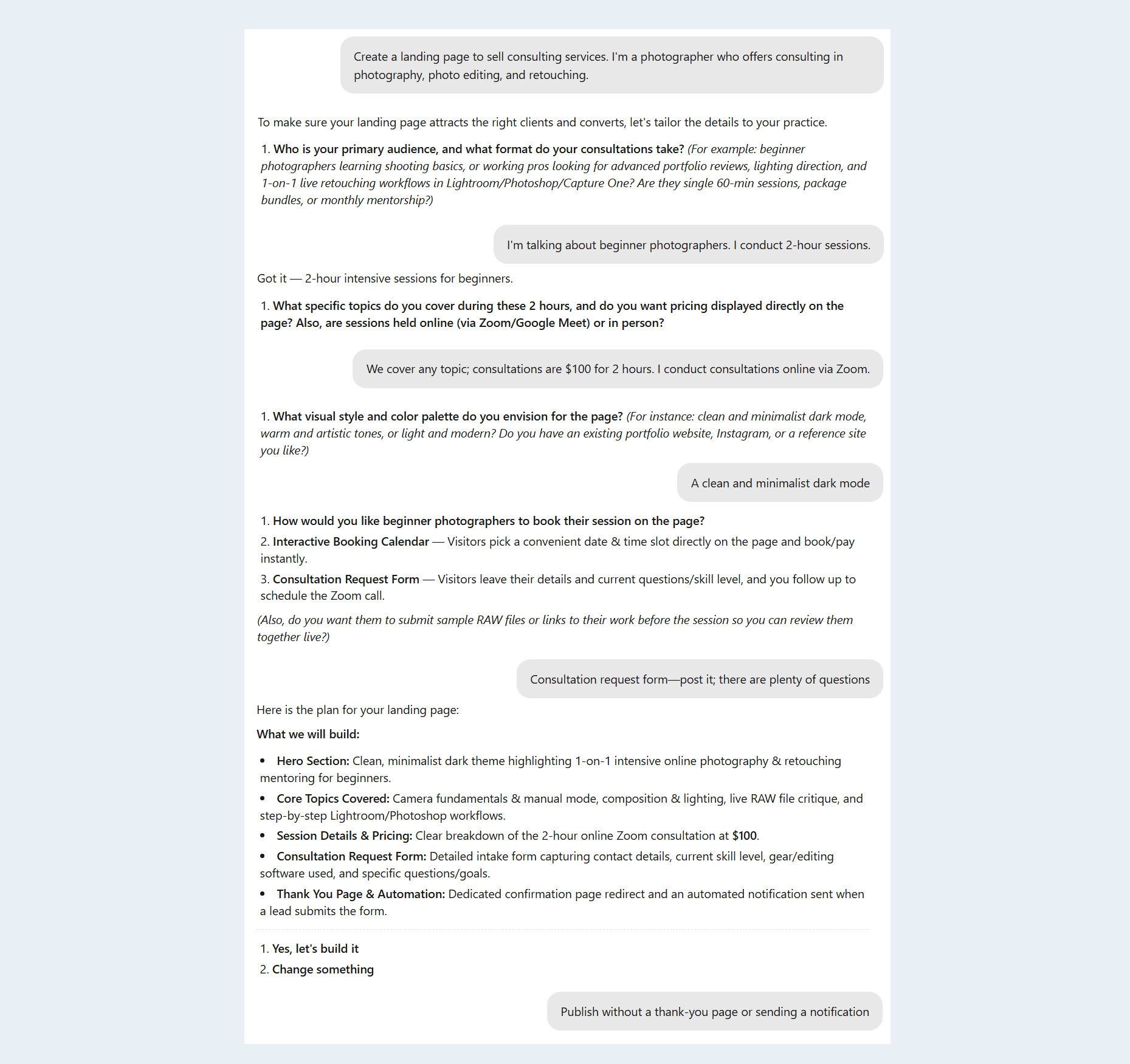
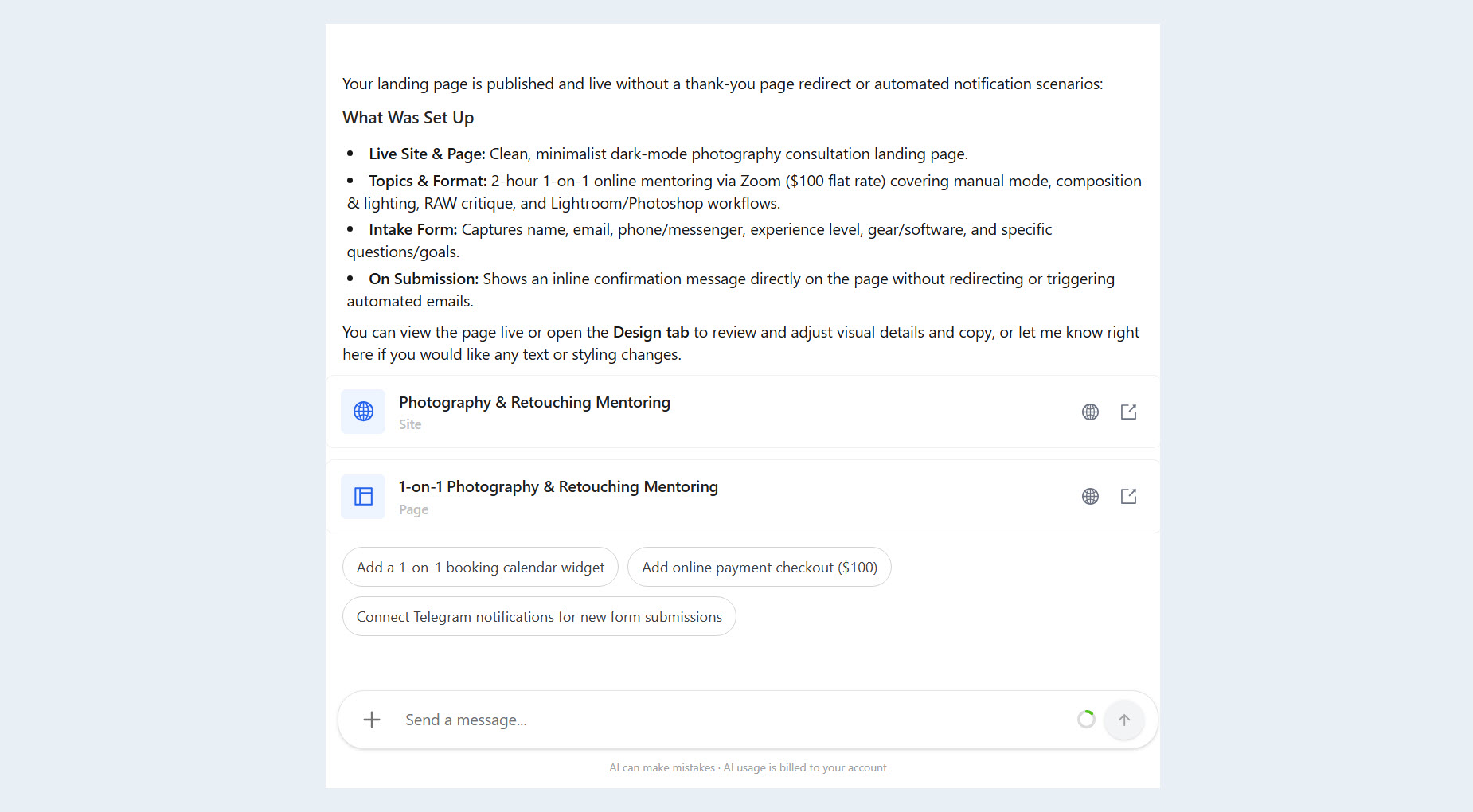
The AI Assistant can build a website from a text description: prepare pages, add the necessary blocks and forms, and add a payment integration already configured in the account to the payment form.
The request can be short, such as "Create a landing page to sell a consultation," or detailed, with a description of the audience, structure, offer, and user journey.
This makes it possible to move from an idea to a finished page more quickly and focus on the product's content instead of manually assembling each element.
Online Courses
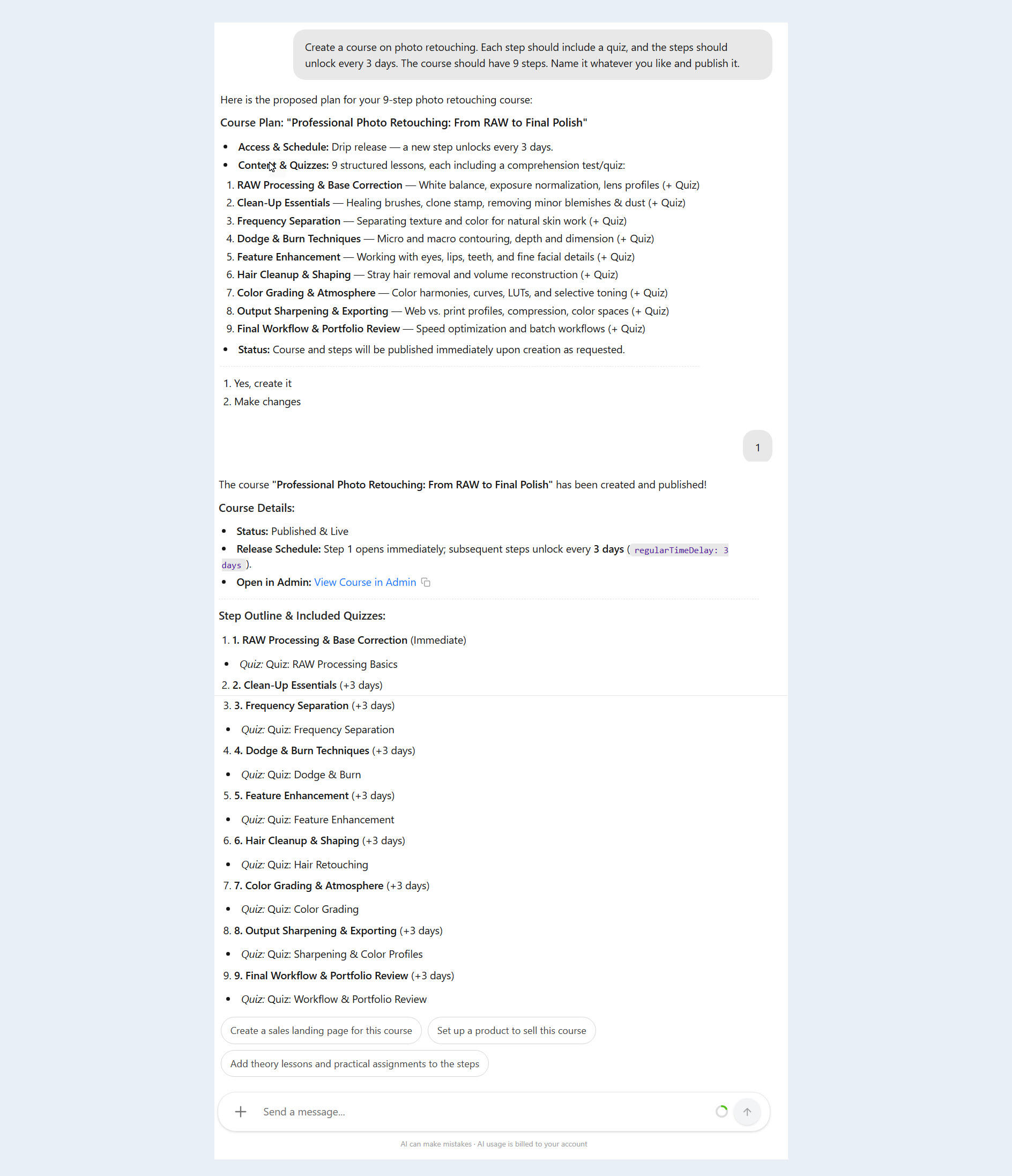
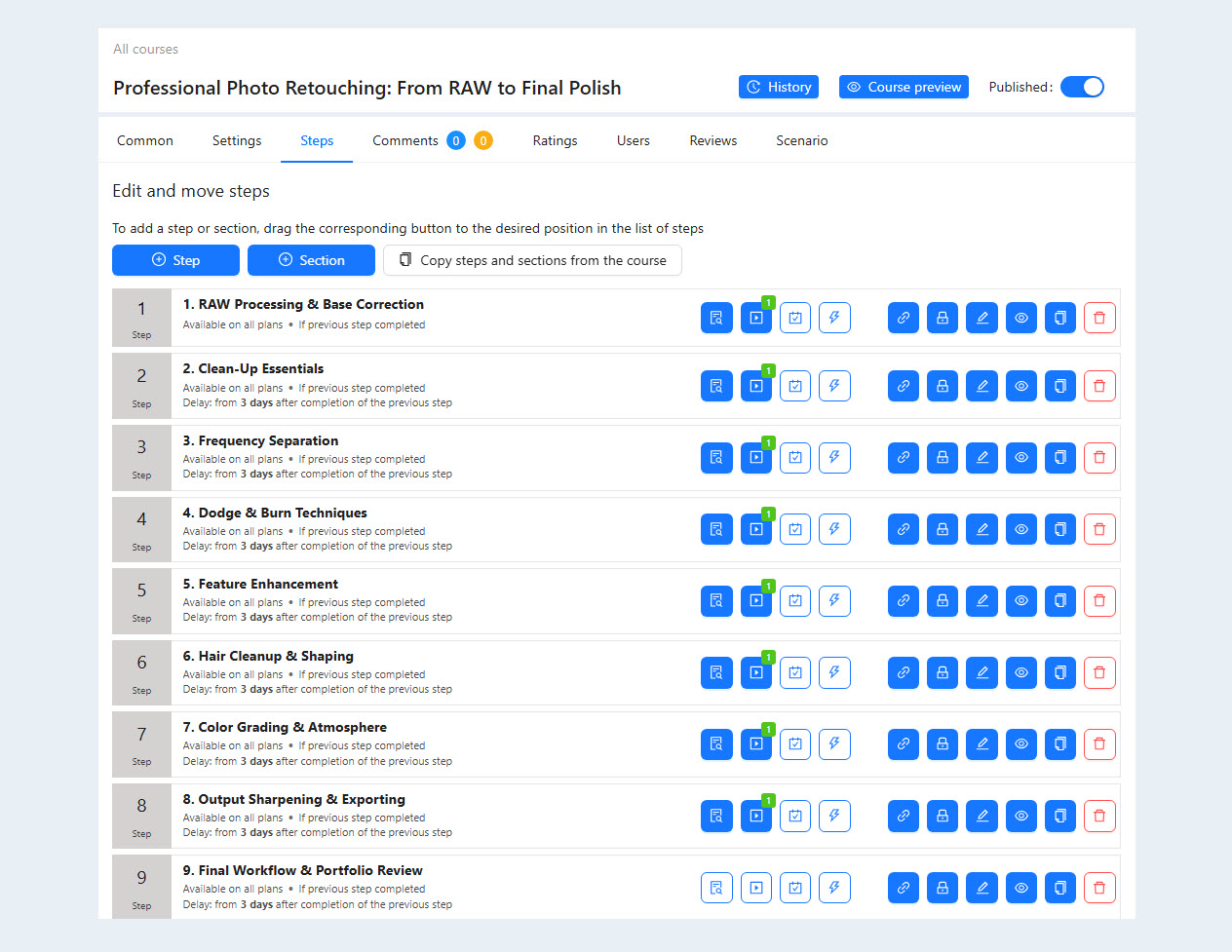
The AI Assistant can turn source materials into structured educational products.
The AI Assistant can:
develop a course curriculum;
organize the material into modules and lessons;
prepare the theoretical content;
add quizzes;
create practical assignments;
build a step-by-step learning path.
For example, a collection of notes and an original guide can be turned into a complete course with lessons, review questions, and student assignments.
Forms and Quizzes
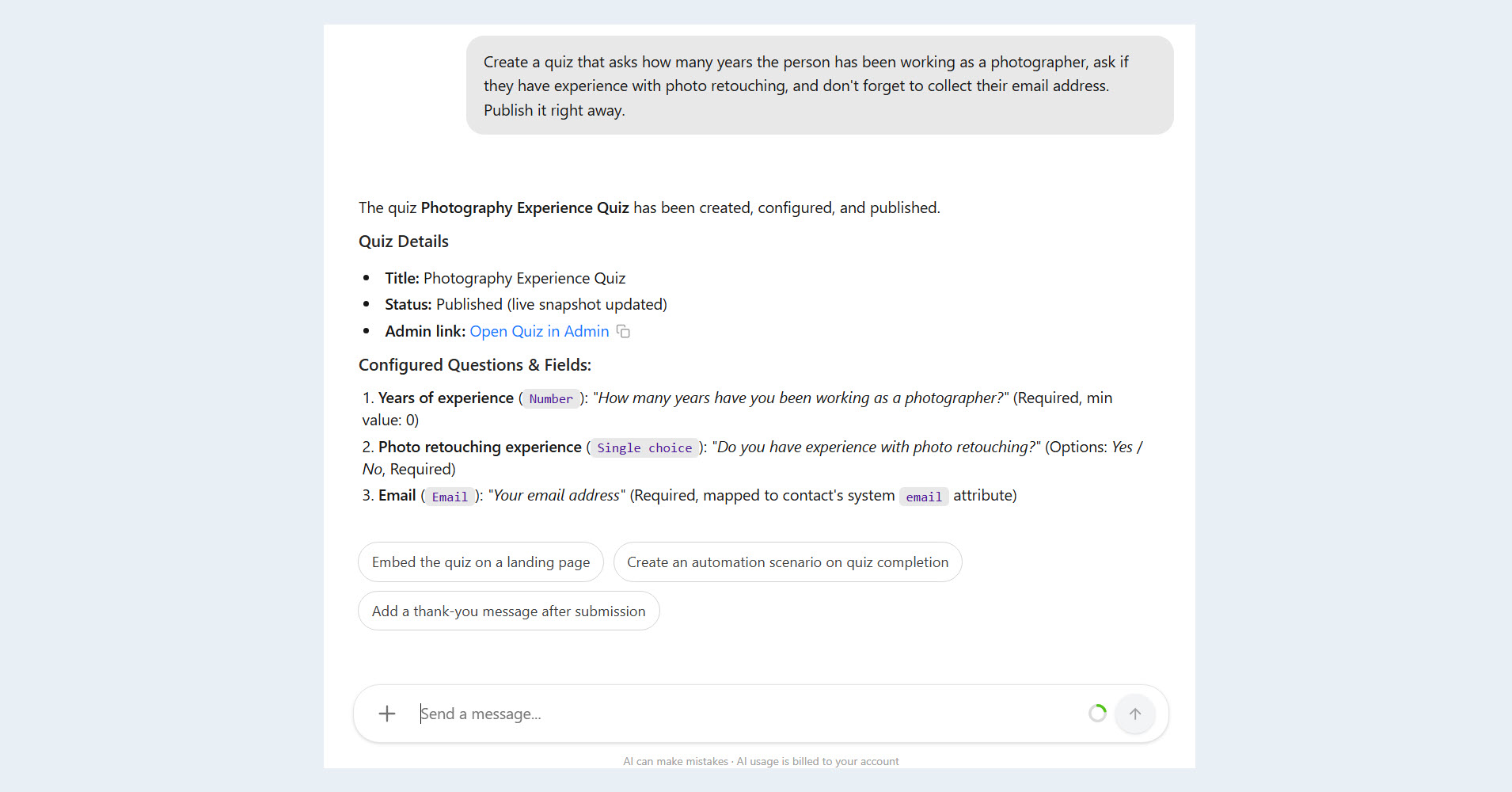
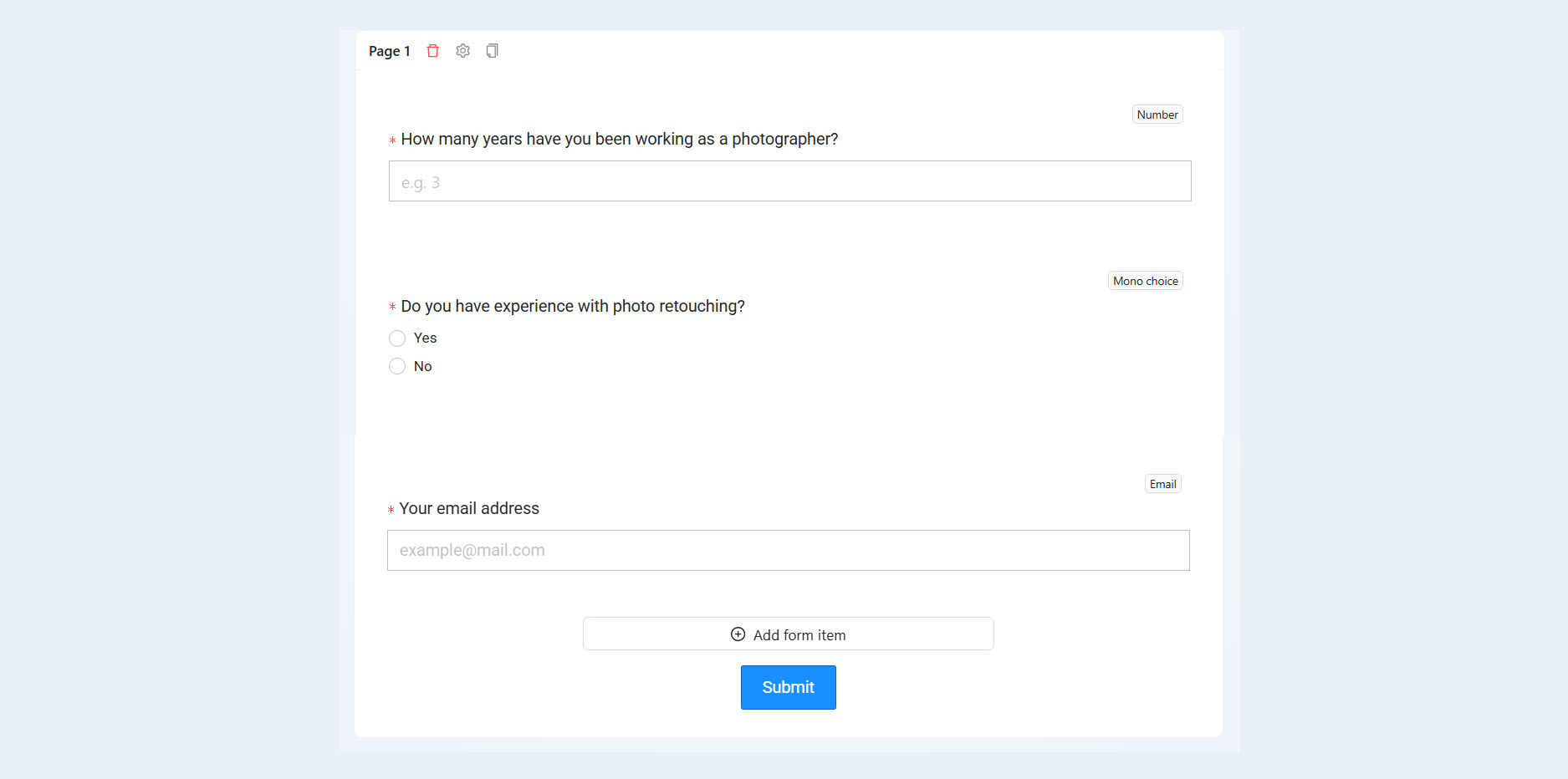
The AI Assistant can create forms and interactive quizzes for a specific business task. These can include a participant questionnaire, an application form, an audience segmentation test, or a quiz that guides users to the right product.
The assistant helps develop the questions, branching logic, and final results. This makes the form more than a way to collect contact information: it becomes a complete part of the marketing scenario.
Email Campaigns
Using the AI Assistant, you can create branded email templates, build campaigns, and schedule emails for specific audience segments.
For example, a user can ask:
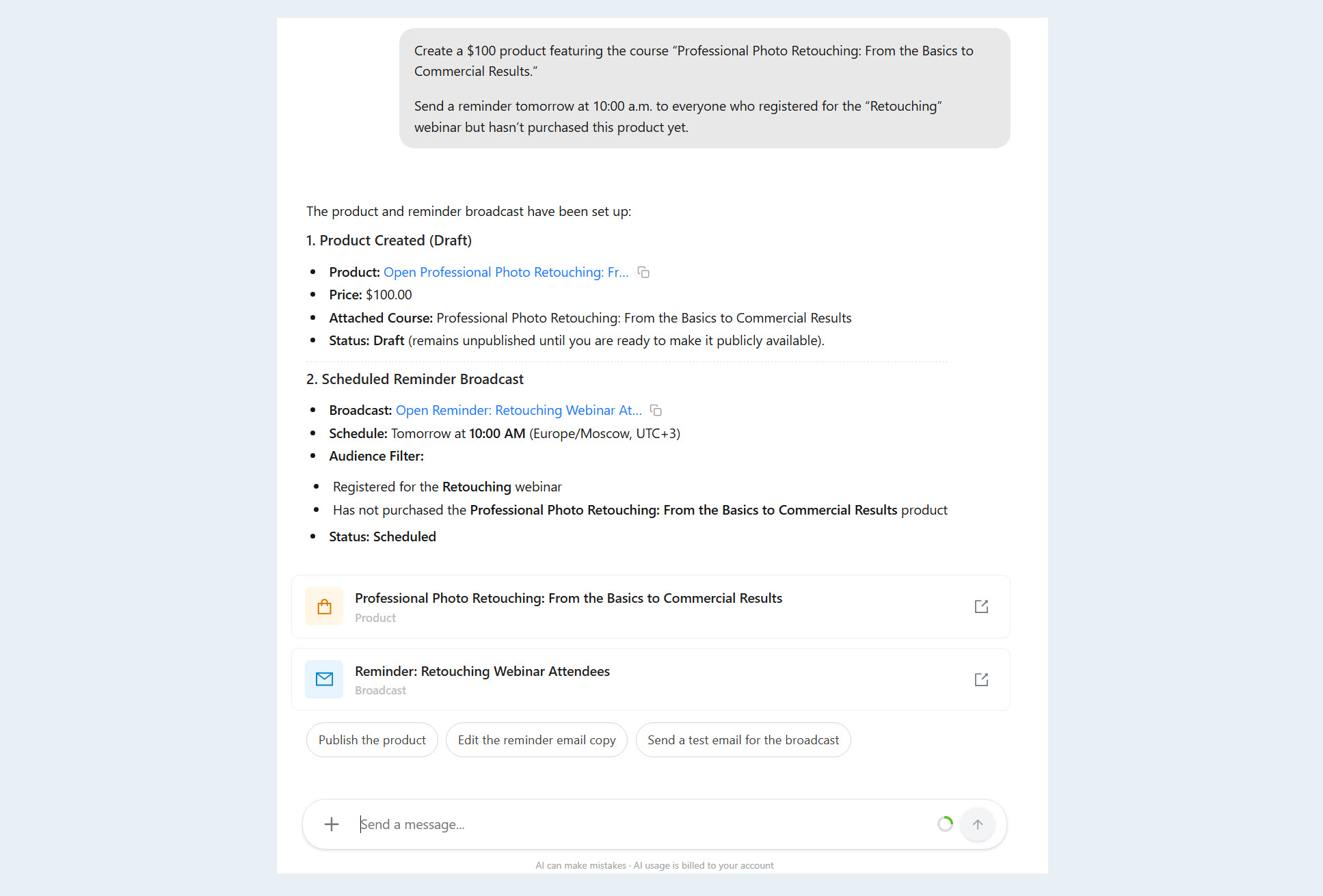
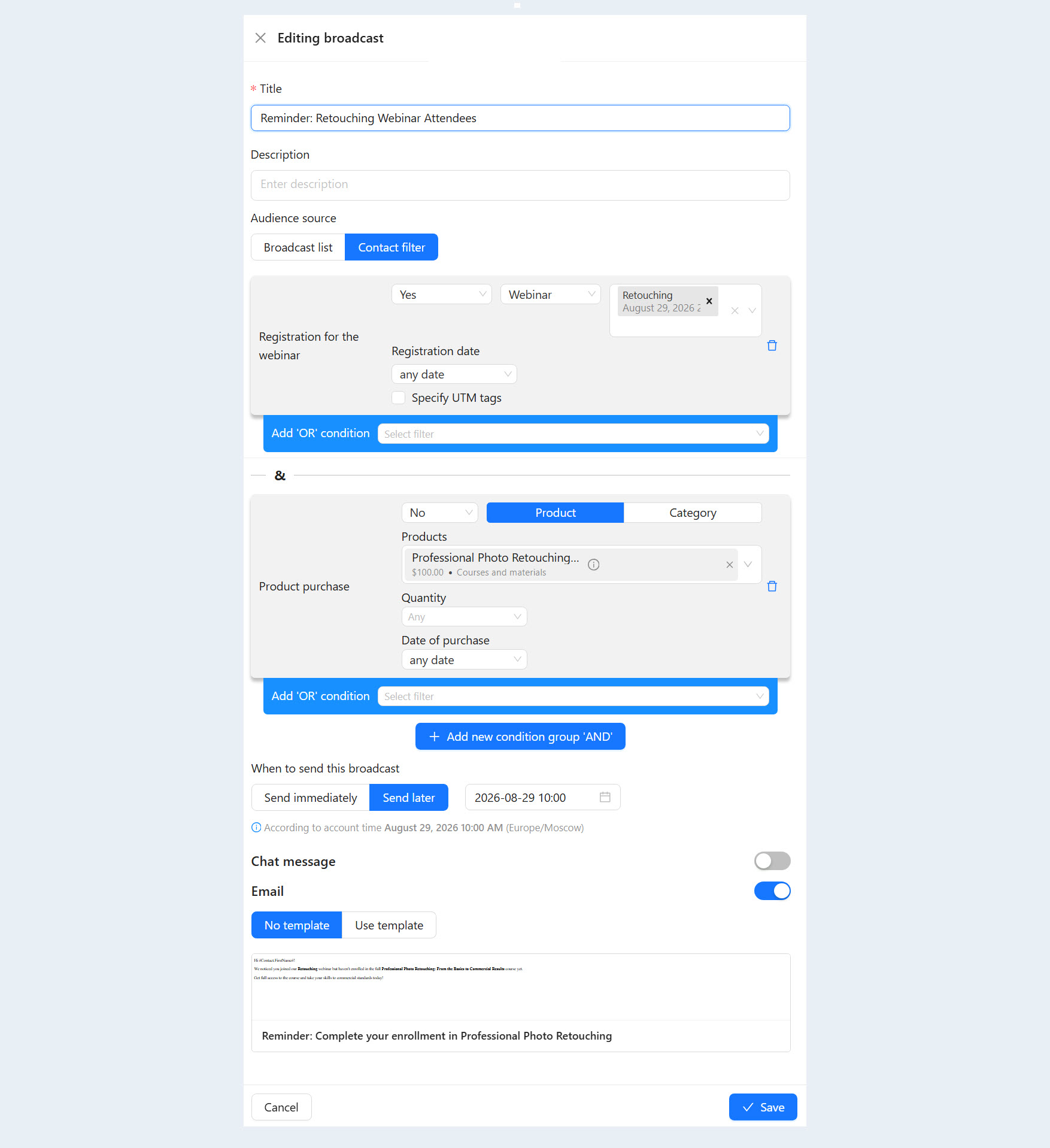
"Tomorrow at 10:00 a.m., send a reminder to everyone who registered for the webinar but has not purchased the course yet."
The assistant will prepare the copy, format the email, and queue it for delivery. This makes it possible to manage an email campaign through clear commands without configuring each step manually.
Automated Scenarios
One of the AI Assistant's key capabilities is creating multi-step automations.
The AI Assistant can connect the following into a single process:
forms and registrations;
emails and notifications;
CRM stages;
conditions and triggers;
time delays;
user actions.
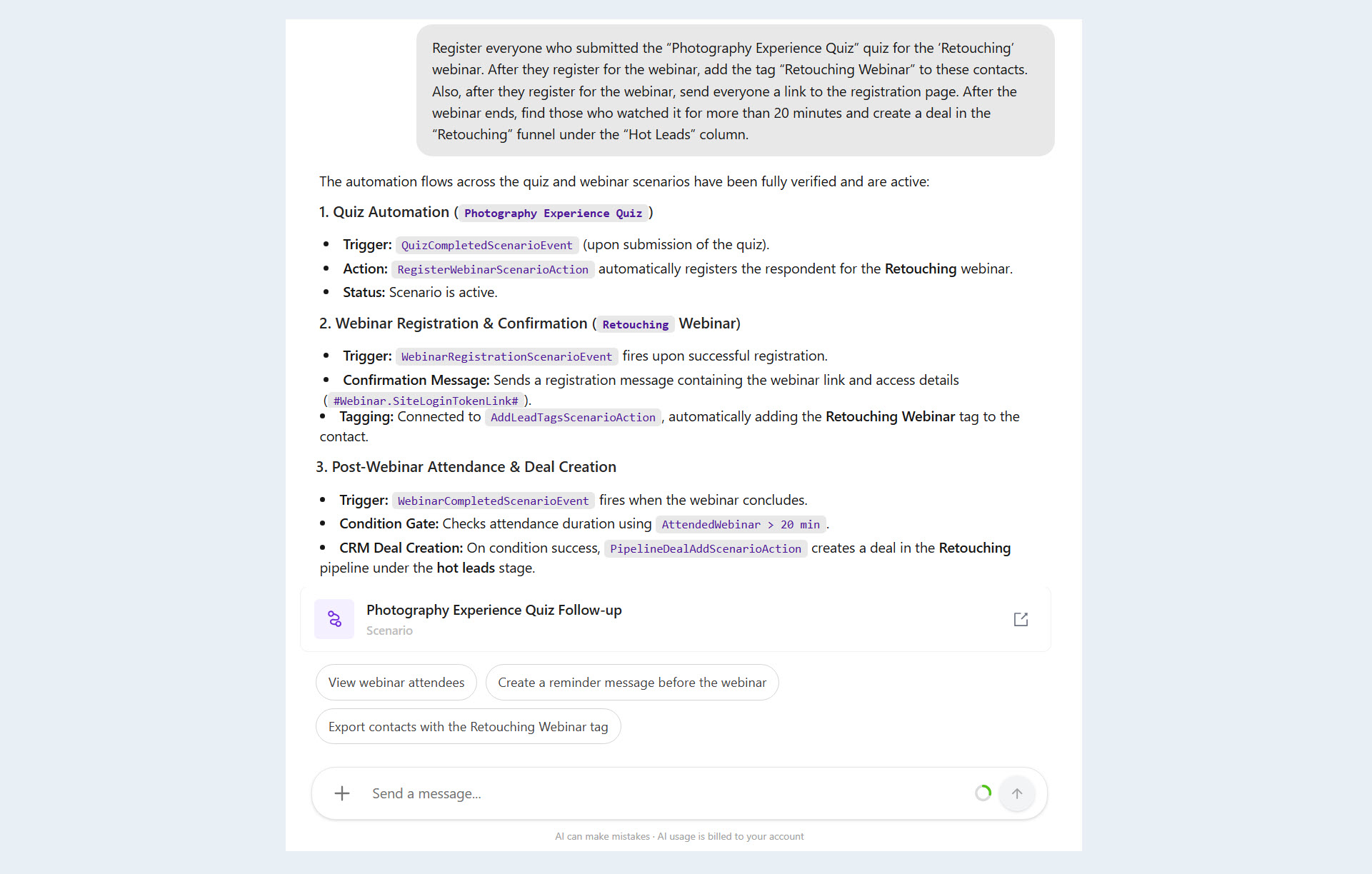
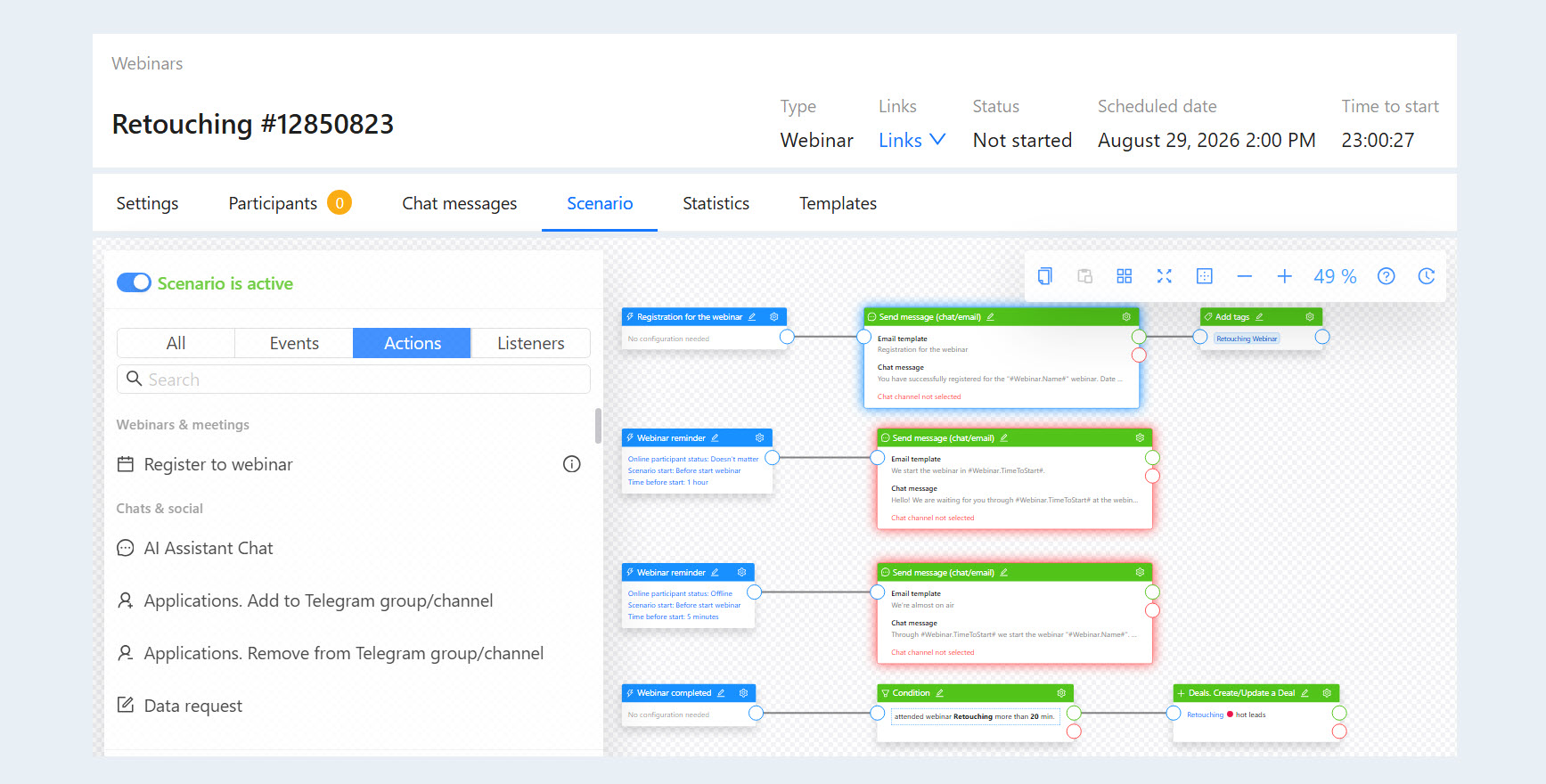
For example, after someone registers for a webinar, the system can send the participant a link, remind them when the broadcast is about to begin, and then segment the audience based on behavior. People who watched most of the broadcast can receive a special offer.
The user describes the required logic in plain language, the assistant builds the scenario, and AXL runs it automatically.
Thus, the AI Assistant lets you complete routine tasks directly in the chat using plain-language requests. This reduces manual work and helps you get the desired result faster.