Building a website, launching a course, or setting up an automated funnel typically requires working across multiple interfaces. You need to develop the structure, write the copy, build the pages, connect forms, configure emails, and link everything together.
AXL MCP transforms this process: you can now describe your task in plain language and let an AI agent handle the technical work.
Select a section below to learn more:
What Is AXL MCP?
MCP (Model Context Protocol) is an open standard that enables AI applications to connect to external systems, access data, and invoke tools.
MCP-compatible applications—including Claude, ChatGPT, Cursor, Windsurf, Visual Studio Code, and Cline—can connect to the AXL MCP server. After authorization, the AI agent can use the AXL features available to the user directly from the conversation.
Users no longer need to manually navigate from one section of the platform to another. They can simply describe the desired outcome:
“Create a landing page for a photography webinar, add a registration form, and prepare an email for attendees.”
The AI agent turns the request into a sequence of actions and creates the necessary elements in AXL.
What You Can Create with AXL MCP
The examples below are not an exhaustive list of the agent’s capabilities. They illustrate the general approach using several common tasks. If the scenario you need isn’t covered in this article, simply describe your desired outcome to the agent in your own words. It will ask for any missing details and let you know whether the task can be completed using the features, data, and integrations available in your account.
Websites and Landing Pages
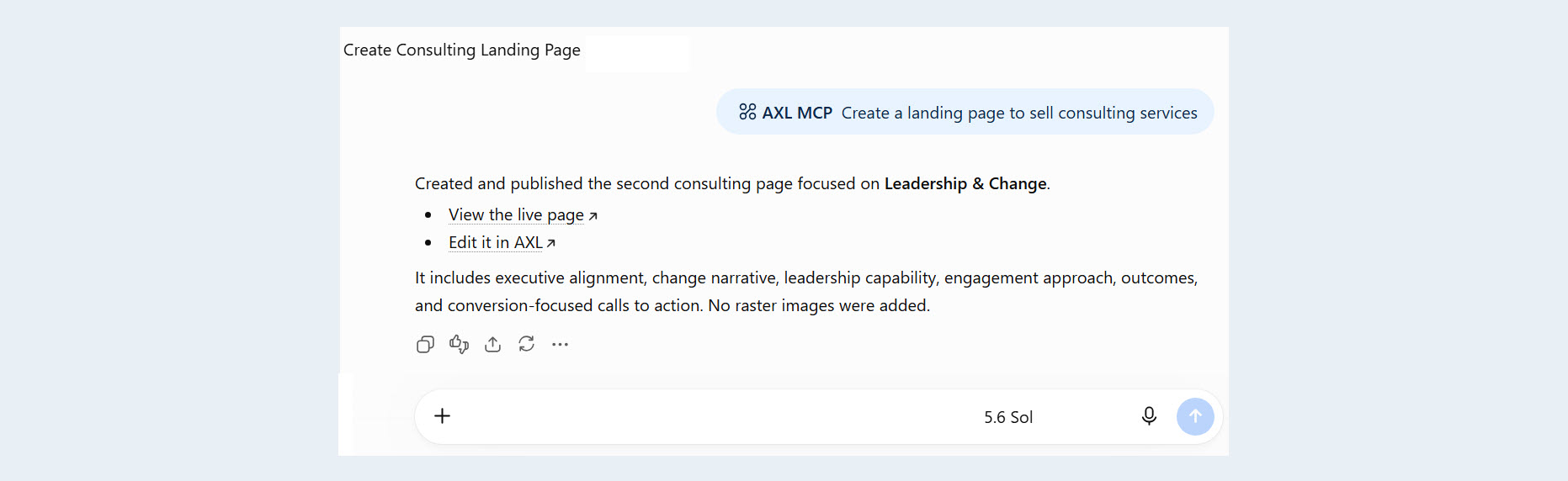
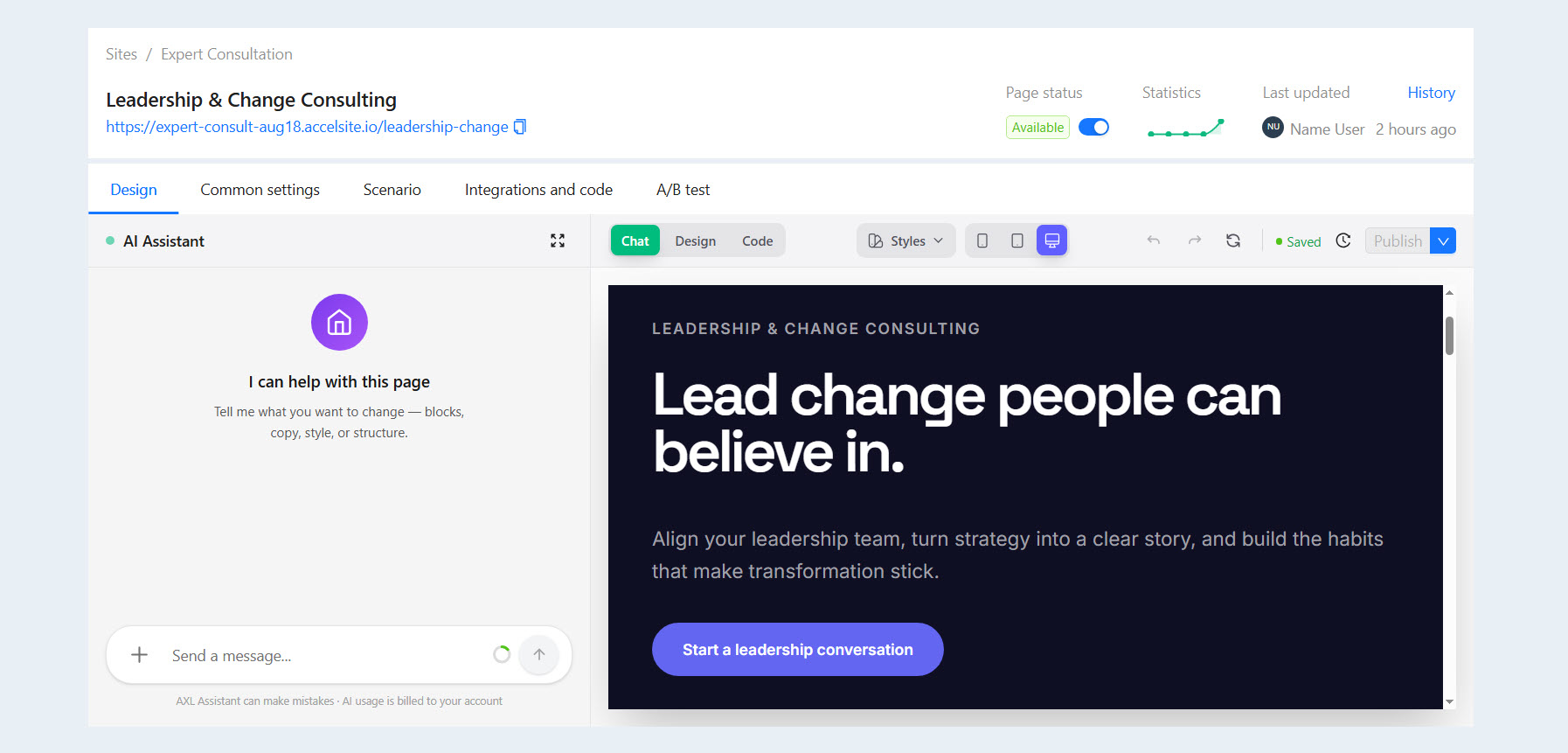
An AI agent can build a website from a text description: create pages, add the necessary sections and forms, and configure a payment form to use a payment integration already set up in the account.
The request can be brief—for example, “Create a landing page to sell a consulting session”—or detailed, with information about the target audience, page structure, offer, and user journey.
This makes it possible to move from an idea to a finished page more quickly and focus on the product’s content instead of manually assembling every element.
Online Courses
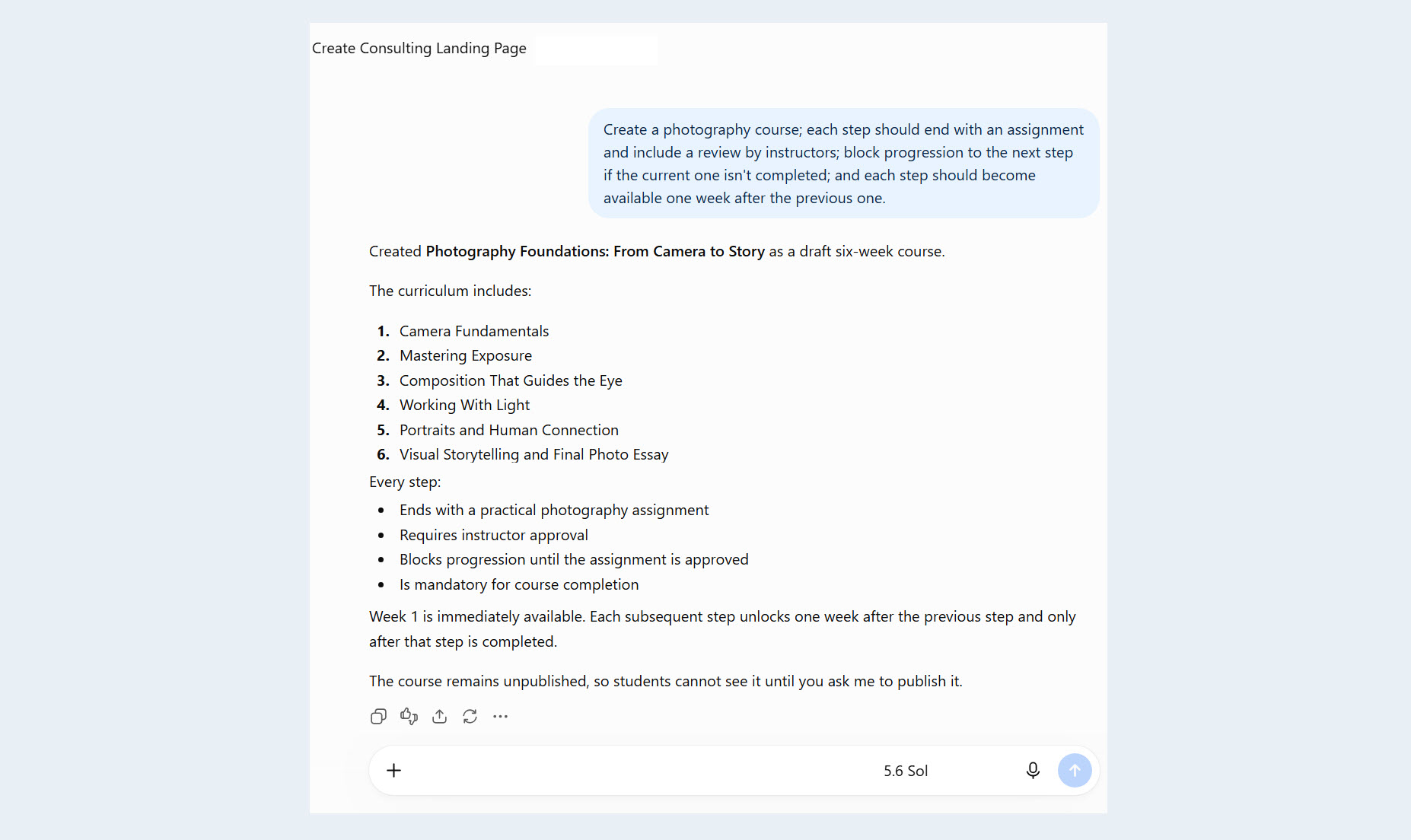
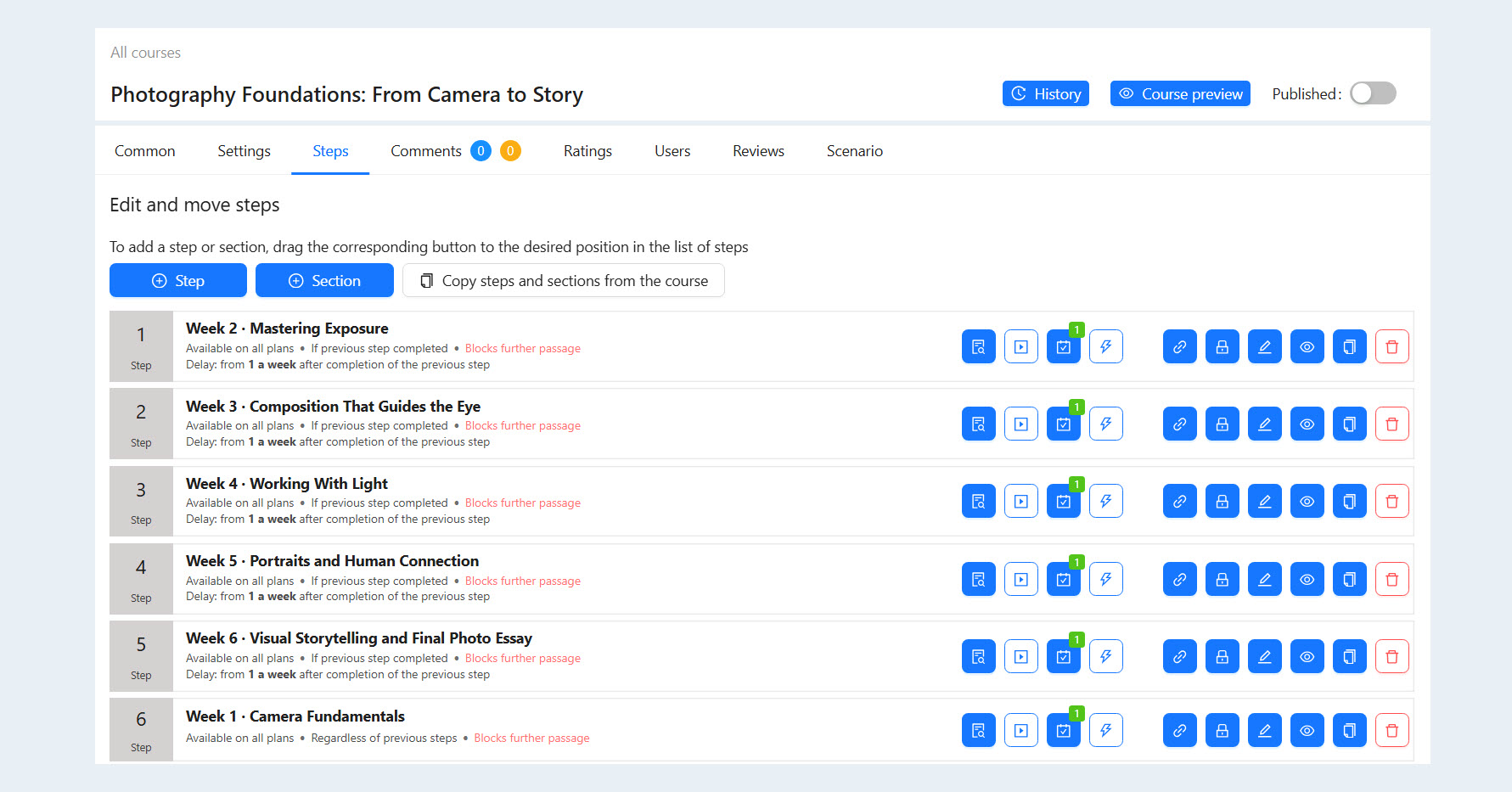
AXL MCP can turn source materials into structured educational products.
The AI agent can:
- develop a course curriculum;
- organize content into modules and lessons;
prepare the course materials;
- add quizzes;
- create practical assignments;
- design a clear, step-by-step learning path.
For example, a collection of notes and an expert-written guide can be transformed into a complete course with lessons, review questions, and student assignments.
Forms and Quizzes
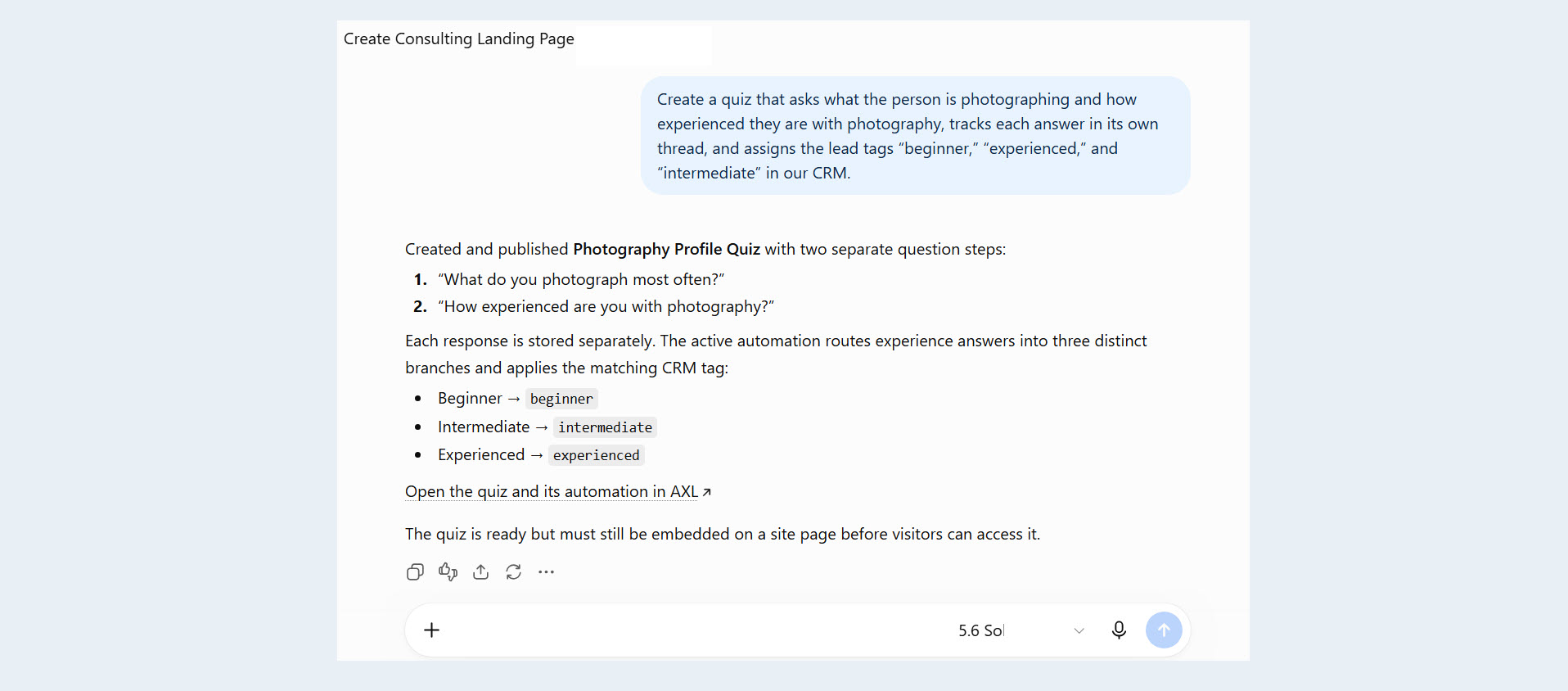
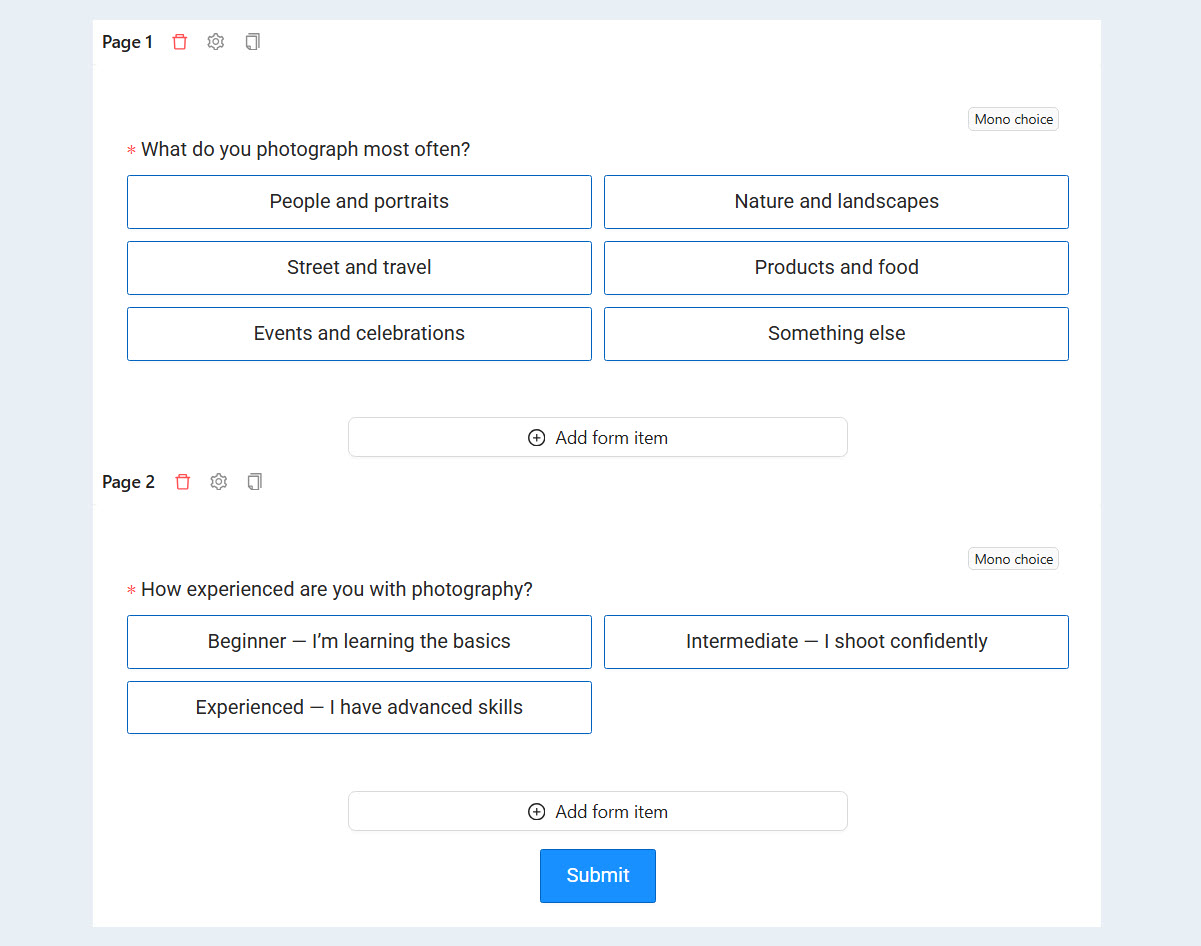
AXL MCP can create forms and interactive quizzes tailored to a specific business objective. These might include a participant questionnaire, an application form, an audience-segmentation test, or a quiz that guides users toward the right product.
The agent helps develop the questions, branching logic, and final outcomes. As a result, the form becomes more than just a way to collect contact information—it becomes an integral part of the marketing journey.
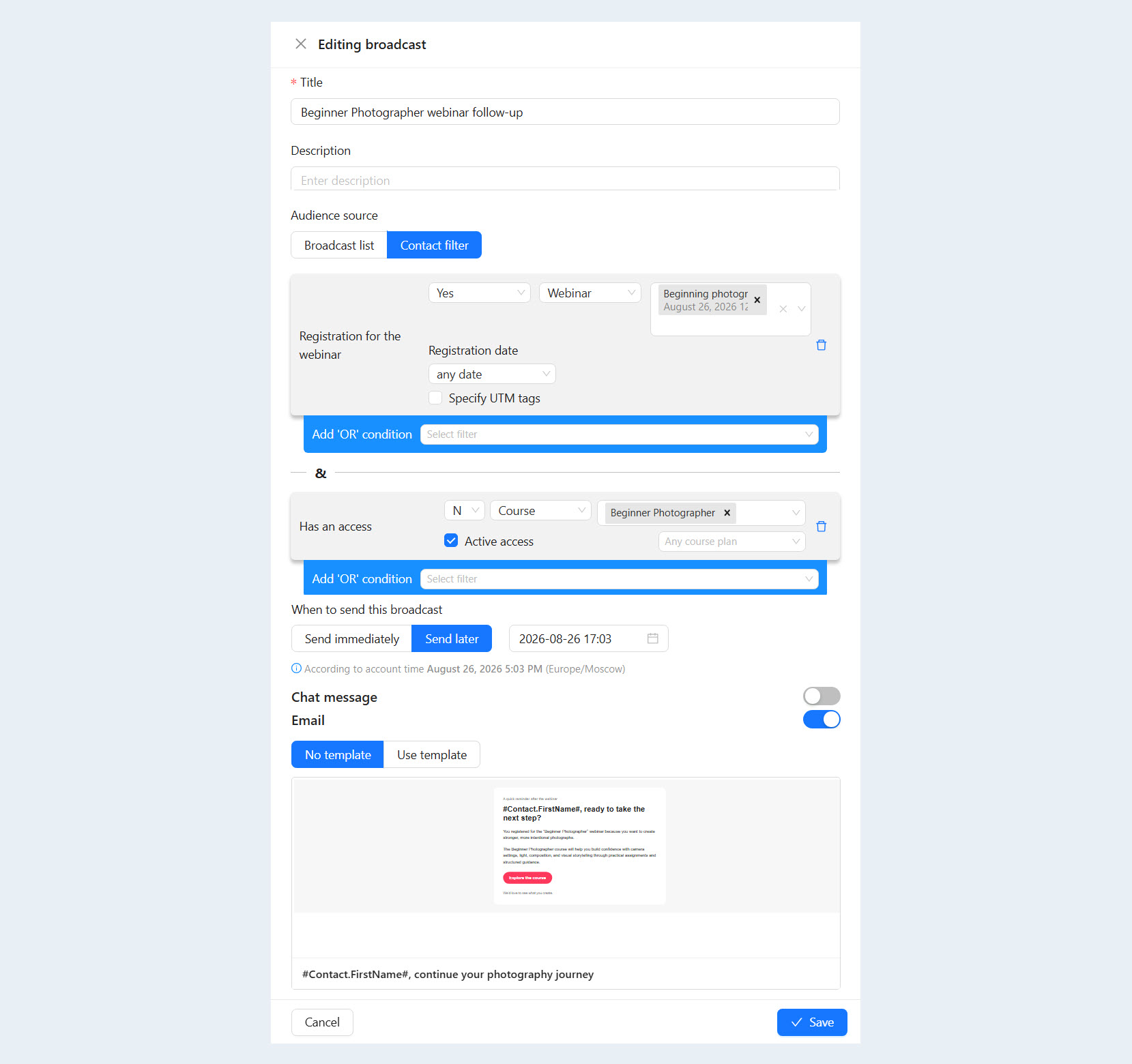
Email Campaigns
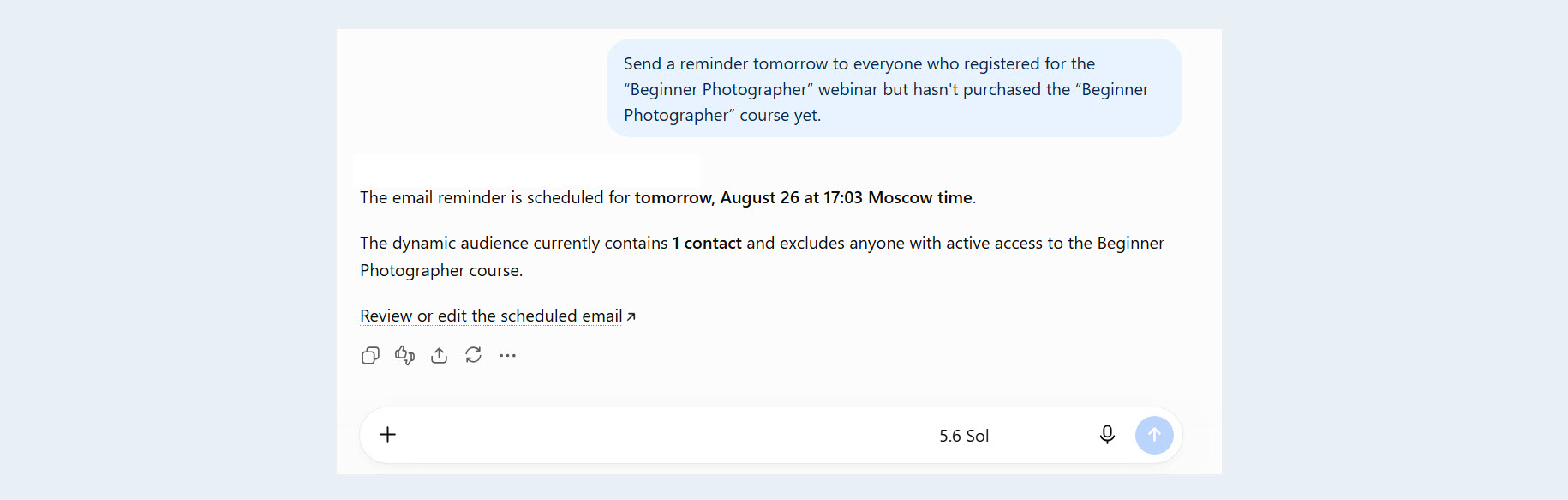
Through an AI agent, you can create branded email templates, build campaigns, and schedule messages for specific audience segments.
For example, a user might request:
“Tomorrow at 10:00 a.m., send a reminder to everyone who registered for the webinar but hasn’t purchased the course yet.”
The agent will write the copy, format the email, and queue it for delivery. This allows users to manage email campaigns through clear, natural-language commands without configuring every step manually.
Automated Workflows
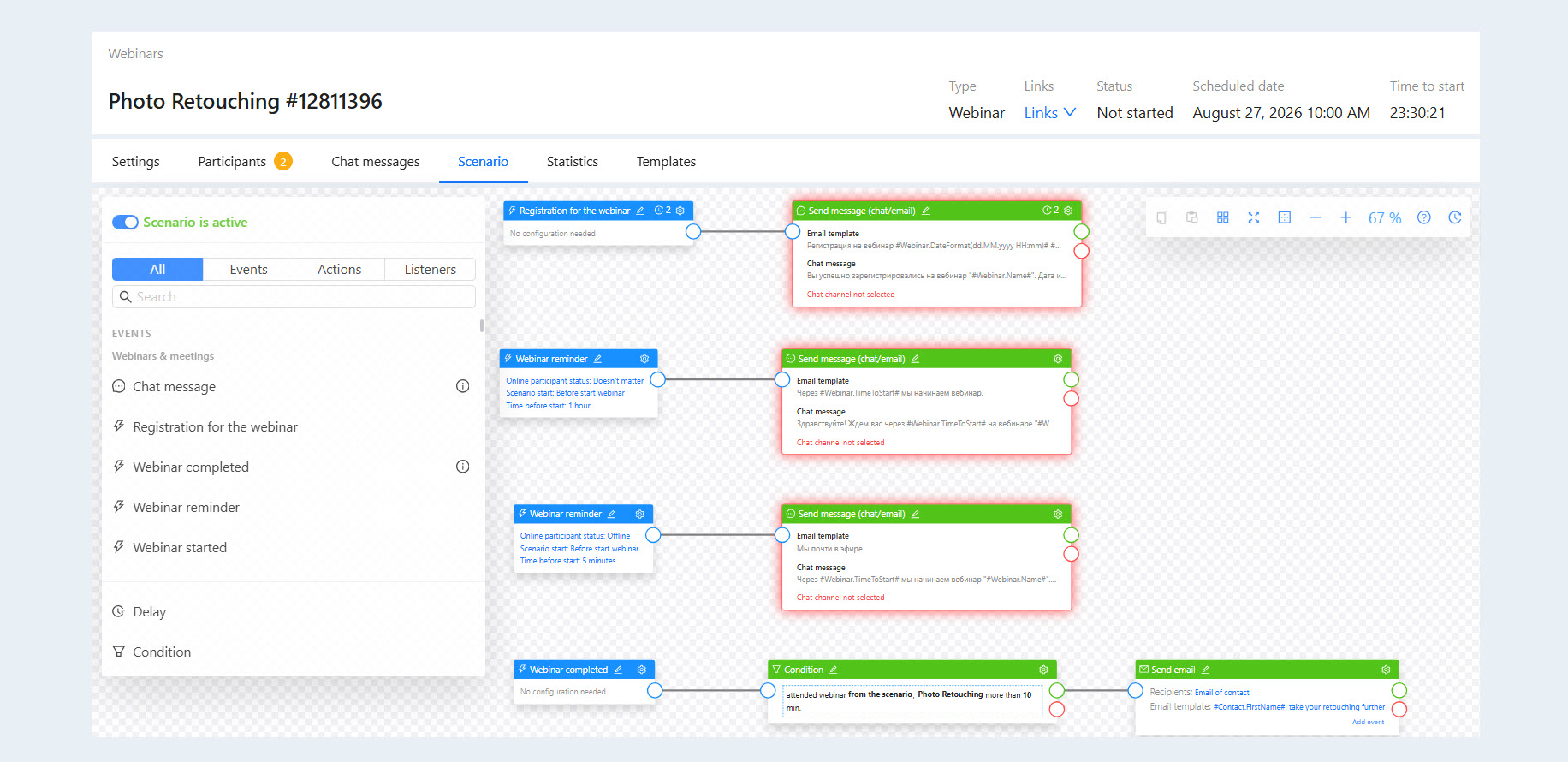
One of AXL MCP’s key capabilities is creating multi-step automations.
An AI agent can connect the following elements into a single workflow:
- forms and registrations;
- emails and notifications;
- CRM stages;
- conditions and triggers;
- time delays;
- user actions.
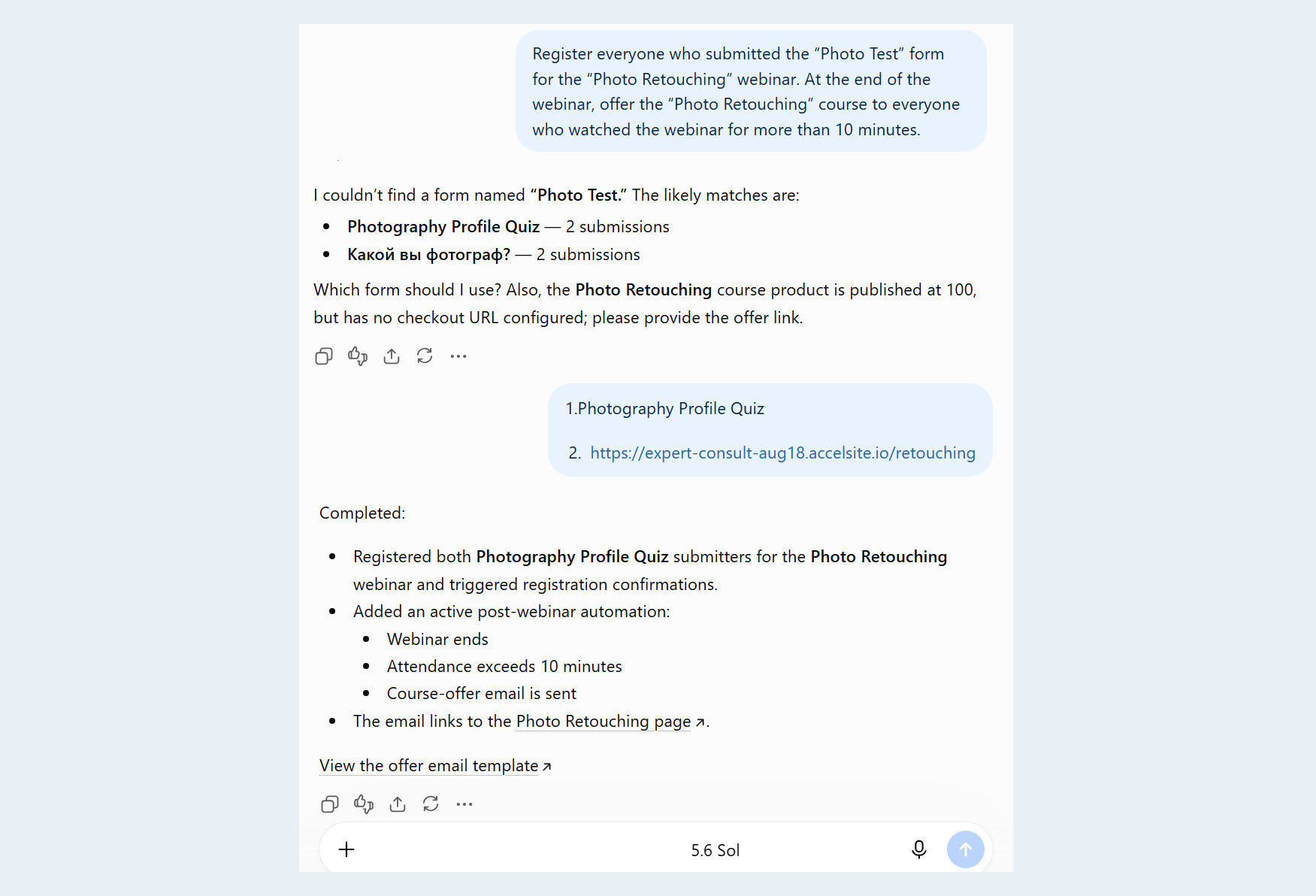
For example, after someone registers for a webinar, the system can send them the link, remind them when the livestream is about to begin, and then segment the audience based on their behavior. Users who watched most of the webinar can receive a special offer.
The user describes the desired logic in plain language, the agent builds the workflow, and AXL runs it automatically.
How to Connect AXL MCP
Connecting AXL MCP involves three main steps:
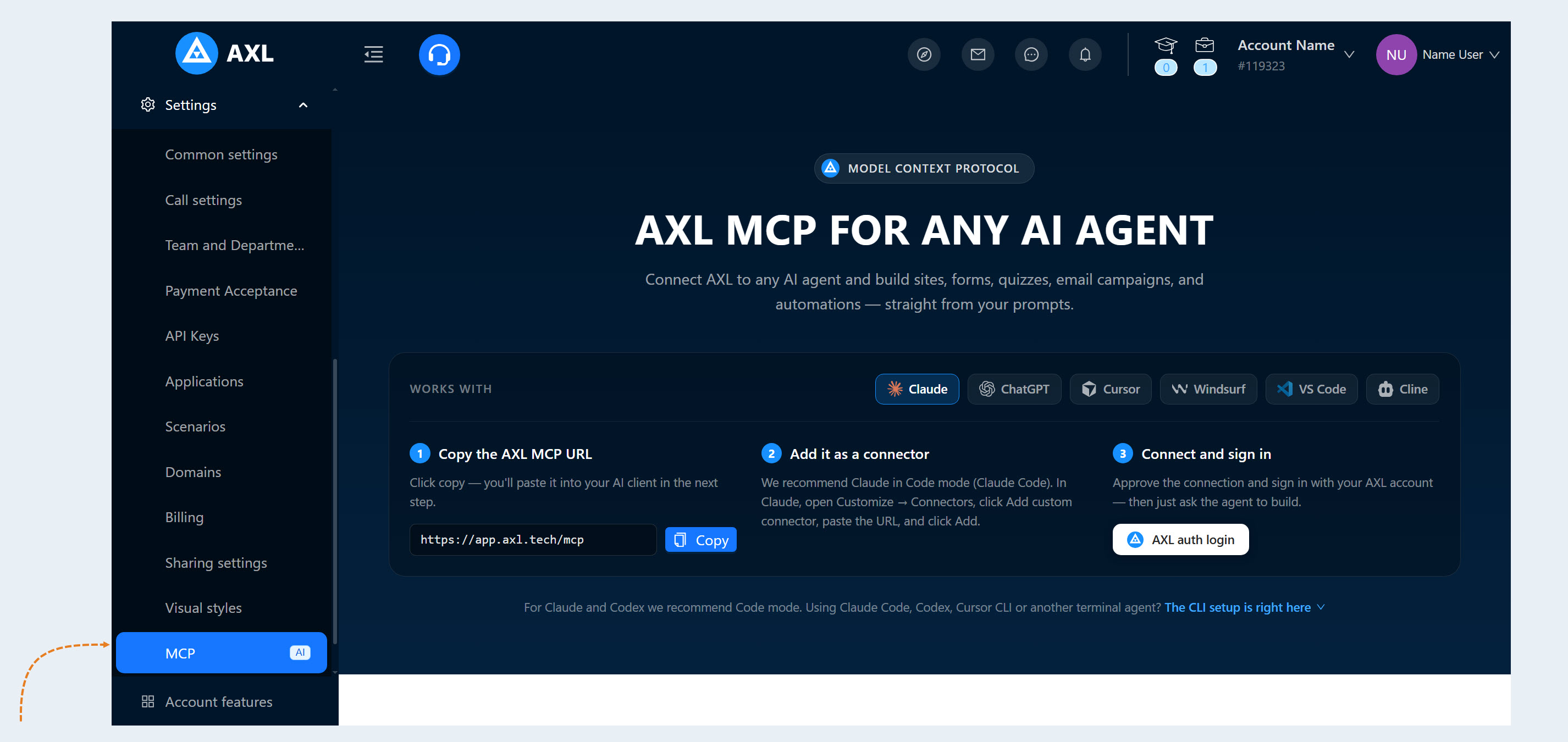
Copy the AXL MCP URL from your account dashboard.
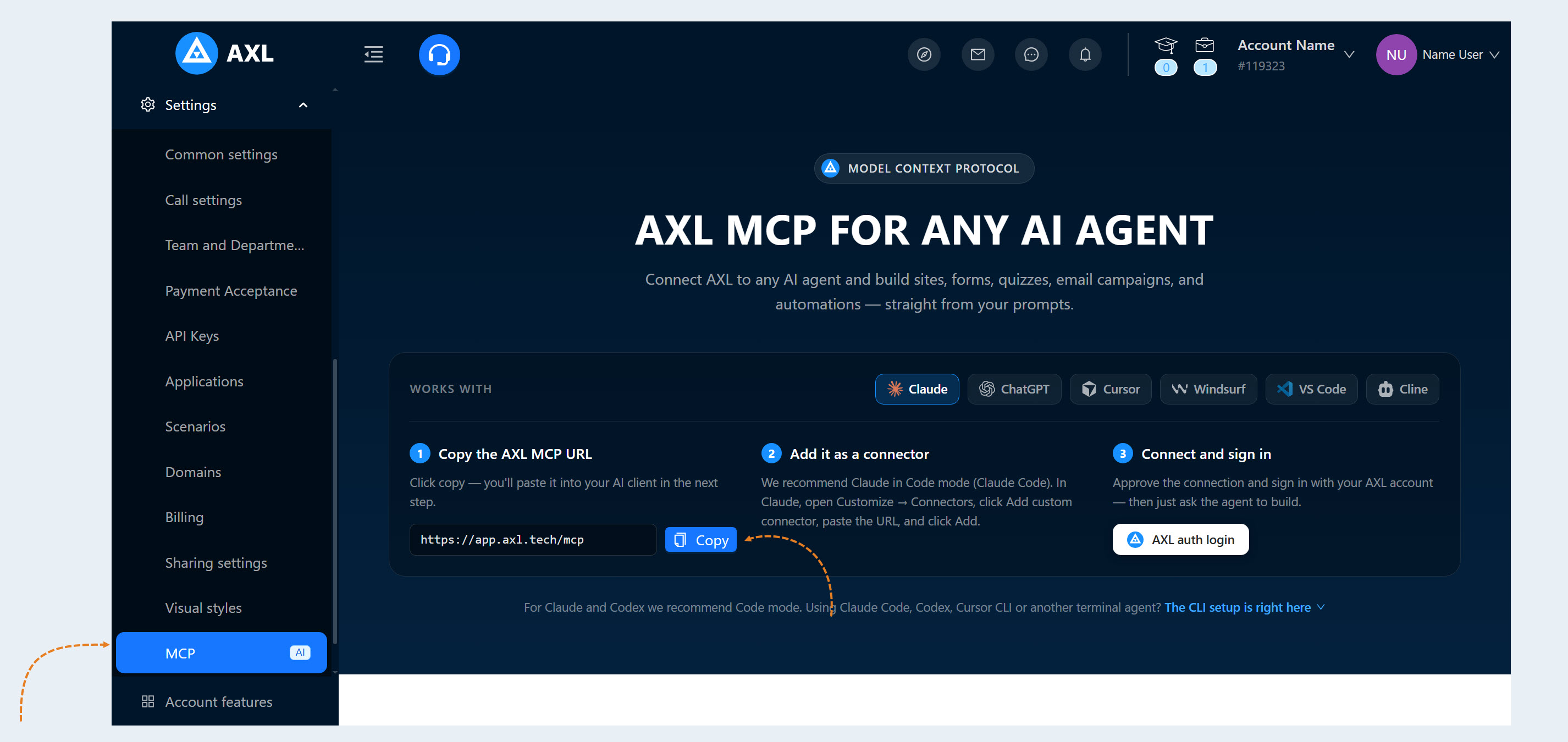
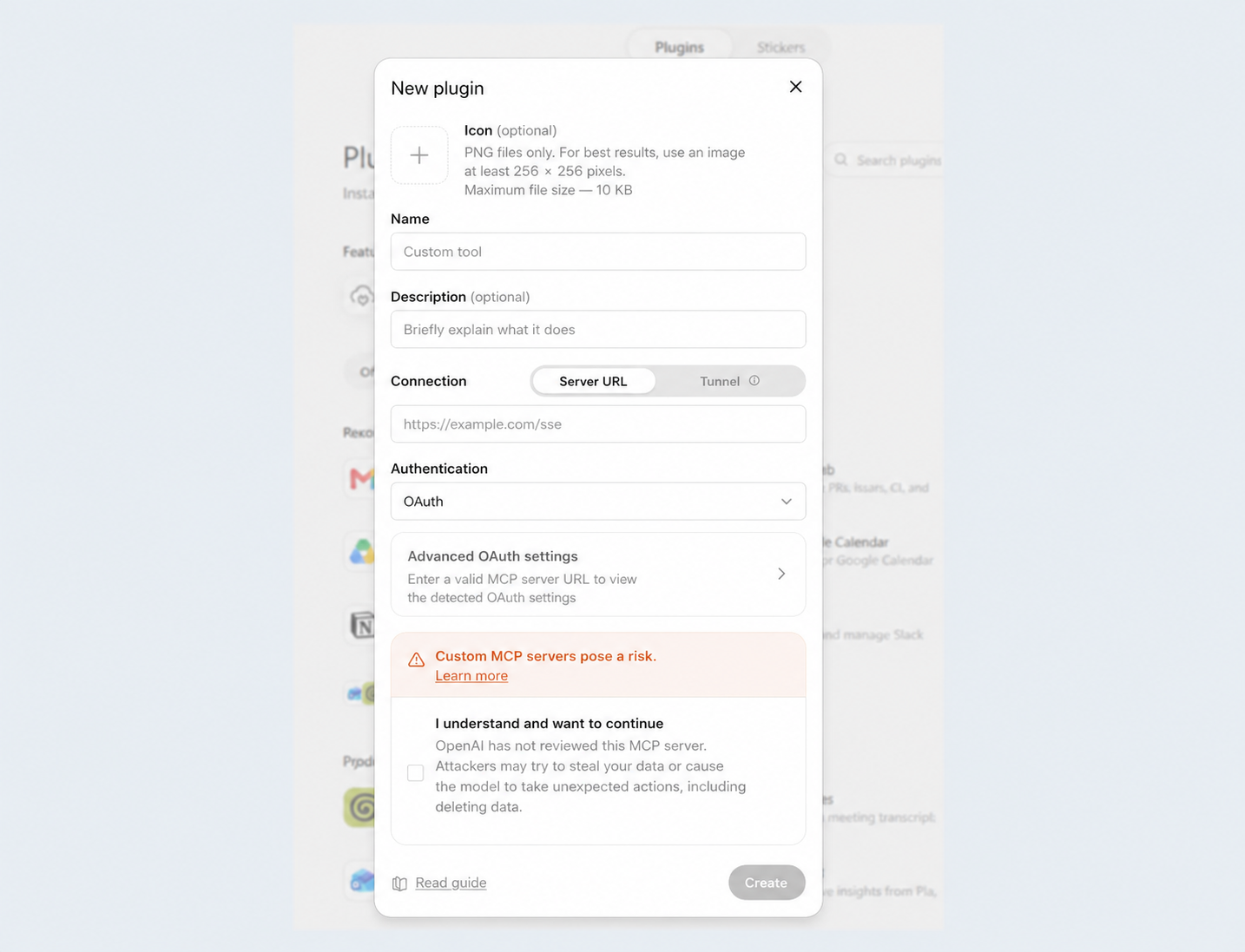
3. Confirm the connection and sign in to your AXL account.
Once authorized, you can assign tasks to the agent directly in the chat. Any websites, courses, forms, campaigns, and workflows it creates will be linked to your AXL account.
Why Prompt-Based Management Makes Work Easier
The main advantage of this approach is that it shortens the distance between an idea and the final result.
Previously, users had to translate a business objective into the language of the platform’s interface: selecting sections, creating individual components, defining conditions, and connecting each stage. Now, the AI agent serves as an intermediary. It understands the task as described and helps implement it using the platform’s capabilities.
This is particularly useful for:
- entrepreneurs launching new products;
- marketers working with funnels and email campaigns;
subject-matter experts and online course creators;
- teams that need to test ideas quickly;
- developers who use AI agents in their workflows.
Users remain in control throughout the process: they define the objective, set the requirements, and refine the result during the conversation.
From Individual Tasks to a Unified Workflow
AXL MCP makes it possible to use AI for more than generating copy or ideas. The agent becomes an active part of the workflow: it creates product components, connects them, and helps launch complete automated processes.
Instead of working with several disconnected tools, users get a unified environment where a website, course, quiz, email campaign, and automation can all be created through a sequence of natural-language requests.
To get started, simply connect AXL to your AI agent, sign in to your account, and describe what you want to create first.