To access the technical support of the platform, prepare all the necessary information before contacting tech support. Include details about your problem and any other useful information.
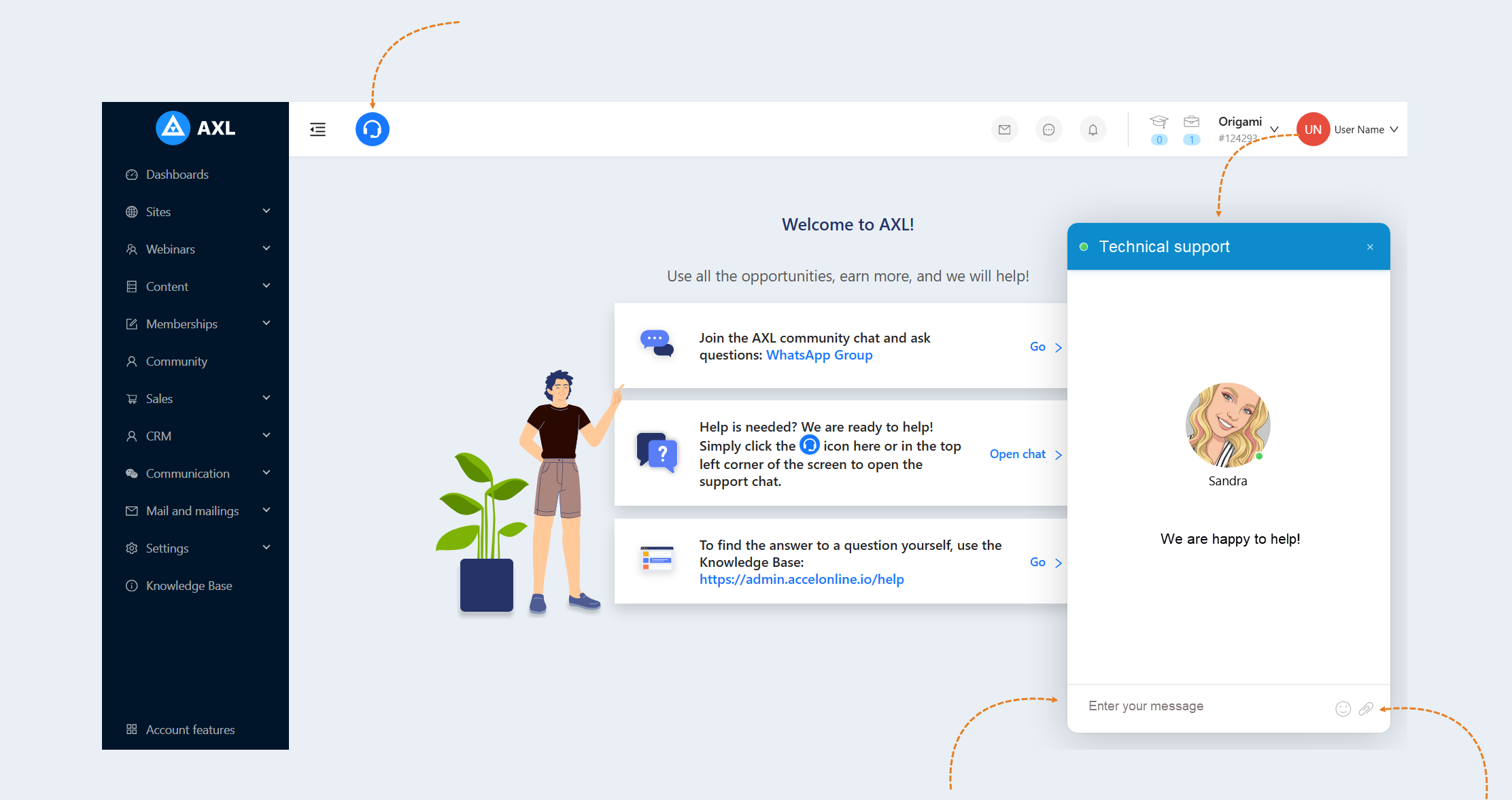
Contact tech support by clicking on the "Technical support" icon on the top panel. In the dialogue window that appears, describe the problem or question in as much detail as possible. Provide any accompanying information that you have prepared. You can also attach files, screenshots, or videos in the correspondence by clicking on the paperclip icon "attachment" and uploading the file from your device.
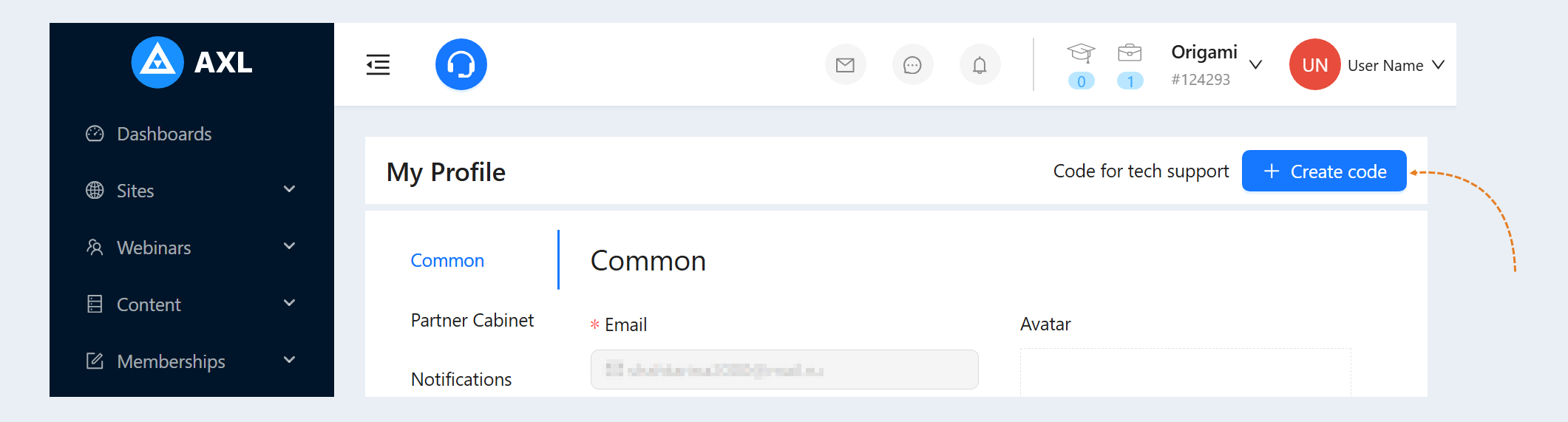
Code for tech support. This is a unique identification code provided to the user, which can be used to contact support. The code also helps technical support quickly identify the user's profile and improve the speed and quality of assistance provided.
To generate the code, open the "Profile" section and click the "Create Code" button.
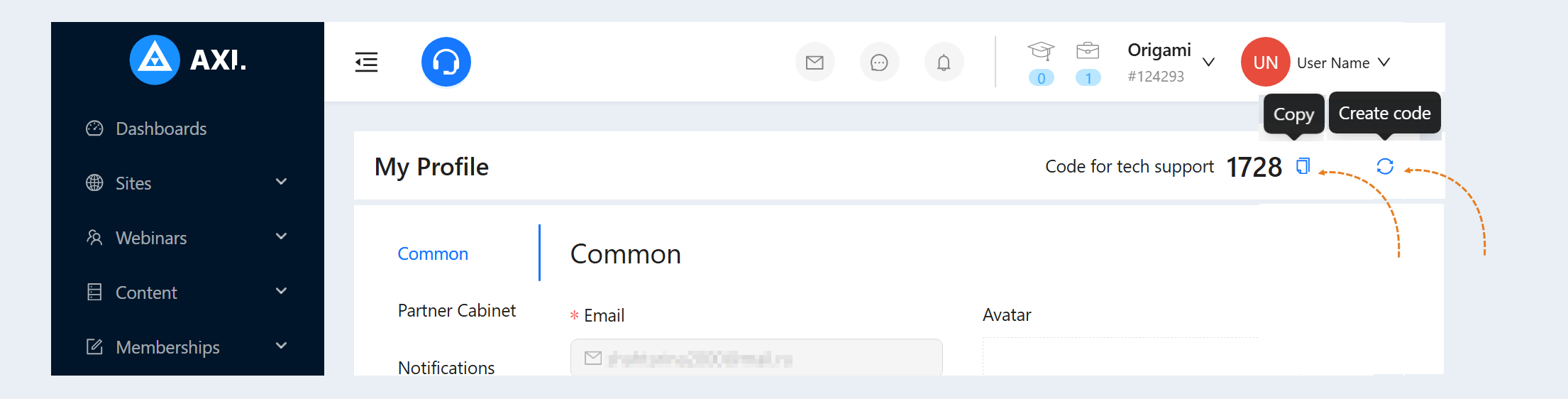
Next, copy the code and send it to the technical support staff. If you need to update the code, click the "Create code" button.
Follow the instructions and recommendations of tech support specialists. They may ask additional questions to understand the cause of the problem or propose a solution. After resolving the issue, make sure to familiarize yourself with the information provided and understand how to avoid similar problems in the future.