Wazzup is a service for integrating WhatsApp, Instagram, Telegram, and VKontakte with CRM systems. You can communicate with clients through their preferred contact methods from within the CRM window. Wazzup chats can be accessed through CRM, the Wazzup personal account, or through applications. They all have the familiar messenger functions and appear the same everywhere.
Wazzup helps companies improve communication with clients and automate business processes.
1
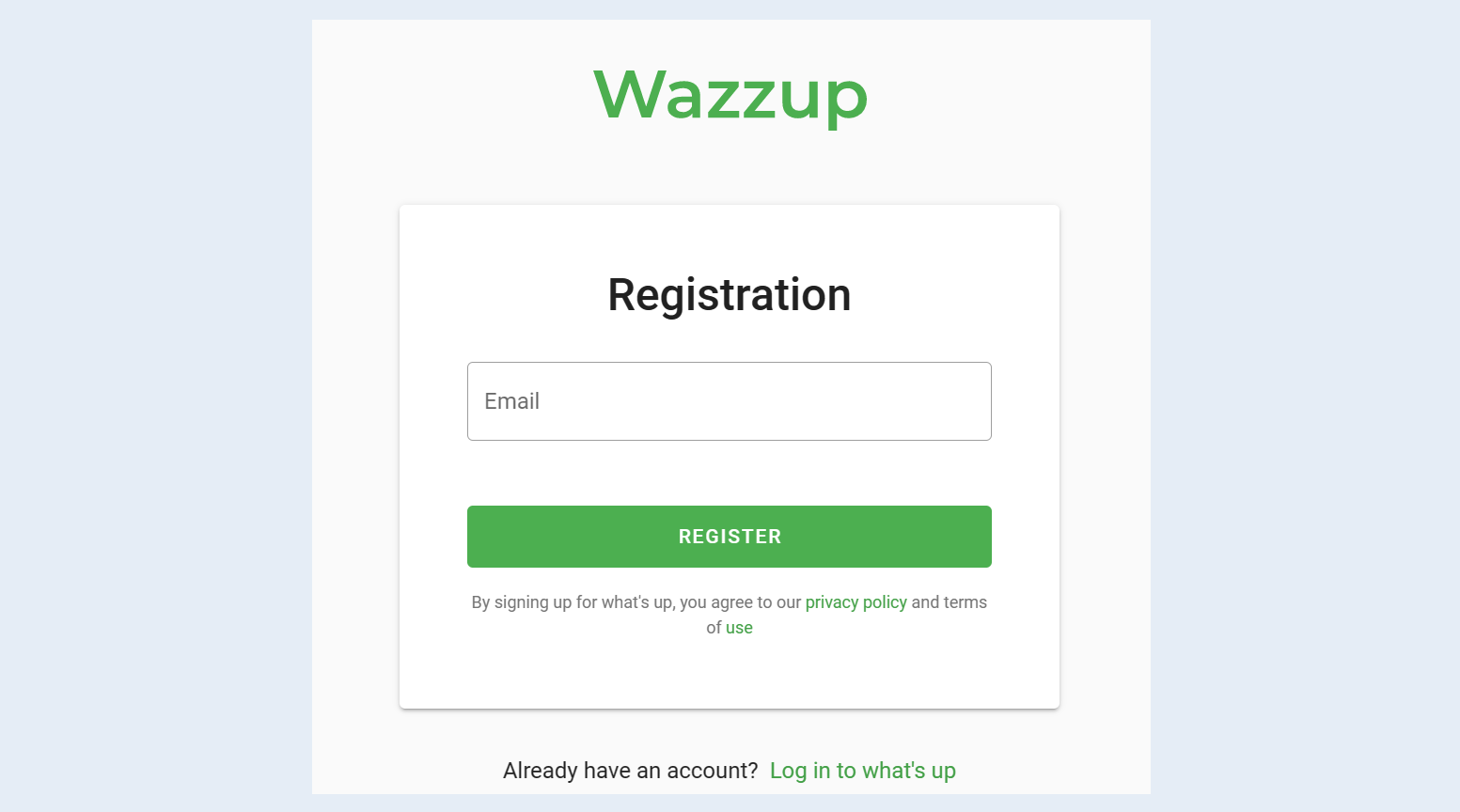
To create a Wazzup24 channel, you need to register on the website. Follow the link. Then enter your email and click "Register".
When registering, there is a test period of 3 days, during which you can test all the functionality of Wazzup24. To work with Wazzup24, you will need a phone with WhatsApp, Telegram and Instagram applications. The phone must always be on and online. If the connection is lost on the phone or it turns off, then receiving and sending messages will be suspended.
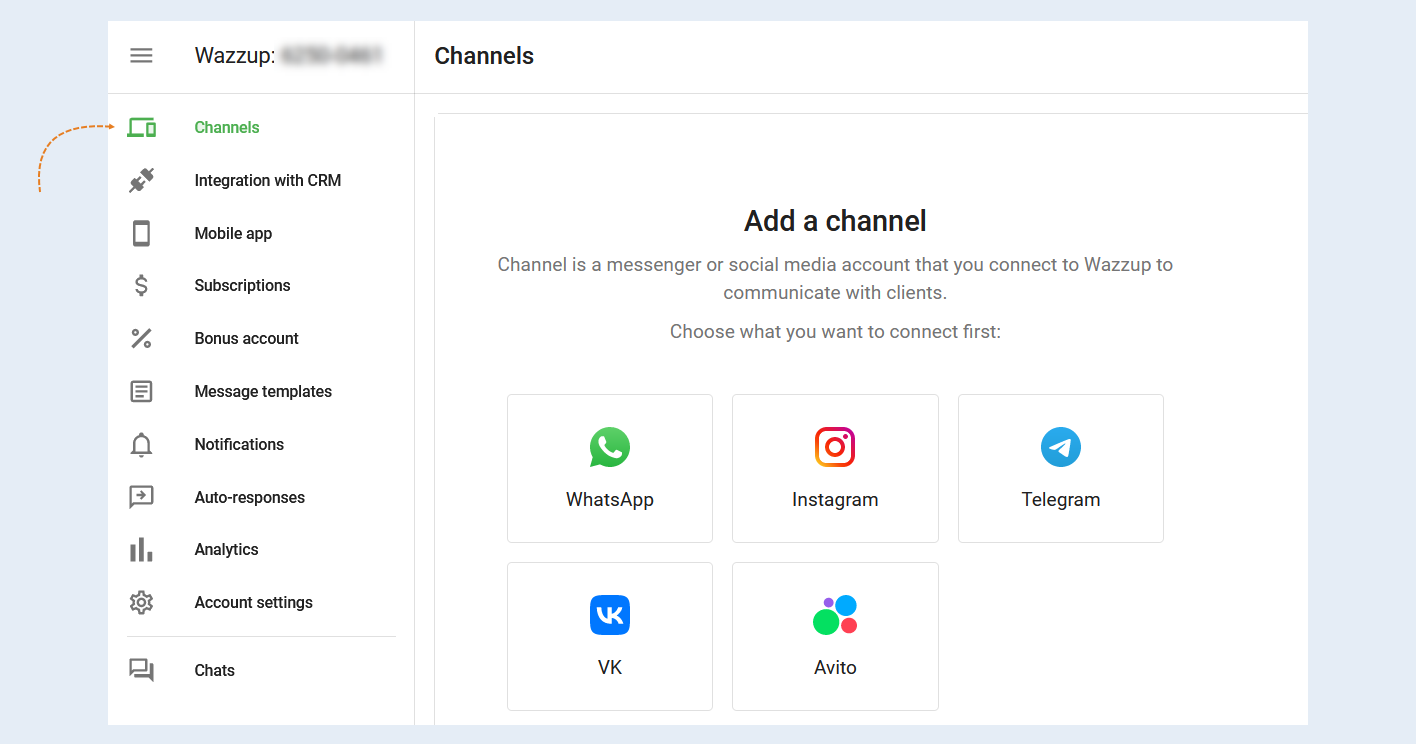
First you need to add channels through which you will communicate with customers. Select a channel and click the "Add Channel" button in the "Channels" section in the Wazzup24 personal account. Next, you will see the QR code that you need to scan.
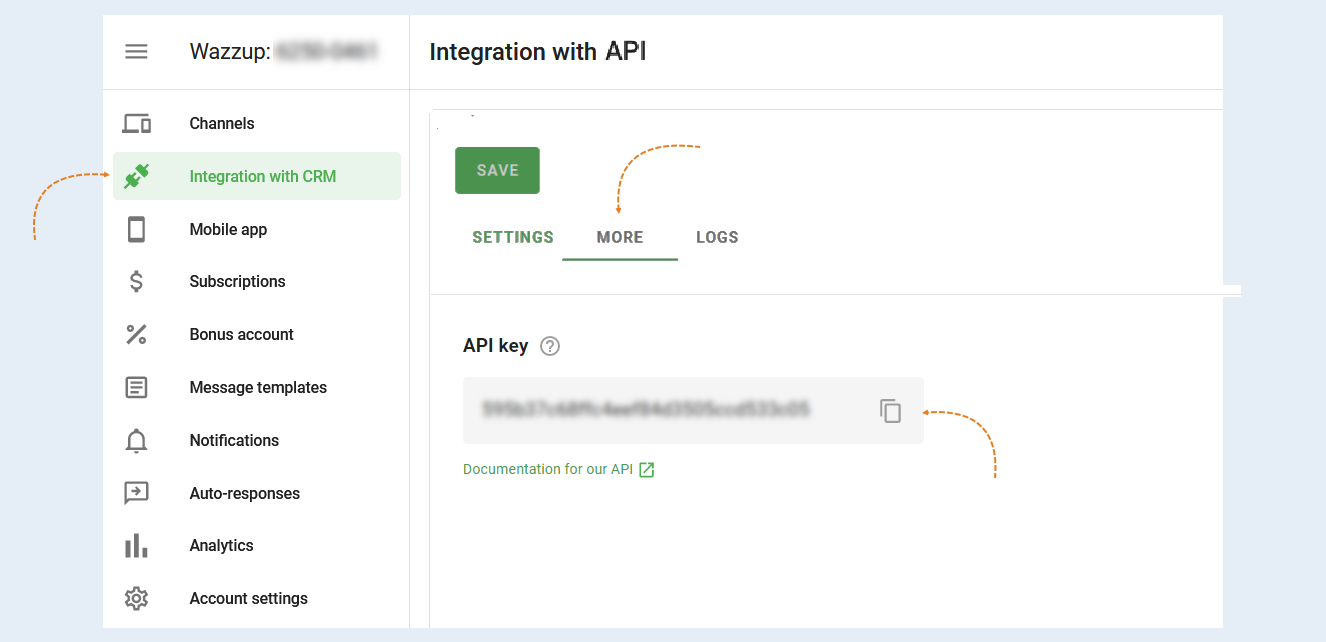
For integration, you will need an API key. You will find it in the "Integration with CRM" section, then select "API Integration" and open the "Advanced" tab.
2
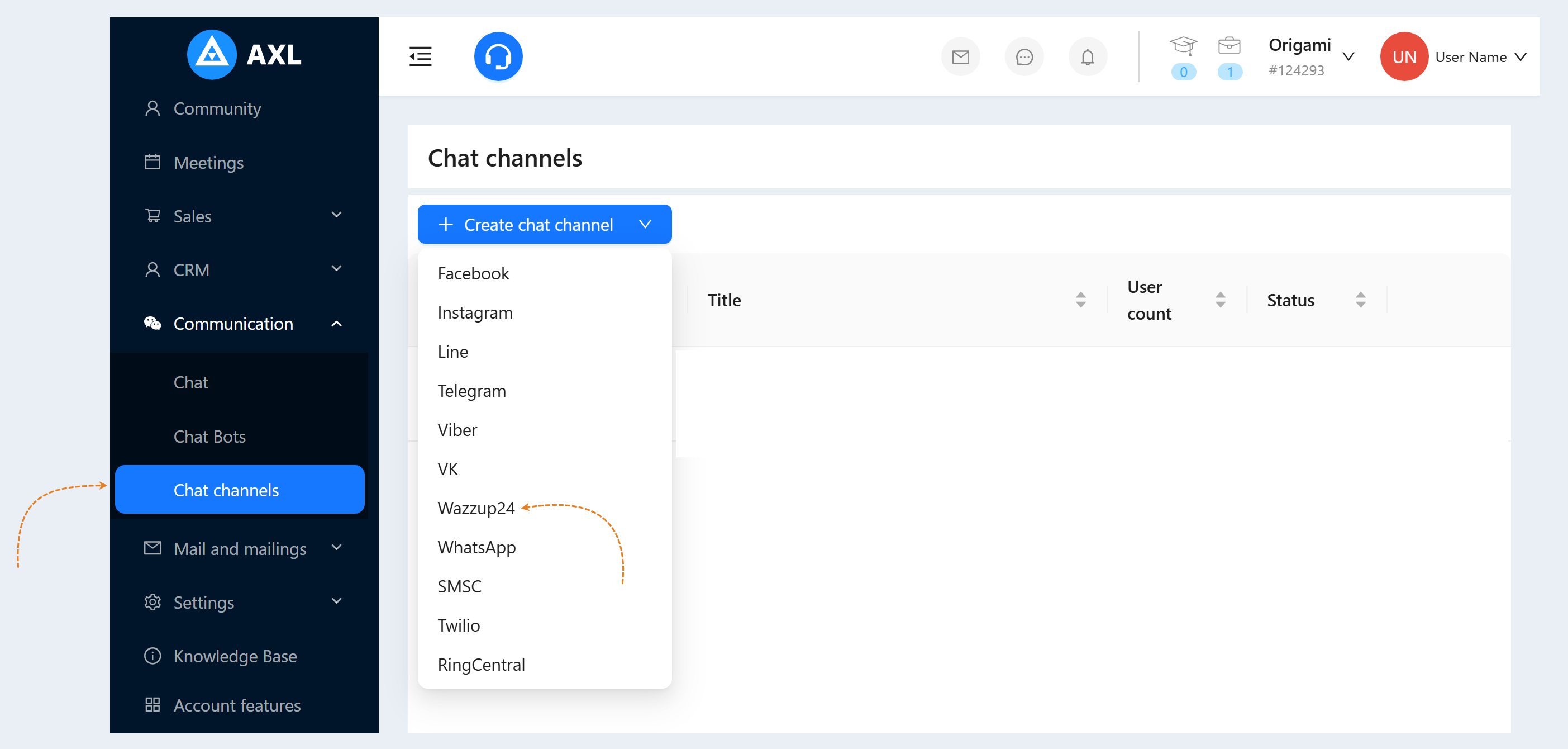
Return to the AXL platform. To create a "Wazzup24" channel, go to the "Communication" section, the "Chat Channels" tab. Click the "Create Channel" button and select the line "Wazzup24" in the list of channels.
An additional window will open for you. Fill in the fields:
- Title. Enter the name of your channel to facilitate the search.
Colour. Set the color of the channel icon.
Broadcast disabled. Check the box to disconnect this channel from the mailing list.
Default chatbot scenario. Select a scenario from the list. This scenario will work if the guest goes to the bot via a direct link (through a search, sent by a friend) and does not run a specific scenario.
API key. Enter the API key copied in step №1 of this article.
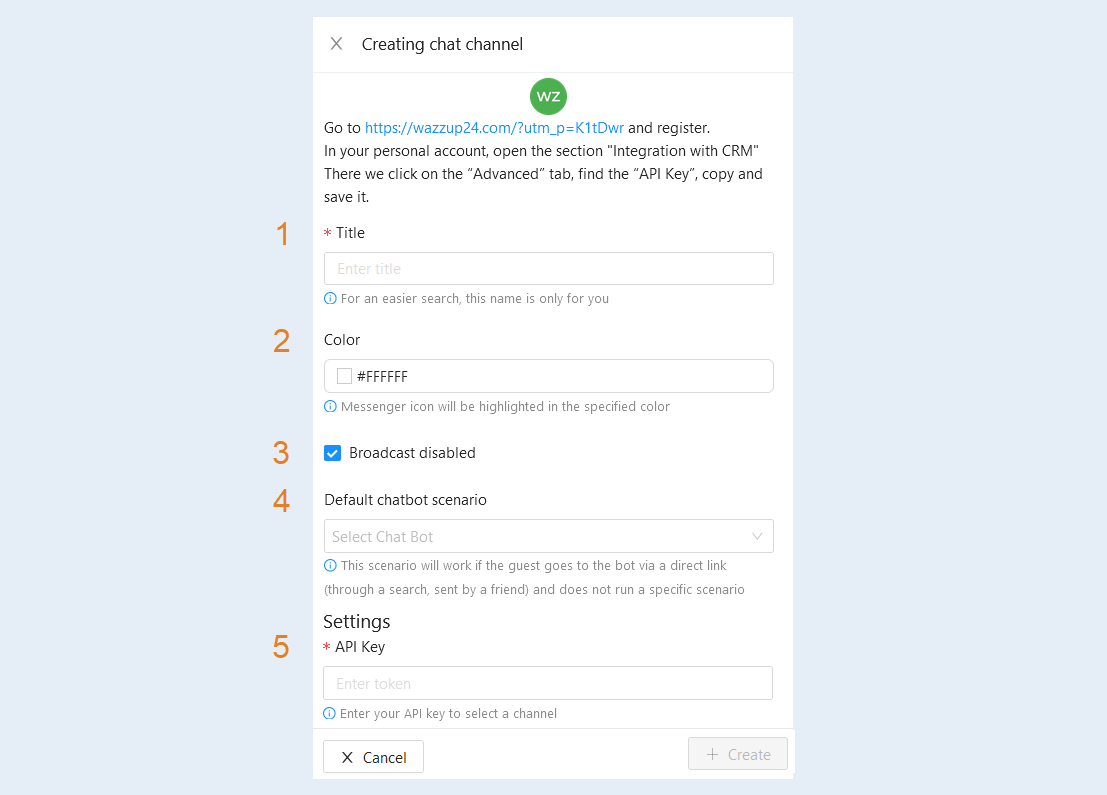
Click the "Create" button. The Wazzup24 channel you created will appear in the list of chat channels.