Headers and footers are key elements of a website's structure, playing a crucial role in navigation, branding, and ensuring overall site integrity. Proper design and use of these elements can significantly improve user experience and enhance the effectiveness of the website. Their structure and content should align with the website's goals, objectives, and the needs of the target audience.
The header is a block at the top of a website's page that is visible on all pages. The header typically contains the company logo, website name, tagline, and other elements that allow users to immediately understand which site they are on. The header is the primary location for placing the site menu, search bar, and other navigation elements that help users quickly find the information they need. Sometimes, the header includes essential contact information, such as a phone number or email address. The header may also contain login/registration buttons, a language switcher, social media icons, a shopping cart (for online stores), and other useful elements. The header supports the visual style of the website, using brand colors, fonts, and design elements.
The footer is a block at the bottom of a website's page that is visible on all pages. The footer may contain links to important sections of the site, a sitemap, a list of popular articles or products. The footer often includes complete contact information, including address, phone number, email address, links to social networks, and a contact form. The footer also usually contains copyright information (©, year, company name) and terms of use of the website. The footer may contain a brief description of the company, its mission, and values. Like the header, the footer is usually displayed on every page of the site. On websites with a large amount of information, the footer can serve as an additional navigation channel and help users find the information they need.
Click on the desired section of the article to go to its description:
How to create a website header
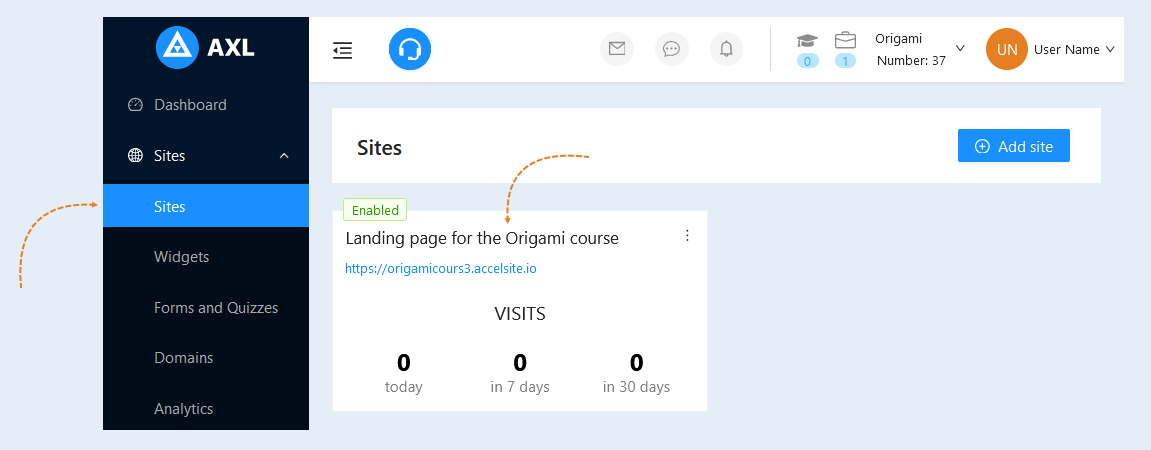
Go to the "Sites" section, the "Sites" tab. Open your site.
Go to the "Header and footer" section.
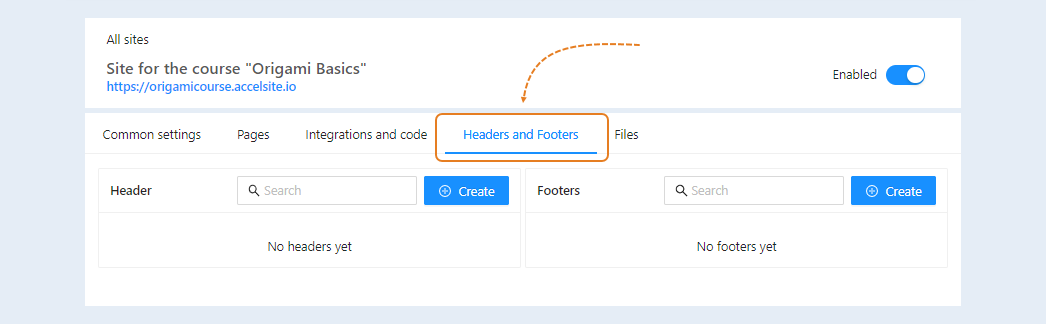
On this page, you can create "headers" and "footers" for your sites. You can create multiple different variants.
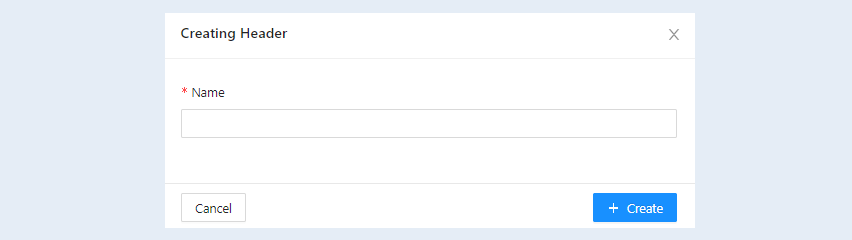
Click the "Create" button. An additional window will open. Write the name, click the "Create" button.
You have created a "header". Click on the name or the "Edit" button.
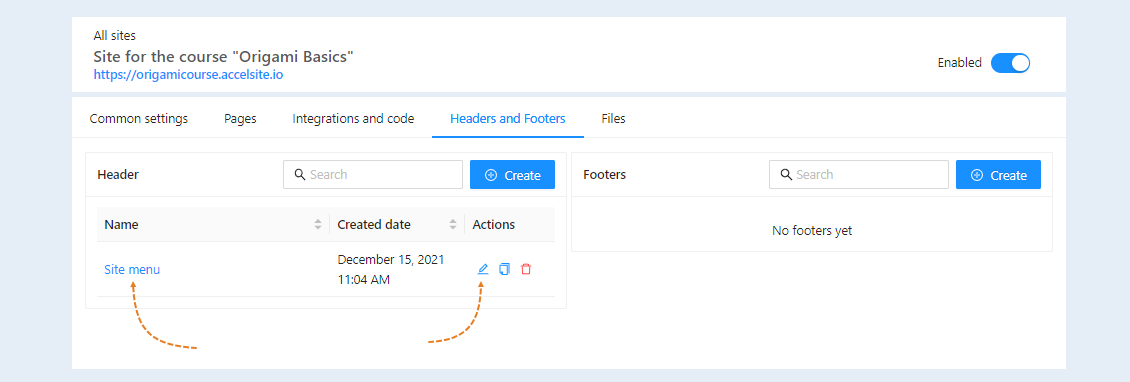
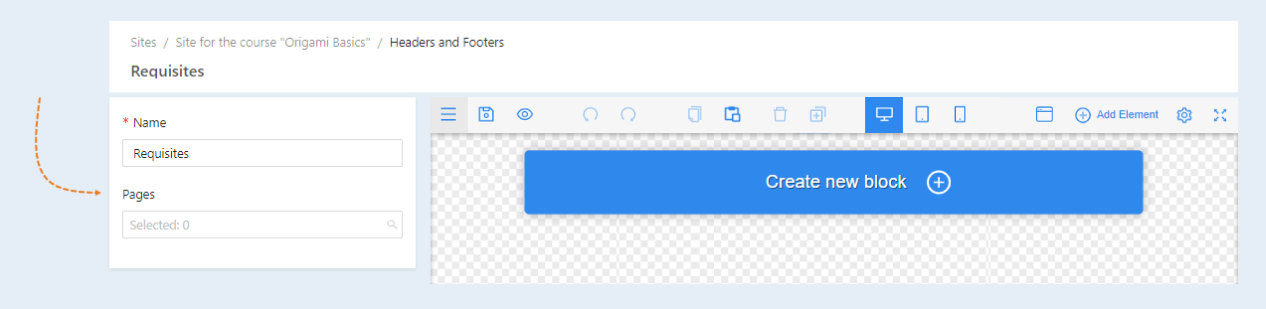
The page editor will open. Here, you create the design for your site's header. For more information on how to design the page, read the article "Page Editor Overview".
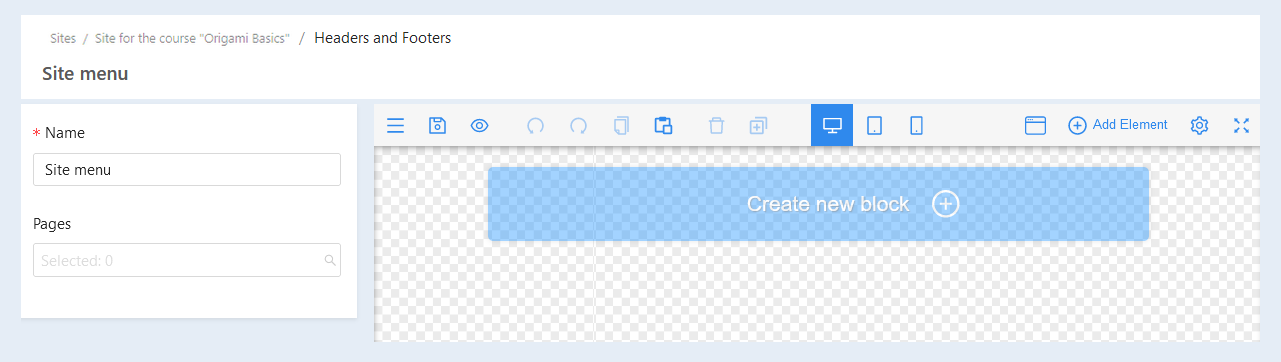
At the top of the page, you will see the following lines:
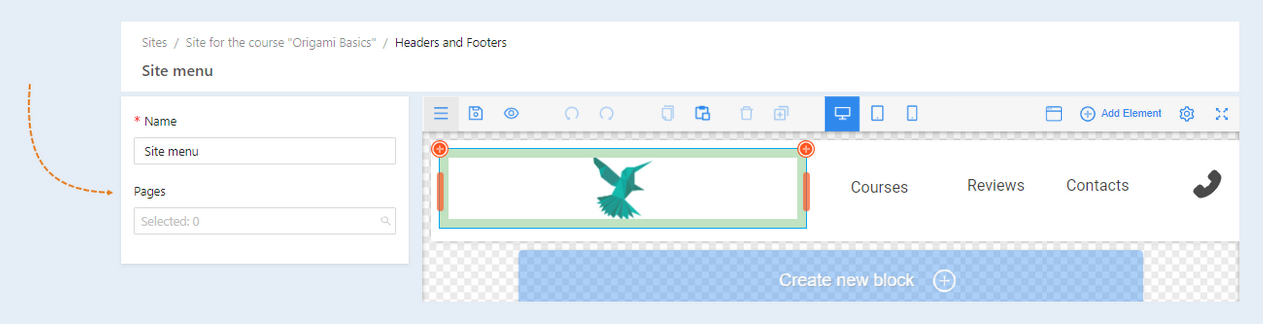
- Name. The name of the site header is specified, you can change the name.
Pages. A list of all the pages of this site is shown. Check the boxes next to the pages you want to attach the header to. The header is usually a permanent element and is displayed on every page of the site, ensuring uniformity and ease of navigation. On the main page, the header can be larger and contain more elements, for example, a slider or a banner.
Click the "Save" button.
How to create a website footer
Go back to the "Headers and Footers" page. To create a site footer, click the "Create" button.
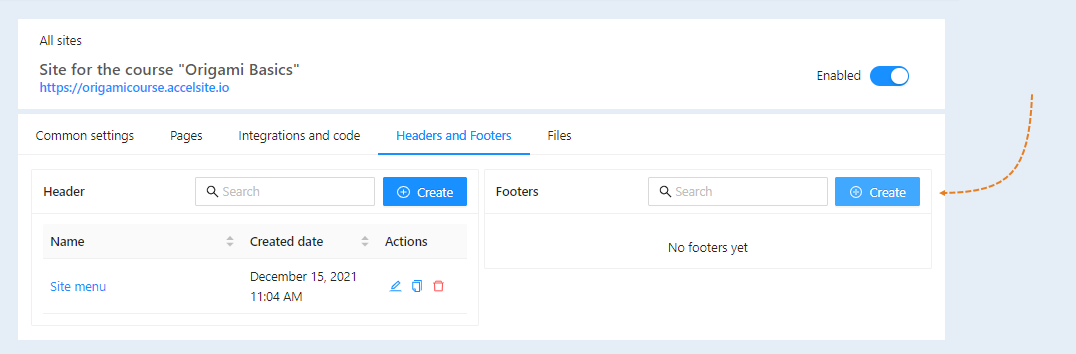
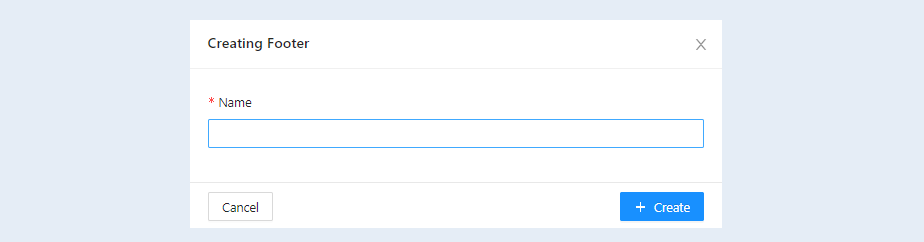
In the window that opens, enter a name for the footer page. Click the "Create" button.
You have created a "footer". Click on the page name or the "Edit" button.
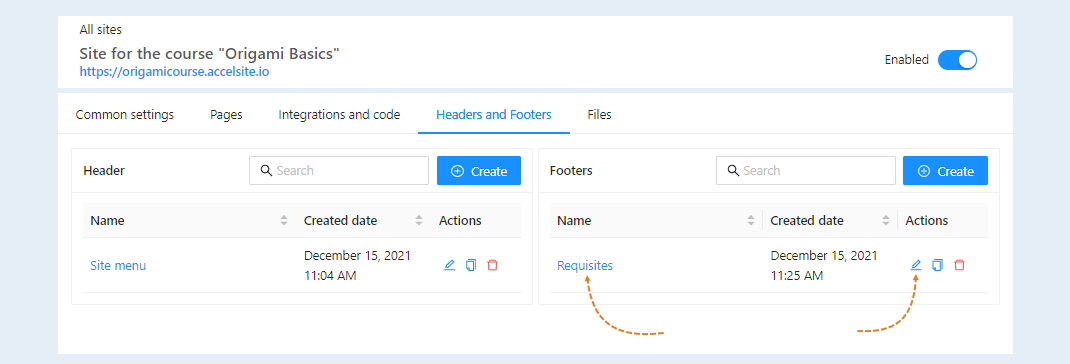
The page editor will open. Here, you create the design for your site's footer. For more information on how to design the page, read the article "Page editor overview".
At the top of the page, you will see the following lines:
- Name. You can change the name of the footer.
- Pages. A list of all the pages of this site is shown. Check the boxes next to the pages to which you want to attach the basement.