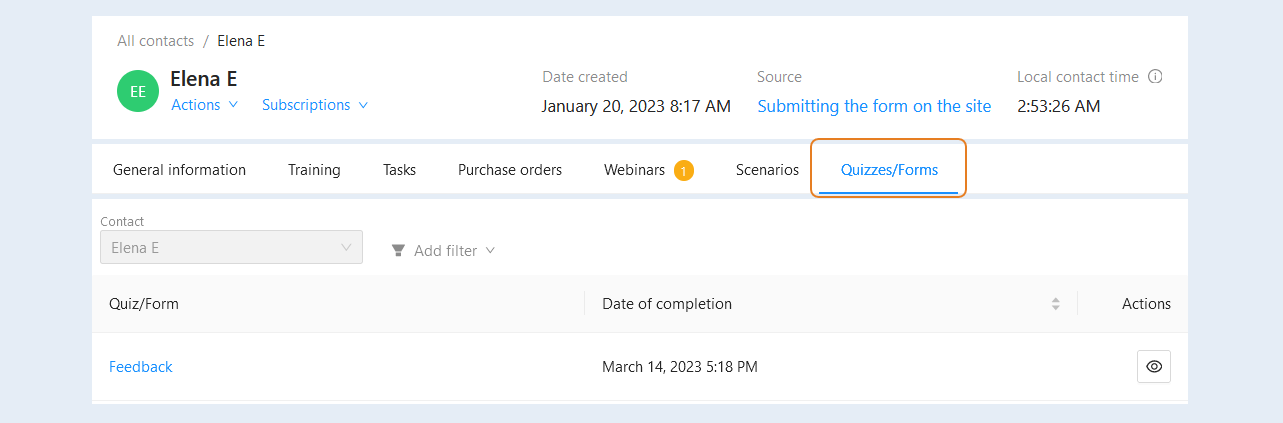
In the "Quizzes/Forms" tab, you can see a list of quizzes/forms that were filled in by this contact.
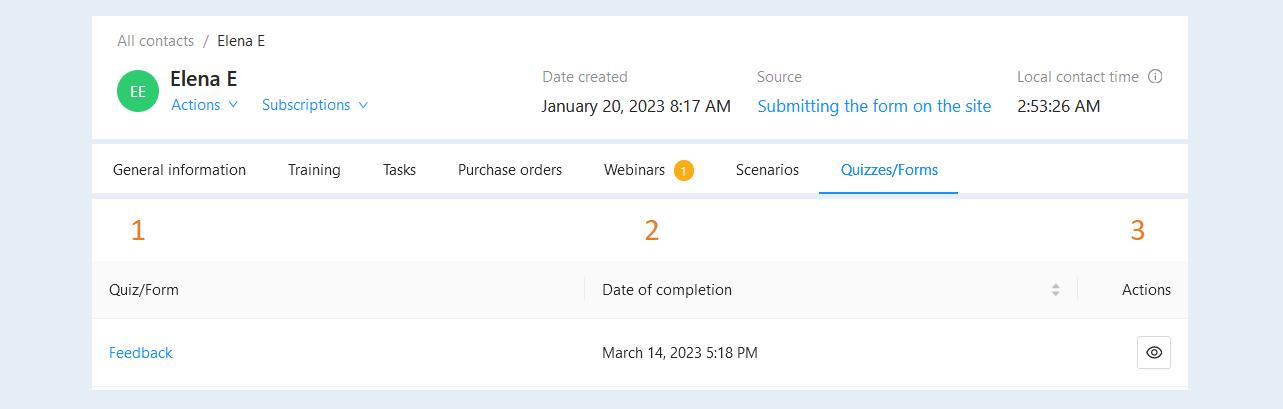
In the list of quizzes/forms you can see the following information:
- Quiz/Form. The column shows the name of the quiz/form. Click on the name of the form to open its settings in the "Forms and Quizzes" section.
Date of completion. The column shows the exact date and time when the contact filled out the quiz/form.
Actions. In this column there is a button "Form Preview".
Click on the "Form preview" button to see the form/quiz filled out by the contact.
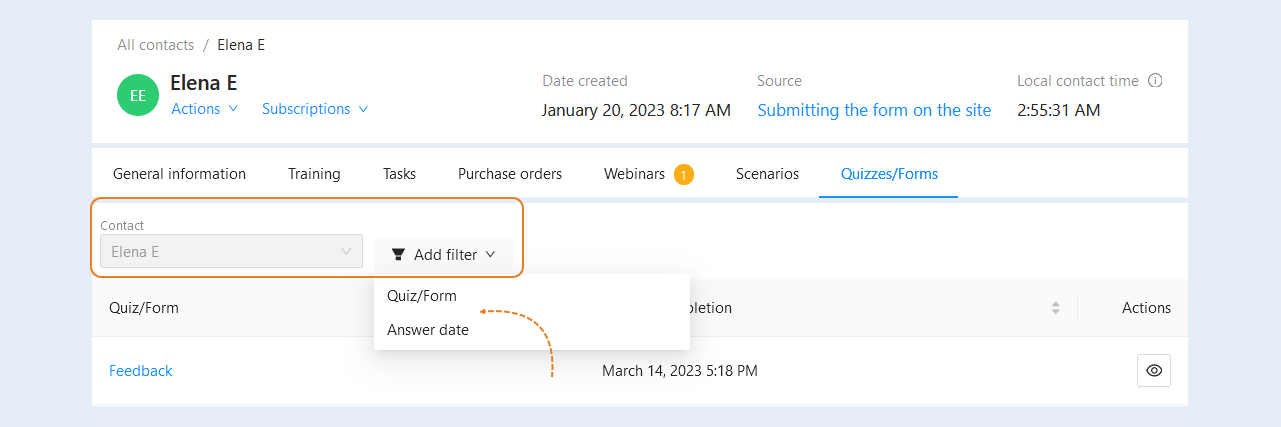
At the top of the "Quizzes/Forms" tab, filters are available for quick search:
- Contact. By default, the contact you are in is already selected. The filter helps you focus on information related to a specific user in order to analyze their activity, responses, and interactions with forms/quizzes.
Add filter. Click the "Add Filter" button and select a filter from the suggested ones:
- Form/Quiz. This filter allows you to select a specific form/quiz from the list. For example, if a contact filled out several different forms, you can filter the data by one of them. This helps to analyze which forms or quizzes were filled out by the contact and evaluate their effectiveness or results.
Answer date. This filter allows you to select the time range in which the forms were filled out. For example, you can view responses for the last month, quarter, or year. This helps to track the contact's activity over a certain period of time, which is useful for analyzing the dynamics of interactions.